No studio. No editor.
All-in-One Image & Video StudioPro visuals in minutes, not days.
Images, videos, voice-overs: the 135 best AI models in one account. You describe it, Imaginode makes it.
3 images on us · No credit card · Account ready in 30 seconds

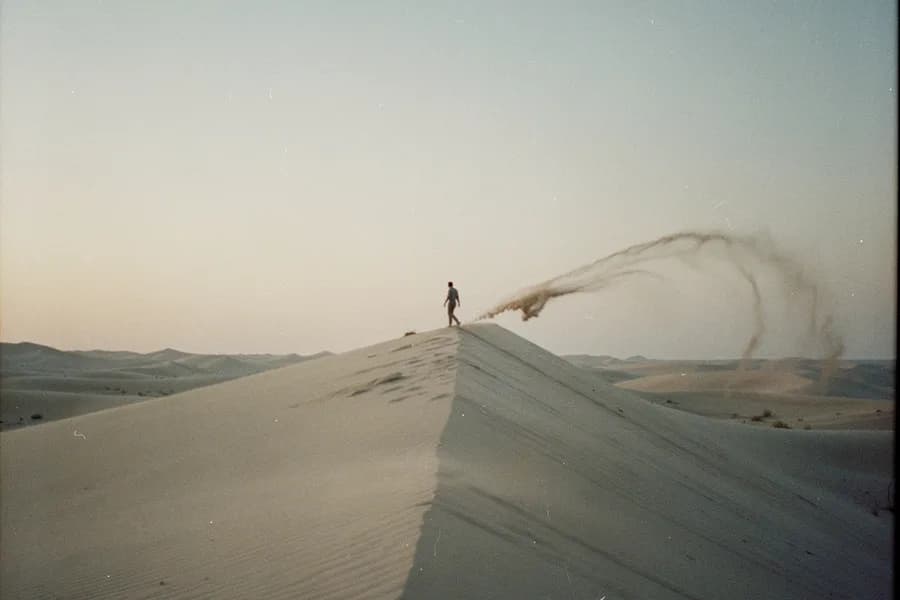
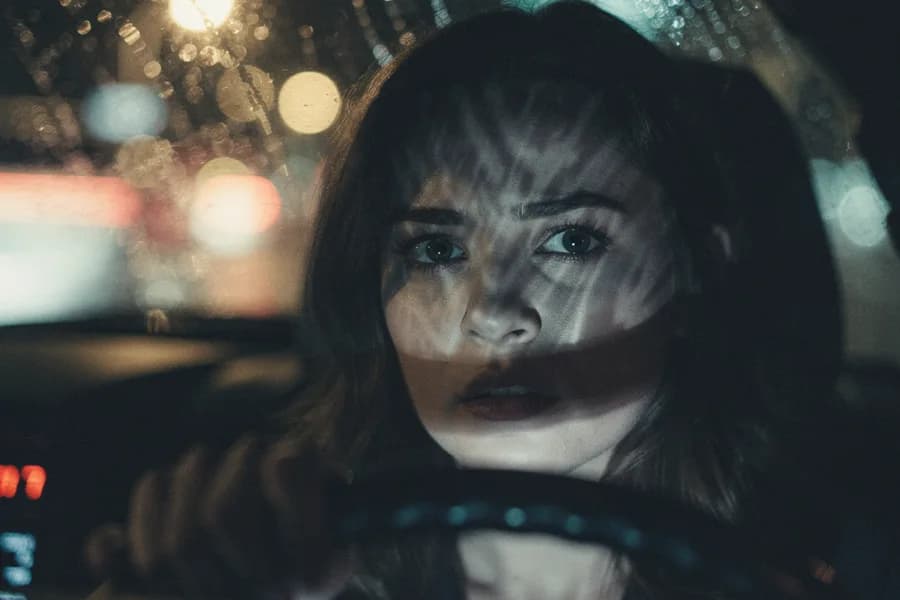
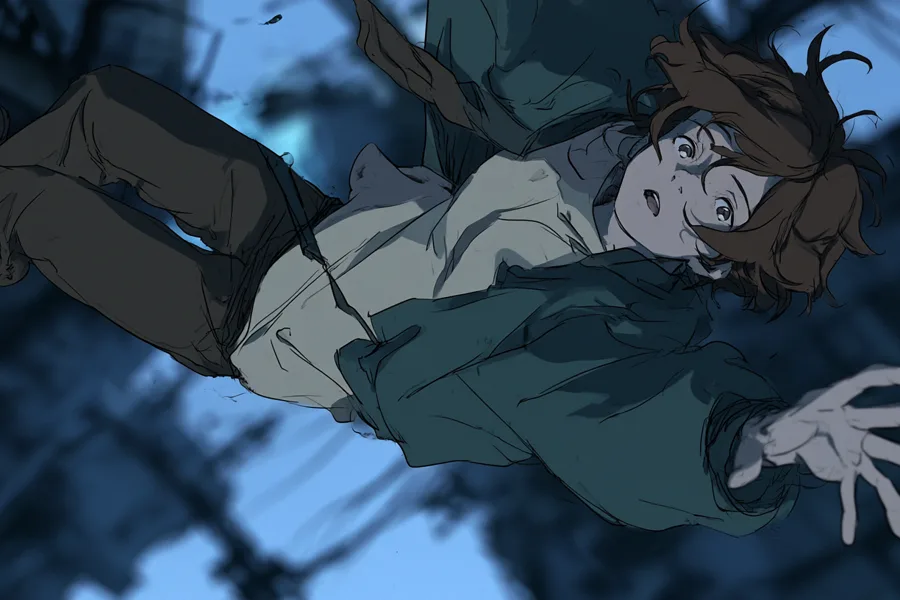
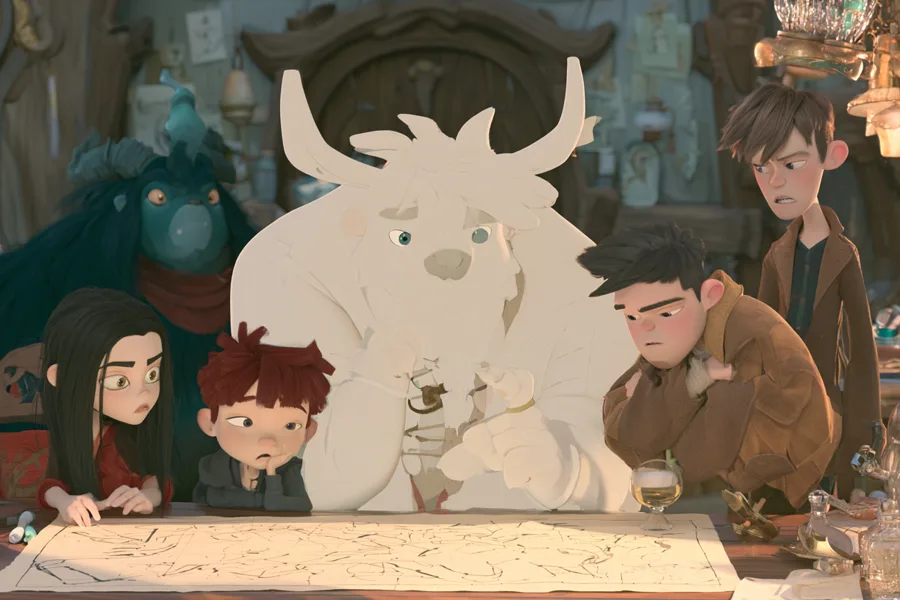
Made on Imaginode. Zero retouching.
What you get
135 AI models, one subscription
Flux, Seedance, Kling, Veo, Nano Banana, GPT Image… No more five accounts and five bills.
Videos that don't look like AI
Cinematic shots from a line of text or a single image.
Voice-overs, music, sound effects
Make your videos talk, no mic, no studio.
342 ready-to-run templates
Product ad, YouTube thumbnail, music video, talking avatar: one click and you're off.
The price shown before every click
You know what an image costs before you run it. No surprises.
Failed = refunded
A failed generation gives your credits back, automatically.
Do the math
Without Imaginode
- One subscription per tool
- A new interface to learn for every AI
- A photographer, an editor, a voice actor to pay
- Days of waiting
With Imaginode
- One account, 135 AI models
- One canvas, everything in one place
- You do it yourself
- A few minutes
You risk nothing
- No card to start: your first 3 images are on us.
- Failed generation: credits back, automatically.
- No-commitment subscription, cancel in one click.
From $17 a month
900 credits every month, up to 180 images. Prices exclude tax.
tax calculated at checkout
What do you want to create?
Ready-made workflows: one click, your texts, your images, and it generates. Newest first.
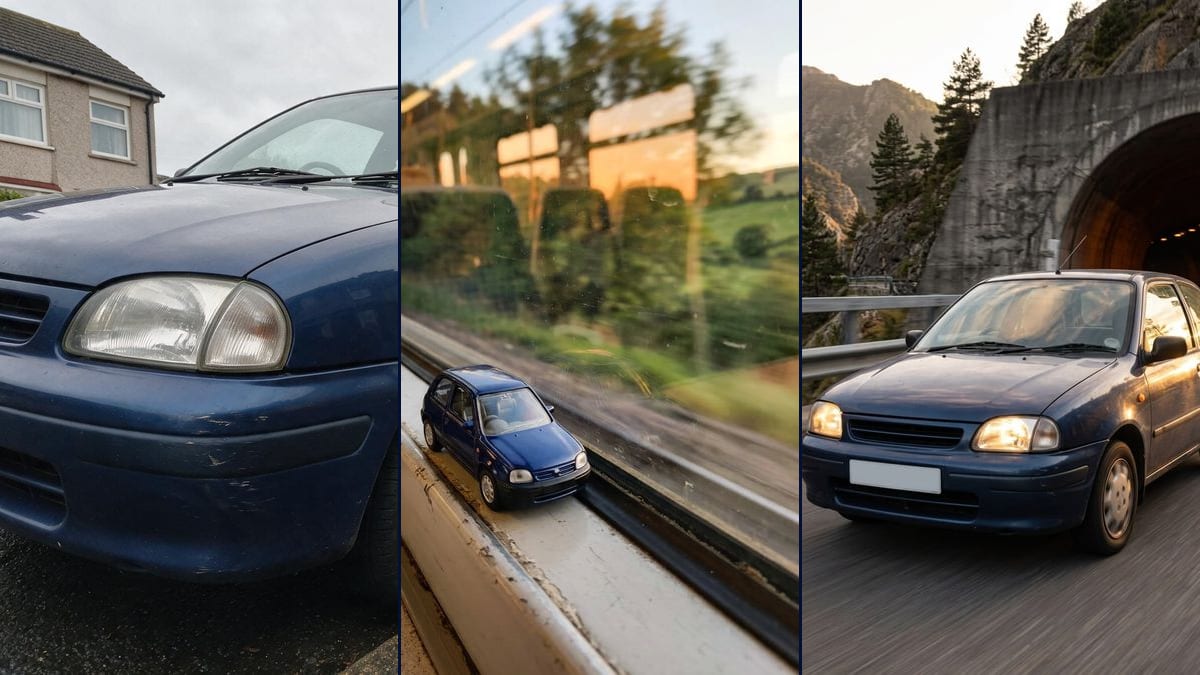
your car as a toy, then for real
Toy car to real car trend from your photo
Your car as a toy on a train window ledge, then for real at the tunnel exit.

in a 90s rom com
90s rom com AI photo
One selfie, a film still and its poster.
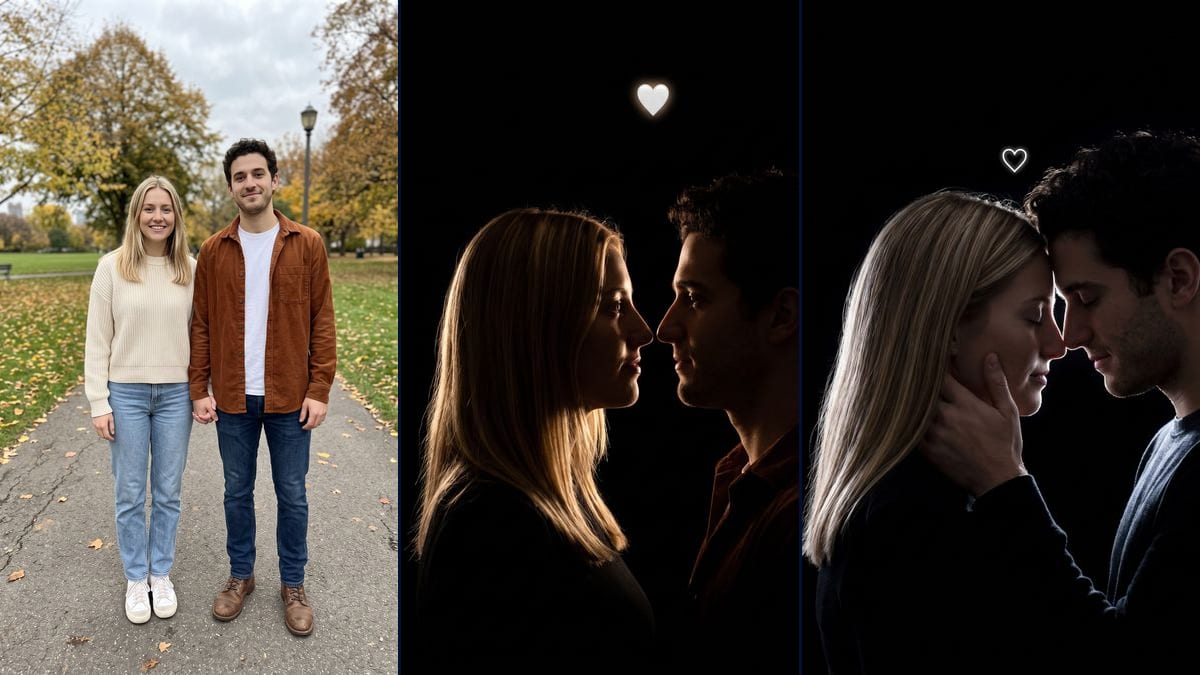
as a backlit silhouette
AI couple silhouette photo
Black background, a rim of light on your hair, and a small white heart above the two of you.
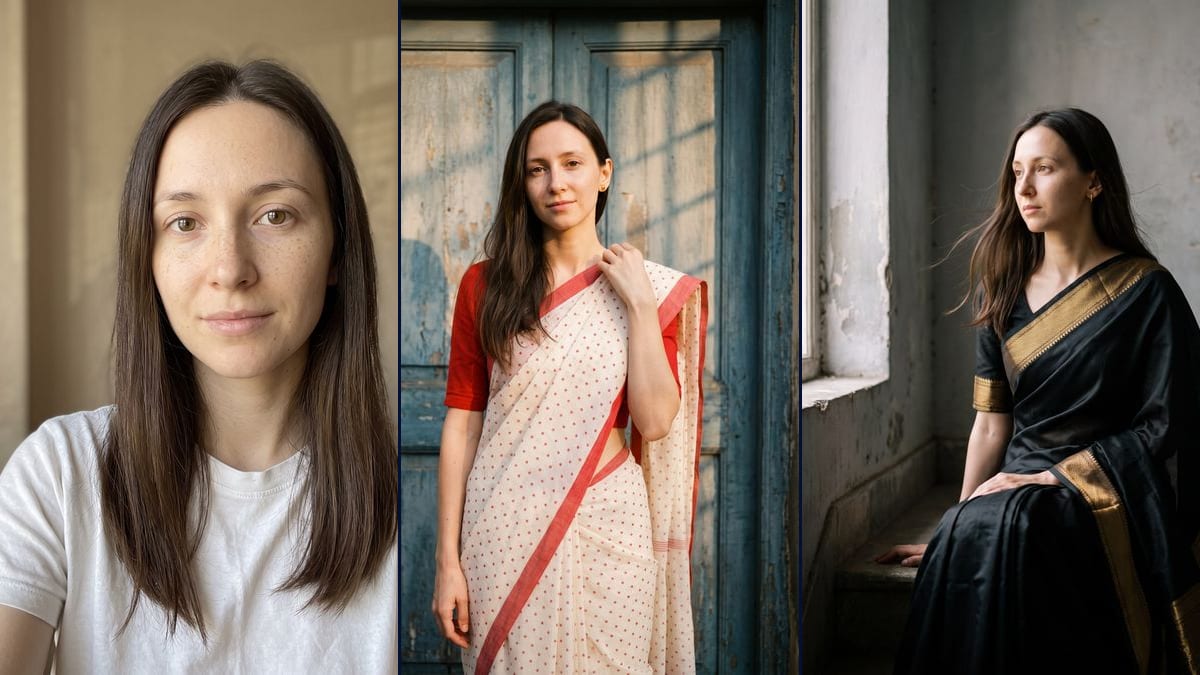
in a saree photoshoot
AI saree photoshoot
One selfie, two retro saree portraits.
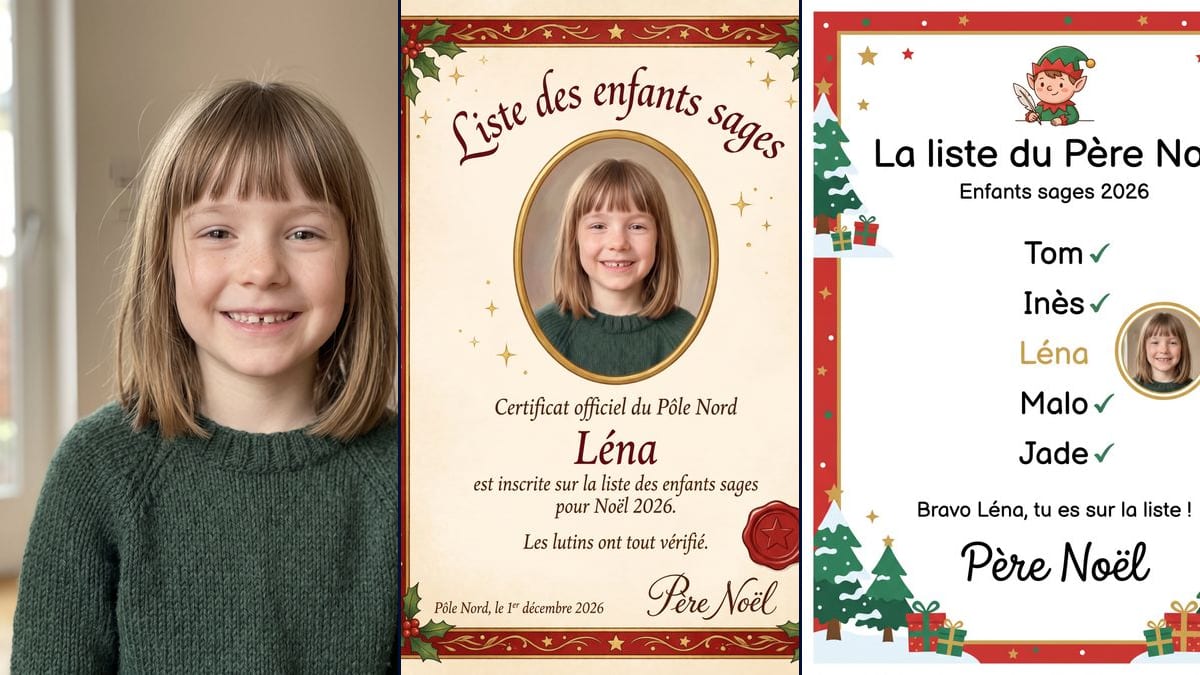
a nice list certificate
Santa's nice list certificate
Your child's photo on Santa's nice list, ready to print.

a Thanksgiving profile picture
Thanksgiving profile picture
Your profile picture goes Thanksgiving, as a flash photo or a cartoon.
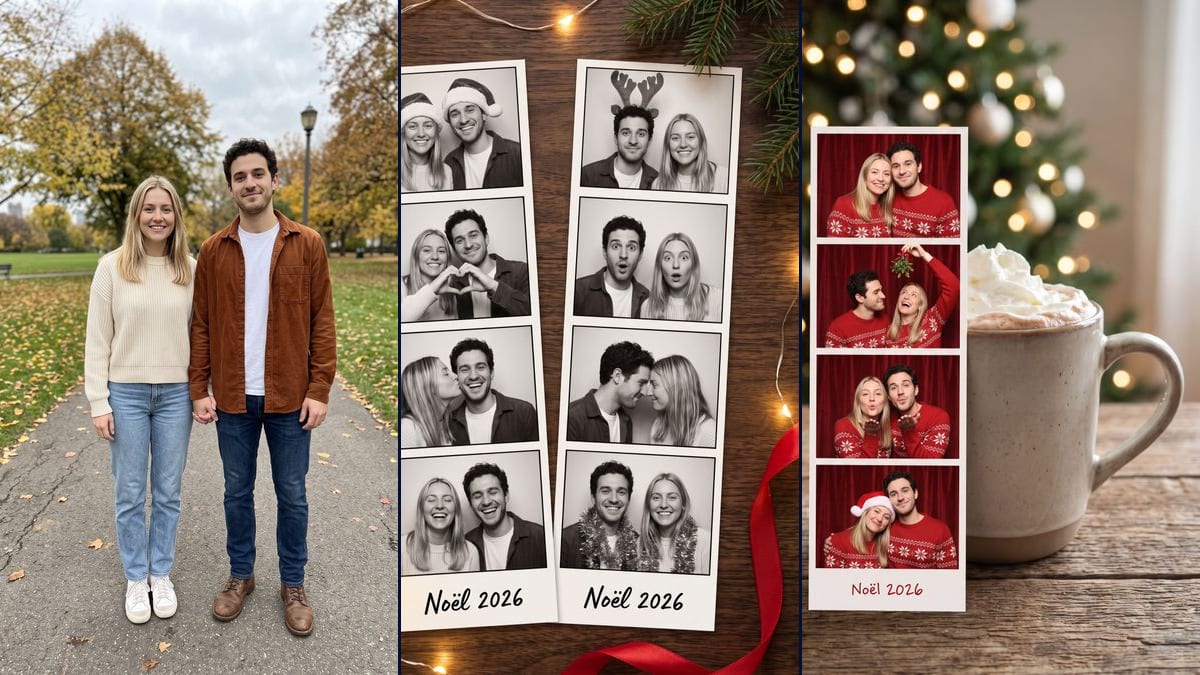
as a Christmas photo booth strip
AI Christmas photo booth strip
Four little poses per strip, and "Noël 2026" handwritten at the bottom.
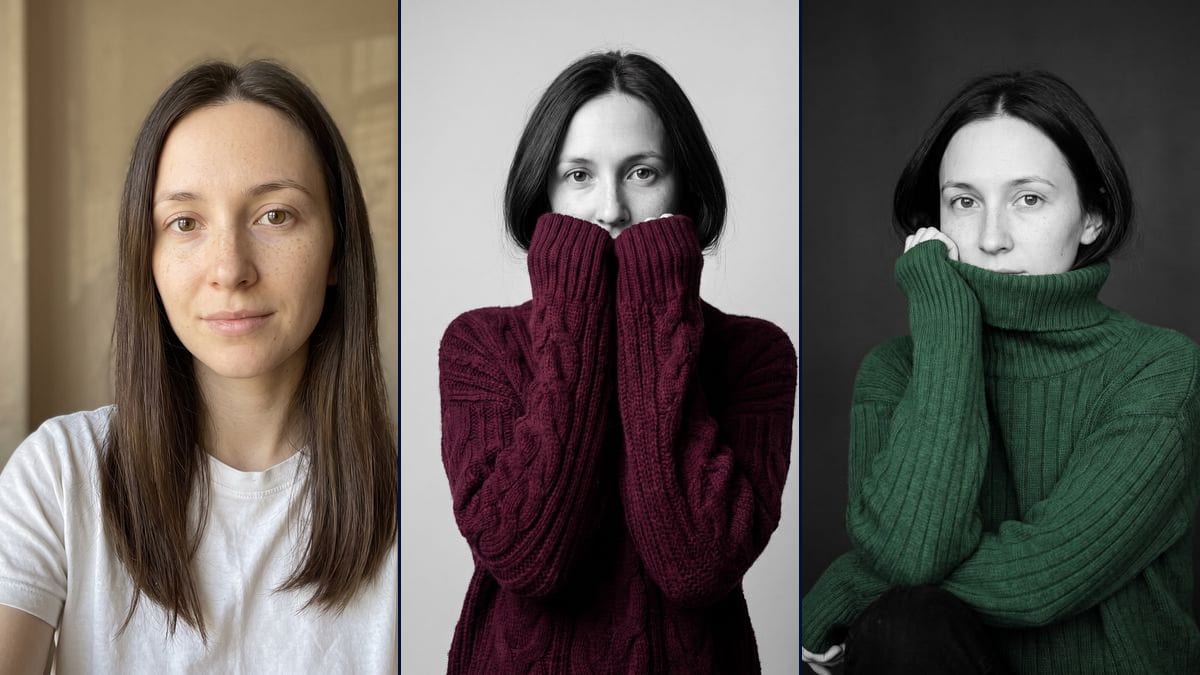
as a colour sweater portrait
Colour sweater portrait trend with AI
All black and white, except the knit.
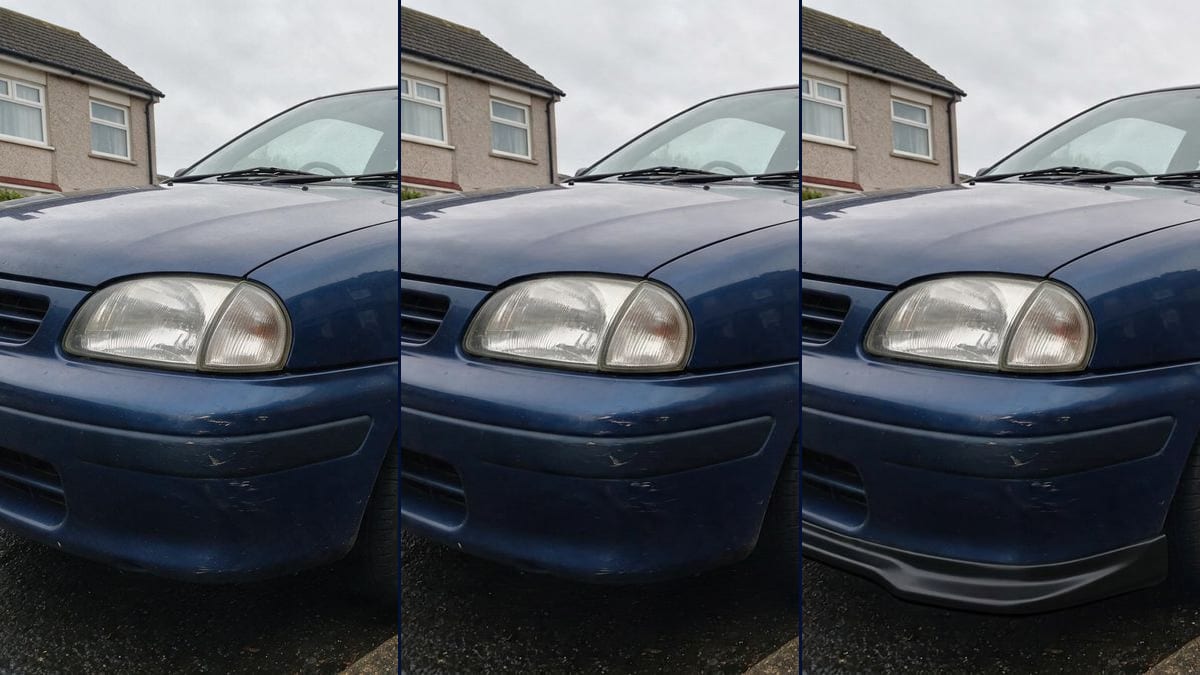
new rims and a body kit on your car
Car tuning simulator from your car photo
See the rims on your car before you order them.

as a 1920s Gatsby toast
Gatsby toast 1920s AI photo
A tuxedo, a champagne coupe, and an old sepia print.
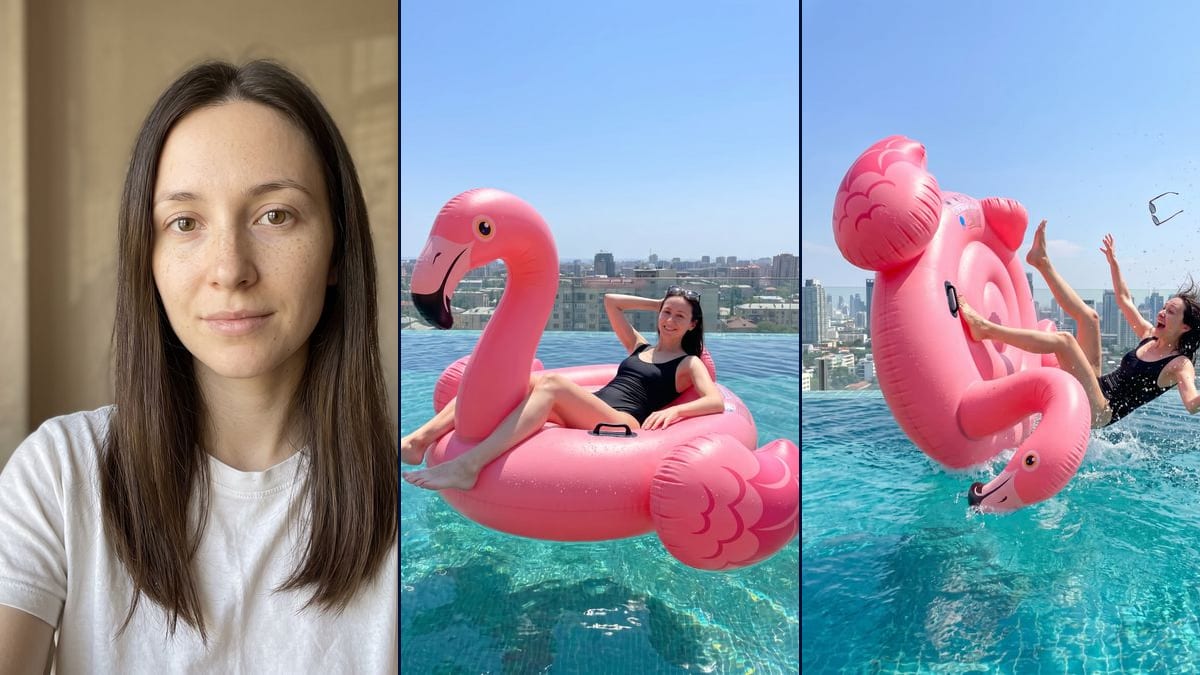
on a flamingo float
Flamingo float AI photo
A pink inflatable flamingo on a rooftop, then straight into the water.
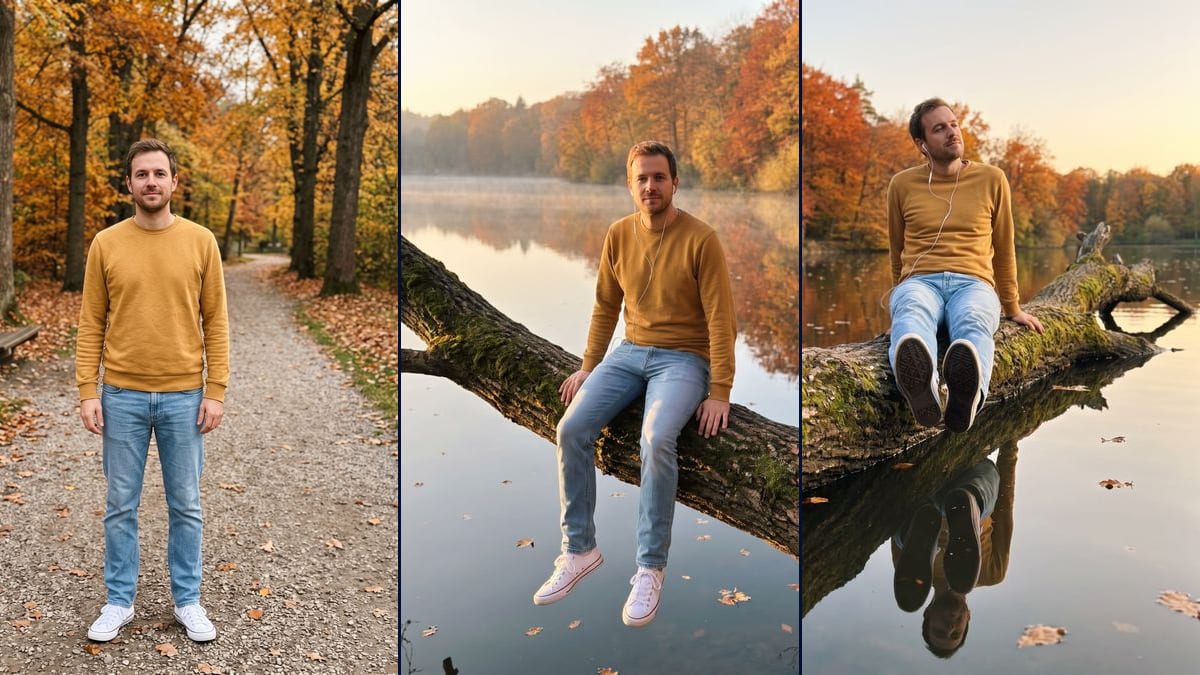
by an autumn lake
Autumn lake daydream AI photo
A trunk over the water, wired earphones, orange trees in the lake.
What you can create
The best models, already wired in
You only pay for the AI and the tool. No marketing budget, no hidden fees, just the best models at a fair price.
 Images
GPT Image 2.6 Flare
GPT Image 2.6 Flare (OpenAI): the latest GPT Image generation, in a few seconds, creates and edits your images. Eco, Standard or Max quality.
ImagesGPT Image 2.6 Sunburst
GPT Image 2.6 Sunburst (OpenAI): the latest GPT Image generation, creates and edits while taking its time on each render. Eco, Standard or Max quality.
 Audio
ElevenLabs v4
ElevenLabs v4: the latest ElevenLabs voice generation, highly expressive, 21 voices, delivery directed with in-text tags ([laughs], [whispers]…), all 14 site languages. 6 credits per 1,000 characters.
AudioElevenLabs v4 Turbo
ElevenLabs v4 Turbo: v4, faster and half the price, same delivery tags, same 21 voices. 3 credits per 1,000 characters.
AudioElevenLabs Dialogue v4
ElevenLabs Dialogue v4: a multi-voice dialogue in a single take on the v4 engine, one voice per line, same delivery tags. 6 credits per 1,000 characters.
AudioElevenLabs Scribe v2
ElevenLabs Scribe v2: transcribes audio or video to text, 90+ languages, separate speakers, timed .srt subtitles. 1 credit up to about four minutes, 3 credits for ten minutes.
 Images
Flux 3 Klein
Flux 3 Klein (Black Forest Labs): the small Flux 3, fast and open-weight, in native 1K, 2K or 4K, editing with up to six references. 2 credits in 1K.
 Audio
Voxtral TTS 3
Voxtral TTS 3 (Mistral): twelve voices including Marie in French, and a performance you set in the text with [emotion=calm] or [pace=slow]. 3 credits per 1,000 characters.
 Text & assistants
Mercury 3
Mercury 3 (Inception): the successor to Mercury 2.5, still a diffusion model and among the cheapest text models, one-million-token context. Text only.
 Images
MAI-Image 2.6
MAI-Image 2.6 (Microsoft): realistic photos and clean text inside the image, generates or edits from up to five images. 12 credits per image.
ImagesMAI-Image 2.6 Flash
MAI-Image 2.6 Flash (Microsoft): the fast version of MAI-Image 2.6, less than half the price, also generates and edits. 5 credits per image.
 Audio
Fish Audio Drama 3
Fish Audio Drama 3: a voice you can direct. Write the performance into the text, [whispering], [laughing] or (in a trembling voice), and have two characters talk. 2 credits per 1,000 characters.
The 3D stage before the AI camera
Describe a scene and it is built in 3D, in your browser. You place the characters, pick the lens, draw the camera move, then hand that shot to the video generator, which follows it down to the trajectory.

- The framing is decided once, not on the tenth prompt attempt
- Cinema lenses, move presets, drawn paths, a camera recorded by hand
- Renders, start and end frames, a package ready for the video model
Straight to the point
No frills, no fluff: an honest tool for creating with AI.
You only pay for the AI and the tool
No ad budget, no marketing team to fund. Your subscription pays for the models and the canvas, period.
Failure = refunded
Any generation that fails is automatically refunded in credits. You never lose a cent to a glitch.
Made for learning
An interface beginners understand in two minutes, clear documentation, and a camera node that teaches you the language of cinema.
135
AI models built in (image, video, text)
$0.012
the value of one credit, no hidden markup
2 min
to launch your first project
100%
of failed generations refunded
New: the Android app
The only AI canvas built for your pocket
A real node canvas in your phone's browser, not a stripped-down app. Start a video on the tram, lock your screen: it keeps generating on our servers. Reopen the project at your desk and everything is exactly where you left it.
- On Google Play or in the browser, everything runs server-side: zero battery drain
- Generation keeps going even with the screen locked
- Start on your phone, finish on your computer, no syncing
How it works
01
Create a project
A blank canvas, as many projects as you want.
02
Drop your nodes
Text, image, video, media, camera: connect them freely.
03
Generate
The credit cost is shown before every generation. Click and go.
135 AIs, one canvas
All included, on the same credits. Click any model for its pricing and capabilities.
Images33
Flux SchnellFlux 2 KleinFlux 2 ProFlux 3Flux 3 KleinFlux Pro 1.1Flux Kontext Seedream 5 LiteSeedream 5 ProFlux 2 Max
 Nano BananaNano Banana 2.1Nano Banana 2Nano Banana ProGPT Image 2GPT Image 2.6 FlareGPT Image 2.6 SunburstGPT Image 2.5 FlareGPT Image 2.5 Sunburst
 Recraft V4.1Recraft V4.1 Flash
 Muse ImageMAI-Image 2.6MAI-Image 2.6 Flash
 Grok ImagineGrok Imagine Image 2.0GPT Image Mini
 Trellis 2
 Tripo 2.5
 Topaz PrecisionTopaz Bloom 2Topaz Wonder 3.5
 BiRefNet v2+ Your local AI · 0 credits
Videos26
Grok Imagine VideoGrok Imagine Video 1.5Grok Imagine Video 1.5 Lite Kling 2.5 Turbo
 MiniMax H3MiniMax H3 Max
 Wan 2.7Wan 3.0Wan 3.0 PrimeSeedance 2.0 FastSeedance 2.0 MiniSeedance 2.0Kling V3
 Veo 3.1 LiteVeo 3.1 FastSeedance 2.5
 HeyGen Video 1Flux 3 VideoKling 3.0 Motion ControlGrok Imagine (prolonger)
 Sync Lipsync 3
 InfiniTalk
 Bria fond vidéoByteDance UpscalerTopaz ProteusTopaz Starlight Precise 2.6
Text & assistants46
GPT-5 (ChatGPT)GPT-5 MiniGPT-5 NanoGPT-4oGPT-4o MiniGPT-4.1OpenAI o3 Claude Sonnet 4.5Claude Haiku 4.5Gemini 2.5 ProGemini 3.5 FlashGemini 2.5 Flash LiteGrok 4.5Llama 4 MaverickLlama 4 Scout
 DeepSeek R1DeepSeek V3.2
 Kimi K2.5Claude Fable 5.1Claude Opus 5.5Claude Sonnet 5.5GPT-6 LunaClaude Opus 5Claude Sonnet 5GPT-6 AstraGPT-5.5GPT-5.6 LunaGemini 3.8 FlashGrok 4.6DeepSeek V4 ProKimi K3Qwen 3.8 MaxGrok 4.7
 MiMo V2.6 FlashMiMo V2.6 Pro
 Step 5 PreviewQwen 3.8 Omni FlashDeepSeek V4.1 FlashMercury 2.5Mistral Large 4Claude Haiku 5.5Gemini 4 ArgonMuse WonderMercury 3Mistral Large 3
 GLM-5
Audio30
ElevenLabs v4ElevenLabs v4 TurboElevenLabs v3ElevenLabs Dialogue v4ElevenLabs Dialogue v3ElevenLabs Multilingual v2ElevenLabs Flash v2.5MiniMax Speech 2.8 HDMiniMax Speech 2.8 TurboGrok TTSGemini 3.8 Flash TTSGemini 3.8 Flash-Lite TTSMAI-Voice 2.1MAI-Voice 2.1 FlashVoxtral TTS 3Fish Audio Drama 3Fish Audio S2.1 ProFish Audio S2 ProFish Audio S1OpenAI TTS HDQwen3-TTSElevenLabs Sound EffectsElevenLabs MusicSeed Audio 1.0 DeepFilterNet 3ElevenLabs Audio IsolationSAM AudioDemucsElevenLabs Voice ChangerElevenLabs Scribe v2

Frequently asked questions
What is Imaginode, concretely?
An AI creation studio in your browser: you generate images, videos and voice-overs on a node canvas, by wiring boxes together. 135 models (Flux, Kling, Seedance, Veo, GPT-5…) on one account with shared credits. Nothing to install.
How do I create an image with AI?
Create a project, add an Image node, write your idea in the prompt field and click Generate. The first try costs 1 credit (about one cent) with Flux Schnell. Once you like the result, run the same prompt through a top-tier model like Flux 2 Pro (7 credits).
How much does an AI image or video cost?
An image: 1 to 7 credits (1 credit ≈ $0.012). A 5-second 720p video: 26 to 60 credits depending on the model. The exact price shows on the Generate button before you click, never after. Subscriptions start at $17 before tax for 900 monthly credits.
Which AI models are available?
135 models, all on the same credits: Flux, Seedream, Recraft and GPT Image for pictures; Kling, Seedance, Veo 3.1 (with audio), MiniMax, Wan and Flux 3 Video for video; GPT-5, Claude, Gemini and Kimi for text; OpenAI TTS for voice-overs. The full list with prices is on the Models page.
Do I need to install software or own a powerful PC?
No. Imaginode runs in the browser and all generation happens server-side. An ordinary laptop or a 2021 phone is enough: your machine computes nothing, it sends a prompt and receives the result.
What is a node canvas?
Your creative process, drawn: each step is a box (text, image, video, camera, style) wired to the others. Unlike a chat, nothing gets lost: you tweak one step and replay the rest, and every node keeps its generation history. Templates and an assistant can build the workflow for you.
How do I keep the same character across images?
With a Reference node: a name, a description, three or four photos. Then type @ in any prompt to cite your character: their photos are attached to the generation. It also works in video with Seedance, up to 9 reference images.
What happens if a generation fails?
If the model provider crashes or times out, your credits come back to your balance automatically within seconds, no support ticket. You only pay for what gets delivered. Your full credit history is visible on your profile.
Can I cancel my subscription anytime?
Yes, in one click from the dashboard via the Stripe portal. Monthly credits stay usable until the end of the period you already paid for, and credits bought as top-ups stay on your balance with no time limit. And if you don't want a subscription at all, one-time top-ups (1,000 to 10,000 credits) work with no commitment.
Does it work on my phone?
Yes, in the browser, no app to install. The canvas is built for touch (one-finger pan, pinch to zoom) and a running generation continues even with the screen locked. Your project is identical when you reopen it on a computer.
How do I turn an image into a video?
Wire your image into the start image port of a Video node: it becomes the first frame, and the prompt describes the motion. It's the most reliable and cheapest method: you validate the composition as a 3-credit image before paying for a video.
Which languages is the interface available in?
French, English, Spanish, German and Portuguese: interface, documentation, blog and model pages. Prompts can be written in your language, and the magic wand converts them into optimized English for 1 credit.
Can I use my own Stable Diffusion models?
Yes. If ComfyUI, AUTOMATIC1111, Forge or SD.Next runs on your computer, plug it into the canvas: your checkpoints appear in the Image node and every local generation is free, your browser talking directly to your machine. The result joins your project and can feed the cloud models, for instance to animate it into a video. The step-by-step guide is at imaginode.ai/docs/local-ai.
“I built the tool I needed: efficient workflows, the latest AI image and video technology, and the freedom to work from my phone whenever I want.”
Seen and backed on





























The hardest part is clicking.
Two minutes later, your first image is here.
3 images on us · No credit card · Account ready in 30 seconds