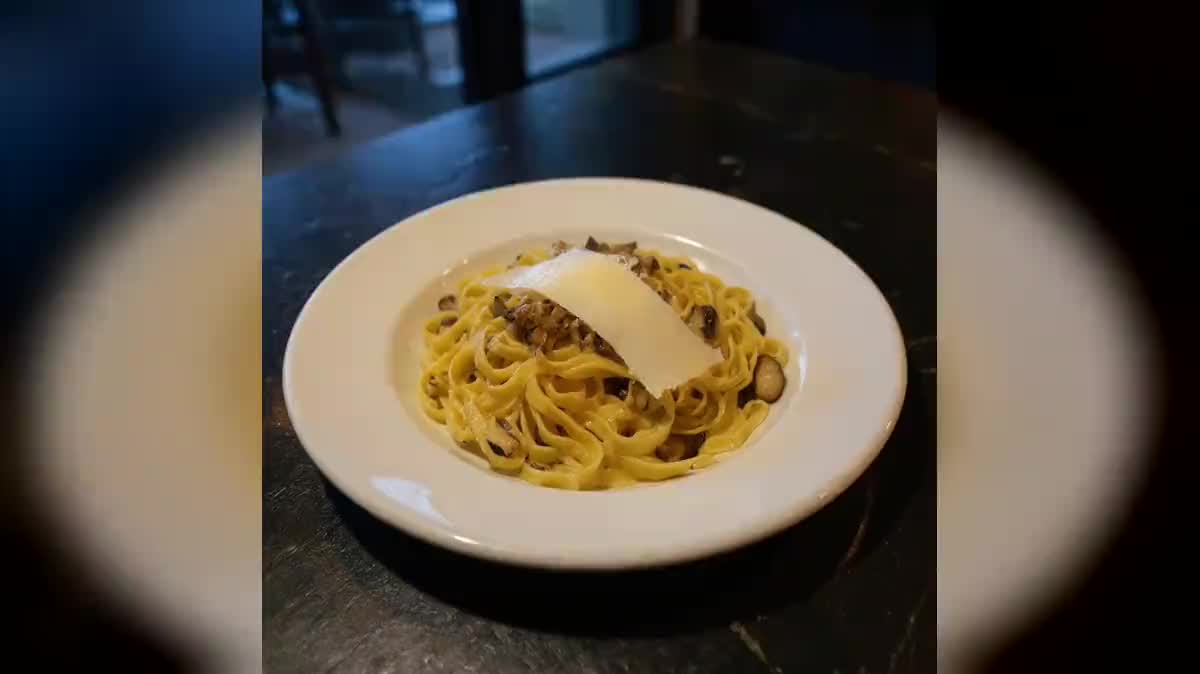
Dish photo for delivery apps
Delivery platforms measure conversion by the photo. Tight framing, neutral background, warm light: the edit node changes only that, never the contents of the plate, otherwise the customer is disappointed at delivery.
The phone snapshot taken in the dining room becomes a menu photograph, then a vertical story, then a shot of rising steam. The dish itself does not change. Visible here without an account.
The raw photo enters the editing node, which only changes the light and the background, then it is repurposed vertically and animated. Open the nodes to read the prompts.
At a glance
A menu, a website, a delivery page, an Instagram account: a restaurant needs dozens of visuals a year, and a food shoot costs more than it returns for a menu that changes every season. The phone snapshot taken in the dining room, on the other hand, already exists.
The whole workflow rests on one very firm editing instruction: change nothing on the plate. Left free, the model adds herbs, tidies the plating and returns a dish better looking than the one leaving the kitchen. The photo becomes a lie, the guest is disappointed at the table, and the owner can no longer use it. So only the light, the background and the framing change.
Flux Kontext is the editing model that respects the original subject best, Seedream 5 Pro handles the other formats, and Kling 2.5 Turbo raises the steam for five seconds of video. The guide writing a prompt that works explains how to frame an edit without letting it drift.
These are the files of the workflow above, exactly as the models produced them, unretouched. The starting point is shown when there is one.
Starting point
Render
Restaurants, caterers and food trucks that have phone photos and no photographer.
Take the photo in the dining room
A sharp photo of the dish as it is served, even with yellow light and a cluttered table. It is the background and the light that get redone, not the dish.
Write the instruction
It always starts with what must not move: same quantity, same plating, same crockery. Then what changes: the background, the light, the frame.
Repurpose the formats
The menu shot runs into a second image node that turns it vertical, with empty space for a caption. Two formats, one single shot.
Add the steam
Five seconds are enough, still camera. Steam gives a static shot the life that stops the thumb, without turning the photo into an advert.
The same canvas, tuned for different needs: each variation is two or three lines of prompt away.
Delivery platforms measure conversion by the photo. Tight framing, neutral background, warm light: the edit node changes only that, never the contents of the plate, otherwise the customer is disappointed at delivery.
A menu that changes every season does not justify a shoot. Thirty dishes photographed on a phone in the dining room run through the same canvas, with the same light, for under two euros of credits.
Fine textures are what Flux Kontext preserves best in editing. Ask for raking light: that is what brings out the lamination and the grain of the sugar.
Glass is the hardest subject, because the model recomposes reflections. Shoot against a dark background and check the liquid level on the render, that is the detail that betrays an edit gone too free.
The second Image node reframes the photo to 9:16 with room for a headline, and the Video node lifts steam for five seconds. Two formats and a moving shot from a single phone snapshot.
Without a firm instruction it adds herbs and straightens the plate: the photo lies about what leaves the kitchen. The instruction always starts with what must not move.
Editing does not create detail that is not there. Move the phone closer, even if it crops the plate, rather than photographing the whole table.
Two changes in one instruction give an unpredictable result. Redo the background first, reframe afterwards in a second node.
It can
It cannot
That is the role of the editing instruction, which forbids any added garnish. Check every render anyway: an editing model is still a model, and a retouched dish has to match what leaves the kitchen.
No, the canvas is the same for everyone. The visuals you generate are yours and can be used on a menu, online or in advertising with no particular credit.
As many as you have photos, each dish costing a few cents of credits for two visuals. A menu of thirty dishes comes to less than two euros, detailed on the calculator.
Run it again with a harder opening line: same plate, same quantity, no added garnish. Editing models follow bans placed at the top of the instruction, much less those slipped in at the end.
Yes, the images are yours and work on a menu, online or in paid ads. The constraint is commercial rather than legal: the photo must stay true to the dish.
No, a recent phone is enough, even under the yellow light of a dining room. That light is exactly what the workflow redoes, starting from a sharp photo of the dish as served.
About thirty-seven credits for one dish turned into two visuals and a video, and six credits for a simple edited menu photo. A thirty-dish menu stays under two euros.
AI food photography for restaurants
Use this workflowFree account, no card required. The workflow opens pre-filled in your canvas.
 Flux Kontext
 Seedream 5 Pro
 Kling 2.5 Turbo