The private seller listing
An owner who publishes the listing themselves gets ahead of the neighbouring ads with two five second shots, with no gear, no photographer and no second visit to the property.
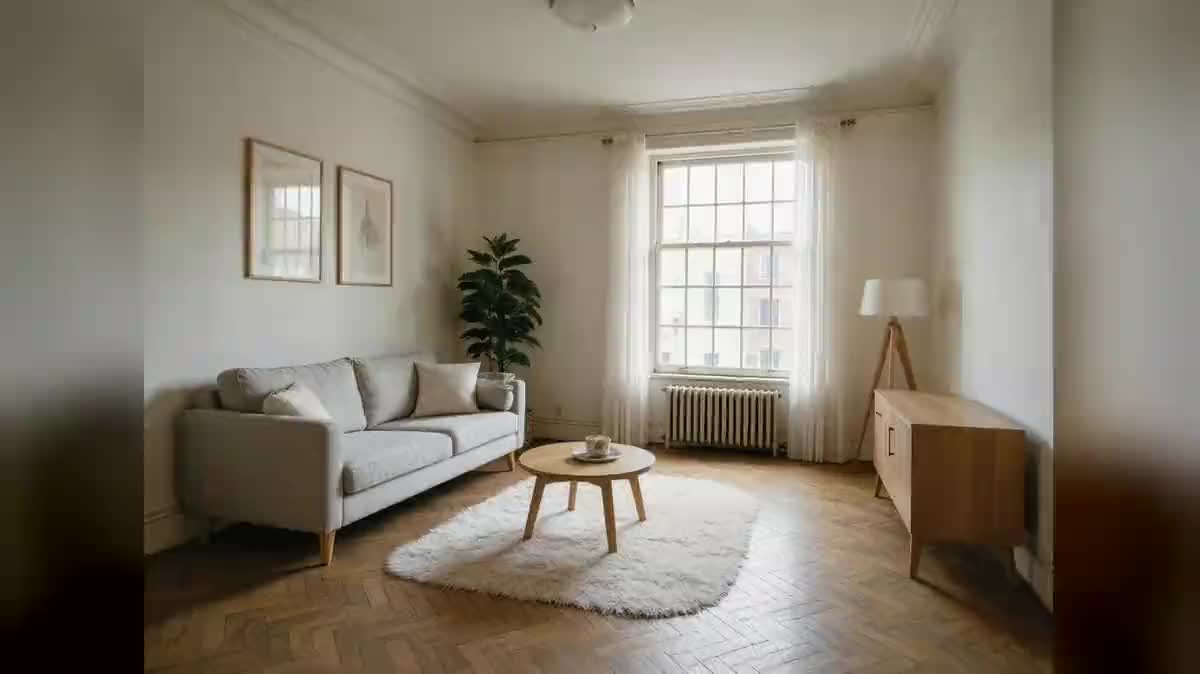
Two photos of the property go into two Wan 3.0 nodes as the start image and come back as five second shots, without a single piece of furniture moving. Workflow visible here, no account needed.
Real workflow: two photos of the same flat, a dolly in through the living room and a pan across the kitchen. Both videos come from the demo, the rooms are the ones in the photos.
At a glance
A listing with still photos loses to a listing with video, and nobody wants to drive back to the property with a gimbal. This workflow starts from the photos you already have: each one becomes a five second shot where the camera moves in, pans, reveals the room.
The hard part is not image quality, it is legal. A video model FURNISHES: it adds a plant, a chair, a sun flare, and a property listing that shows what does not exist becomes false advertising. Both prompts in the demo therefore explicitly forbid adding, removing or altering anything.
The photo goes in as the START IMAGE of the shot, not as a style reference: the shot therefore begins exactly on the listing photo. Two shots cost one hundred and twenty credits, and home staging remains the step before, the one where changing the room is allowed because you say so.
These are the files of the workflow above, exactly as the models produced them, unretouched. The starting point is shown when there is one.
Starting point
Render
Estate agents, private sellers and holiday rental hosts who already have the photos and want a listing that moves.
Two sharp, well lit photos, one per room, taken wide at eye level: the shot begins exactly on the photo.
Pick two sharp photos
Wide angle, well lit, taken at eye level. A blurry photo gives a blurry shot: the model starts from your image, it does not repair it.
Wire it to the start image
Not to a style reference: the start image port is what makes the shot begin exactly on your photo, the one visitors will see in the listing.
Write one single move
A dolly in, or a pan, or a rise. One move per shot, slow and steady: that is what separates a walkthrough from a camera trick.
Forbid every change
Add nothing, remove nothing, repaint nothing. Then watch the whole shot: one piece of furniture appearing is enough to throw the take away.
The same canvas, tuned for different needs: each variation is two or three lines of prompt away.
An owner who publishes the listing themselves gets ahead of the neighbouring ads with two five second shots, with no gear, no photographer and no second visit to the property.
An agency ships one video per property on the day the mandate is signed, from photos its photographer already took, and the listing is complete from the first publication.
On rental platforms, a short video of the main room reassures more than a tenth photo of the same sofa from another angle.
An agency showing what it has sold builds a shop window out of its photo archive, without asking former clients for access to their homes again.
The same move on the before photo and on the after render tells a renovation in ten seconds. The renovation part happens elsewhere, for instance with a kitchen makeover.
A vertical photo gives a vertical shot, ready for social networks, where the same horizontal video cropped down cuts half the room away.
This is the mistake that turns a listing into a problem. With no explicit ban the model adds a plant or a rug, and you publish a home that does not exist.
A dolly in plus a pan plus a rise gives a shot that lurches and a room that warps. One move per shot is also the rule on a real shoot.
The model extends what it sees: a badly lit photo gives five badly lit seconds, and often invented details in the shadows.
The first and last quarter second rarely tell you anything: furniture changes in the middle. Watch all five seconds, on a big screen.
In both demo shots, yes: same furniture, same floor, same view through the window. It is not automatic though, the prompt obtains it, and your own review guarantees it.
One per room you want to show. The demo uses two to stay readable; for a full walkthrough, count one node per photo and one montage at the end.
Yes, with a Voice-over node and the Montage node, both built for it. The demo stops at the shots so that what matters shows first: how faithful the room stays.
One hundred and twenty credits, sixty per five second shot in 720p with Wan 3.0. One more room costs sixty credits, whatever the number of photos you took.
Because it takes the photo as a start image and keeps the room as it is for five seconds. That is the criterion that matters here, before image sharpness.
Yes: one node per room, then the Montage node to put them end to end with a voice-over. The montage runs in the browser and spends no credits.
A video generated from your photos is still a representation of the property: it has to show the property as it is. That is why the prompt forbids every change, and why reviewing it is not optional.
Platforms increasingly require generated content to be declared, and it is the safer position anyway. The movement is fabricated, even if the room is real.
Make a real estate listing video with AI
Use this workflowFree account, no card required. The workflow opens pre-filled in your canvas.
 Wan 3.0
 Seedance 2.5
 Kling V3