Faded film look
Also calledWashed-out look, Faded print look, Aged film grade, Sun-bleached grade
The faded film look is a color grade that lifts the black levels and mutes saturation to mimic aged, chemically degraded film stock. It reads to the viewer as memory, nostalgia, or the passage of time, distancing the image from the crisp present.
What it tells
Directors reach for the faded film look whenever they want the audience to feel that an image belongs to another time, whether that time is a character's childhood, a decade before the story's present, or a memory that has started to blur. The washed-out blacks and muted color read instantly as old or half-forgotten, so a single grade shift can carry a flashback without a title card or voiceover. It also softens harsh content, wrapping it in a gentler, distanced quality that keeps emotion legible even as detail fades.
How it is shot
In post, the grade starts on the RGB curve: the black point is lifted from 0 to roughly 8 to 15 percent so shadows read as pale gray instead of true black, and the white point is pulled down slightly so highlights never bloom to pure white. Saturation drops 20 to 40 percent, often unevenly, with shadows pushed toward a warm yellow, pink, or magenta cast and highlights left cooler, mimicking how film dyes fade over decades. Contrast is flattened with a gentle S-curve inversion. On top, colorists add 8 to 15 percent fine grain, a soft vignette, and sometimes light leaks to sell the aged-stock illusion. On set, this can also come from shooting expired film stock or low-contrast filters.
When to use it
- Flashback or memory sequences that need to feel emotionally distant from the present-day story.
- Footage meant to pass as an old home movie, VHS tape, or forgotten family reel.
- Nostalgic title sequences or transitions marking a jump between past and present timelines.
- Archival inserts in documentaries that must blend with genuinely aged, chemically faded footage.
Not to be confused with
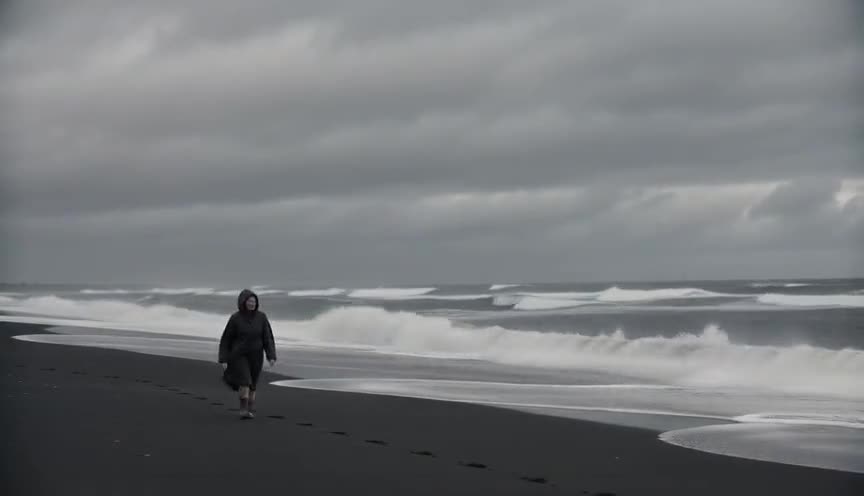
Bleach bypass keeps deep blacks and boosts contrast and grain for a gritty, punchy image, while faded film lifts the black point and flattens contrast for a soft, nostalgic wash.
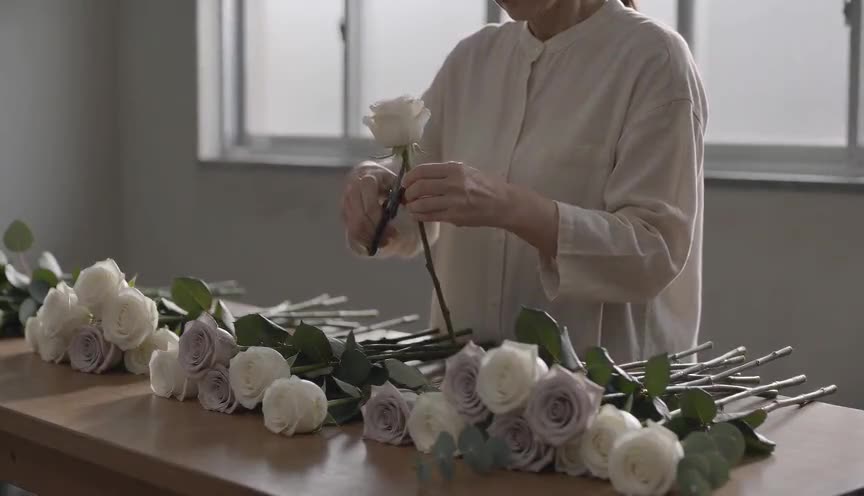
Desaturated look simply pulls down color saturation and can keep true blacks; faded film also lifts the black floor and adds an uneven warm or pink cast to mimic dye decay.
In film
The Virgin Suicides (1999)
Sofia Coppola's suburban memory piece uses a consistently faded, pastel-warm grade so the whole film feels like a recollection rather than the present.
McCabe & Mrs. Miller (1971)
Vilmos Zsigmond famously pre-flashed the negative, lowering contrast and muting color so the Western landscape feels antique, weathered, and emotionally distant.
O Brother, Where Art Thou? (2000)
Roger Deakins and the Coens used digital color timing to drain greens and create a dusty, sepia-leaning image reminiscent of aged photographs.
The prompt
Name the mechanics, not just the mood: say lifted or milky blacks, flattened contrast, muted saturation, and a warm or pink color cast in the shadows. Mention fine grain and a soft vignette if you want the full aged-stock package. Avoid vague words like old or vintage filter alone, since models read those as a generic sepia tint rather than the specific lift-and-desaturate combination that defines this look.
The exact prompt that rendered the video on this page. Keep the description of the move, change the subject and the setting.
Faded film look: a slow push in on two adults, a woman and a man in their thirties, playing a glowing pinball machine inside a dim neon arcade lined with cabinets. The neon signs and cabinet lights still glow in saturated pink and cyan, but the overall image sits on lifted, milky blacks so shadows read pale gray instead of true black, contrast flattened, colors muted with an uneven warm yellow-pink cast creeping across the highlights. Fine grain drifts across the frame, corners soften into a gentle vignette. Camera and subjects move at normal speed, only the color and contrast carry the aged, sun-bleached film quality. No text.
Common mistakes
Desaturation without lifted blacks
Pulling down saturation alone gives a flat, dull digital image, not the aged look; the black point must rise too, or shadows stay too clean and hard.
Overcorrected color cast
Pushing the shadow tint too far into pink or green reads as a broken preset rather than believable film decay; keep the cast subtle and uneven.
Grain with no fade
Adding heavy grain without lifting the blacks and flattening contrast just looks noisy or gritty, closer to bleach bypass than to a genuinely faded print.
Frequently asked questions
What is the faded film look?
It is a color grade that lifts black levels and mutes saturation to mimic old, chemically degraded film stock, giving footage a washed-out, nostalgic quality often used for memories and flashbacks.
How do you create a faded film look in color grading software?
Raise the black point on the RGB curve by about 8 to 15 percent, drop saturation 20 to 40 percent, add a warm or pink tint to shadows, flatten contrast with an S-curve inversion, then finish with light grain and a soft vignette.
Is the faded film look the same as a vintage filter?
Not exactly. Many vintage filters just add a single warm tint over the whole image, while a proper faded film grade lifts the black floor unevenly and separates shadow and highlight color, closer to how real film dye actually fades.
Can AI video generators produce a faded film look?
Yes. Models on platforms like Imaginode respond well to explicit terms such as lifted blacks, muted saturation, warm shadow cast, and fine grain, since these describe a physical color state rather than a vague mood.