Overexposed look
Also calledBlown out highlights, Bleached exposure, Hot exposure
The overexposed look is an exposure and color treatment where the image is pushed brighter than normal, driving highlights to pure clipped white and softening shadow detail. It reads to the viewer as glare, heat, memory, or a moment too intense or too bright to hold onto.
What it tells
Directors reach for overexposure when they want to signal something outside normal perception: a flashback, a fever, a religious or transcendent moment, a memory bleached by time, or the physical assault of harsh daylight. Because it strips detail and pulls contrast toward white, it also flattens the ordinary, making a scene feel unstable or dreamlike. It works best sparingly, against a normally exposed baseline, so the audience feels the jump rather than reading it as a technical mistake.
How it is shot
On set, exposure is set 1.5 to 3 stops over the meter reading: the iris opens wider, the shutter slows, or ISO climbs, and ND filtration is pulled back so direct sun or an unfiltered HMI floods the sensor. Highlights clip to white and lose gradation while midtones lift and lose contrast. A diffusion filter such as a Pro-Mist adds bloom around the hottest areas. In post, colorists push the exposure and highlight rolloff further, raise the whitepoint, and reduce midtone contrast so skin and set pieces look washed rather than merely bright. Faces are usually metered close to correct exposure so the background or window light does the overexposing.
When to use it
- A flashback or memory sequence that should feel bleached, distant, or emotionally unreliable.
- A character faints, overheats, or steps from darkness into blinding daylight or an operating light.
- A dream, near death, or transcendent moment where the world should feel too bright to be real.
- A hot, glaring exterior location like a desert, beach, or sunlit workshop doorway.
Not to be confused with

High-key lighting evenly brightens a whole scene with low contrast but keeps highlights readable and controlled. Overexposed look deliberately clips those highlights to featureless white and can happen unevenly, in a single hot area rather than the whole frame.
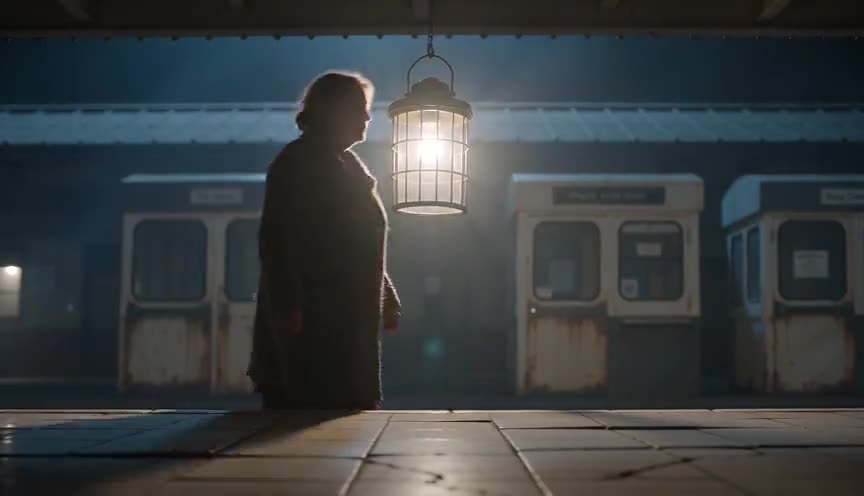
Halation is the soft glow that bleeds from bright highlights on film emulsion, a side effect of light scattering in the stock. Overexposed look is the exposure choice that produces or exaggerates that glow, but it also flattens midtones and skin tone across the frame.
In film
Gladiator (2000)
The wheat field flashbacks and afterlife imagery are shot and graded overexposed, blowing highlights to white for a heavenly, memory-drenched feel.
The Tree of Life (2011)
Sunlight through trees and windows is repeatedly overexposed, clipping to white to suggest grace, memory, and something beyond ordinary sight.
The prompt
Name the exposure explicitly: say 'overexposed,' 'blown out highlights,' 'clipped to white,' or 'harsh glare' so the model does not default to a normal grade. Anchor it with a real strong light source, a window, an open door, direct sun, so the brightness is physically motivated. Keep one area of the frame at normal exposure for contrast, otherwise the whole image looks like a lighting mistake instead of a choice. Avoid vague words like 'bright' alone, and avoid stacking it with 'dark' or 'moody' descriptors that fight the effect.
The exact prompt that rendered the video on this page. Keep the description of the move, change the subject and the setting.
Overexposed look: a static locked-off shot in a car repair garage where a mechanic wipes grease from his hands beside a lifted sedan. Bright midday sun floods through the open bay door, blowing the doorway and the sunlit floor into pure clipped white while the shaded interior tools and workbench stay visible in normal exposure. Highlights bloom softly around the doorway edges, chrome tools flare with a hot white glint, and the mechanic's silhouette sharpens against the blown-out light as he steps toward the door. No text.
Common mistakes
Blowing out the whole frame
Overexposing every part of the image equally removes all shape and reads as a lighting error rather than a style choice. Keep at least one area at normal exposure for contrast.
Mistaking it for high-key lighting
High-key is even, controlled brightness with readable highlights. Overexposed look needs actual clipped, detail-free whites, not just a generally bright scene.
Losing the face in the glare
Overexposing skin tones erases expression and performance. Meter for the actor's face and let the background or a light source blow out instead.
Frequently asked questions
What is the overexposed look?
It is a deliberate exposure choice where the image is shot or graded brighter than normal so highlights clip to white and shadow detail flattens, used to suggest glare, memory, heat, or a heightened, unstable emotional state.
How do you create an overexposed look in camera?
Open the aperture or slow the shutter beyond the correct meter reading, pull back ND filtration, and let a strong light source such as direct sun or an unfiltered HMI hit the lens, typically 1.5 to 3 stops over normal exposure.
Is overexposed look the same as high-key lighting?
No. High-key lighting is an even, low-contrast setup where highlights stay readable. Overexposed look pushes exposure far enough that highlights clip to featureless white, and it can affect only part of the frame rather than the whole scene.
Can AI video tools generate an overexposed look?
Yes, most models respond well to explicit exposure language like 'overexposed' or 'blown out highlights' paired with a real light source. On Imaginode you can test the effect quickly with different lighting setups before committing to a full shot.