The product page
A short unboxing video at the top of the page shows the packaging and the product before purchase, what photos alone do not show.
The photo of your product becomes a vertical unboxing video: ribbon, lid, tissue paper, then your product in hand. The workflow is shown here, no account needed.
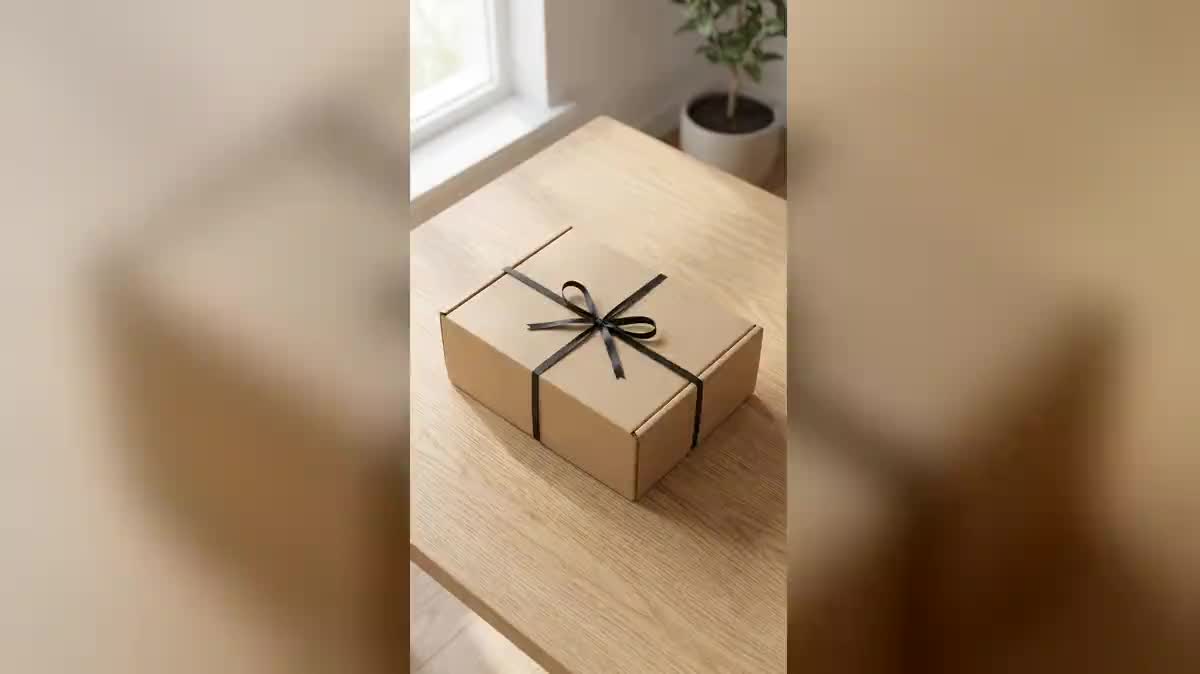
Real workflow: a mint green shaker photographed on a table, a kraft box closed with a black ribbon, the same box open with the shaker in hand, then five seconds of unboxing in between.
At a glance
Unboxing videos sell: you see the box, the gesture, the product appearing. But every product has to be filmed, with nice hands, nice light and neat packaging. This workflow starts from the product photo and returns the vertical video, ready for TikTok, Reels or a product page.
The hard part is the revealed product. A video model that starts from a closed box invents what is inside. The recipe fixes the start, the closed box, and the end, your product in hand, and Wan 3.0 performs the gestures in between.
For a full turn around the product, see the 360° product video; for a testimonial video, the UGC video. The two images and the video cost ninety-eight credits.
These are the files of the workflow above, exactly as the models produced them, unretouched. The starting point is shown when there is one.
Starting point
Render
Online shops, brands, subscription boxes and creators who want unboxing videos without a shoot.
A sharp product photo, and a description of your real packaging.
Start from a sharp product photo
From the front, whole, label readable. That is what must come out of the box, identical.
Describe your packaging
Kraft box, rigid black box, ribbon, tissue paper, sticker: your brand's unboxing goes through your box.
Fix the start and the end
Closed box as start frame, product in hand as end frame. Without an end frame, the video invents the product.
Keep the camera still
The hands move, not the camera. A fixed frame makes the gestures readable and the product sharp at the end.
The same canvas, tuned for different needs: each variation is two or three lines of prompt away.
A short unboxing video at the top of the page shows the packaging and the product before purchase, what photos alone do not show.
A five-second vertical video for TikTok or Reels, the short format that buyers actually watch to the end before scrolling.
The first unboxing of the new product, posted on launch day, before the first parcels have even shipped.
Every month, the content of the box revealed on video from the product photos, without organising a shoot.
The gift box offered to clients or employees shown on video in the announcement email, brand packaging included.
Several unboxings of the same product in different boxes to test which packaging makes people want it most.
Without an end frame, Wan 3.0 invents what is inside the box. Your product must be the end frame.
Cutting tape, opening three boxes, unfolding a manual: five seconds are not enough, and the hands warp.
A tracking shot during the opening mixes two movements, and the product arrives blurred.
An unboxing with a box the customer will never receive disappoints on delivery. Describe your real box.
In the demo, yes. Simple gestures, untie, lift, unfold, take out, keep the fingers clean; a complex gesture distorts them.
Yes: turn sound on in the Video node and describe the rustling paper and the cardboard. The price does not change on Wan 3.0.
Yes, switch both images and the video to 16:9 for YouTube or a product page.
Ninety-eight credits: nineteen per image on Nano Banana Pro, sixty for five seconds of Wan 3.0 in 720p.
The first fixes the closed box, the second the product in hand. Wan 3.0 goes from one to the other instead of inventing.
In the demo, yes: the shaker that comes out of the box has the same shape, colour and cap as in the photo.
It accepts a start frame and an end frame, at half the price of Seedance 2.5.
Yes, up to thirty seconds on Wan 3.0, priced by duration. Ten seconds leave time to turn the product towards the camera.
Create an unboxing video with AI
Use this workflowFree account, no card required. The workflow opens pre-filled in your canvas.
 Nano Banana Pro
 Wan 3.0
 Kling V3
 Seedance 2.5