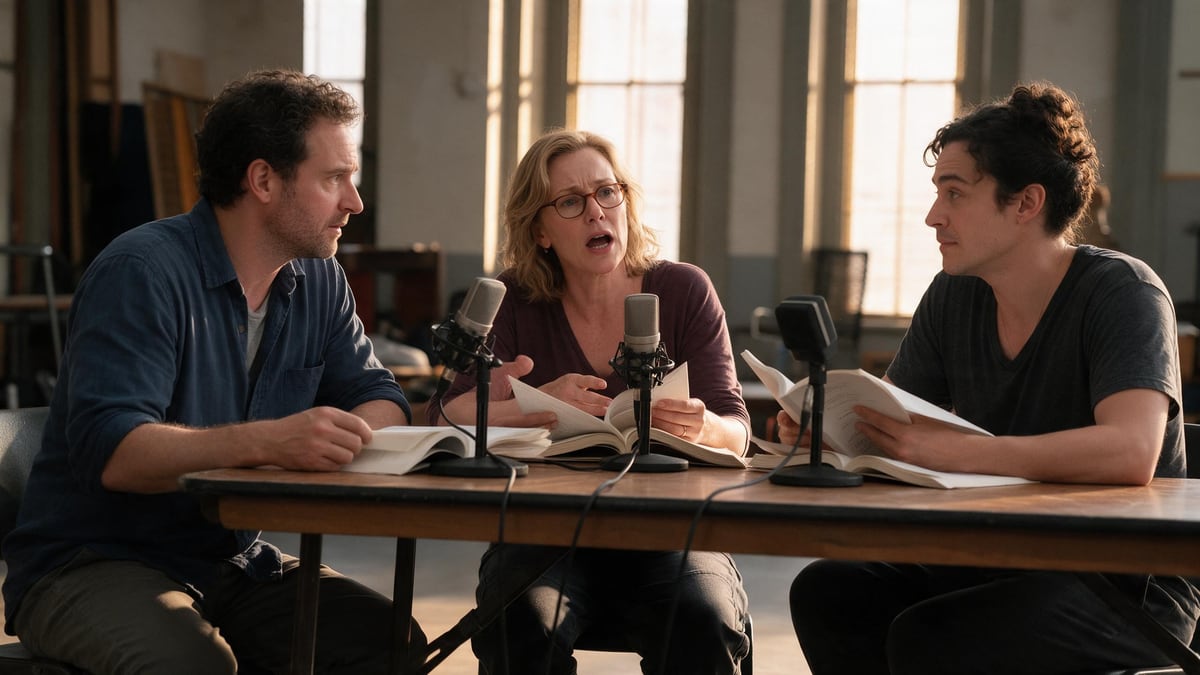
The reading of a dialogue scene
This is the demo: ten lines, two characters and a narrator, one take. For a longer scene, two Voice nodes of ten lines placed end to end in a Montage node.
The screenplay in PDF dropped on the canvas: one Text node turns it into ten lines ready to read, a narrator for the action and the characters word for word, and a Voice node in dialogue mode performs them in a single take with three ElevenLabs voices. The reading you do with actors, in three clicks. The whole workflow is visible without an account.
The real workflow: the original three-scene screenplay in PDF in a Media node, Claude Sonnet 5 for the ten lines, a Voice node in dialogue mode on ElevenLabs Dialogue v3 with three voices. The texts shown are the models' answers, untouched.
At a glance
A dialogue is only judged by ear. The screenplay PDF goes into a Media node, and a Text node reads it through its "Image or PDF to analyze" port to draw ten lines in the format NAME: text: a narrator who says the essential action in one sentence, and the characters word for word, as in the script.
The Voice node in dialogue mode carries those ten lines, each with its voice, and ElevenLabs Dialogue v3 performs them in a single pass: the timing, the silences, the pick-ups come from the model, not from an edit. Three voices in the demo: a deep narrator, a mature woman's voice for Maren, a young man's voice for Elias.
The demo reads scenes 2 and 3 of "North of Silence", the original screenplay of the screenplay to film template. Ten lines per node: for the next scene, duplicate the Voice node and paste the next ten, written by the Text node. Replace the PDF with your screenplay and the names in the instruction.
These are the files of the workflow above, exactly as the models produced them, unretouched. The starting point is shown when there is one.
Render
Screenwriters, playwrights and fiction authors who want to hear a dialogue before rewriting it or having actors read it.
A screenplay or a chapter in text PDF: names in capitals and sluglines help separate the action from the lines.
Drop the screenplay PDF
A Media node receives it. Classic screenplay format preferably: names in capitals and sluglines help the model separate action from lines.
Let the Text node write the lines
Ten lines in the format NAME: text, stating the scenes to read and your character names in the instruction. NARRATOR sums up the action, the characters speak word for word.
Paste the lines into the Voice node
The Voice node in dialogue mode has its own lines: one line per entry, one voice per character picked from the list. Ten lines per node; a second node for the next scene.
Listen, then adjust
One take performs the whole exchange. A line that falls flat: add an acting tag, [sighs] or [whispers], in the text. A voice that does not fit: change it on the line, not on the whole node.
The same canvas, tuned for different needs: each variation is two or three lines of prompt away.
This is the demo: ten lines, two characters and a narrator, one take. For a longer scene, two Voice nodes of ten lines placed end to end in a Montage node.
A novel chapter in PDF works too: the narrator reads the prose, the characters the dialogue in quotation marks. Ask the Text node to keep the exact sentences.
The speech bubbles of a page, one per line with the character's name: the Voice node performs the page, and a Montage node puts it on screen with the sound.
Duplicate the Voice node and change only one character's voice in each copy: three takes, three timbres, the comparison is made by ear in a minute.
Ask the Text node to translate the lines and set the Voice node's language: ElevenLabs Dialogue performs fourteen languages, with the same voices.
Dialogue mode takes ten lines per take. A thirty-line scene is three Voice nodes, chained in a Montage node with half a second of silence between takes.
Two neighbouring timbres sound like a monologue. Take a deep voice and a light one, or a woman and a man, before looking for finer nuances.
The narrator must say the action in one sentence, not the screenplay's parenthetical notes. The Text node's instruction asks for it: check the ten lines before pasting.
Because dialogue mode carries its lines with one voice each, ten at most per take: that is what the model performs in a single pass. The Text node prepares them in the right format, and pasting takes ten seconds.
About twenty ElevenLabs voices, as many as characters in the ten lines. Three in the demo: narrator, Maren, Elias. Voices with opposite timbres are easier to tell apart than a monologue.
About ten credits for ten lines: the PDF reading by Claude Sonnet 5 and the ElevenLabs dialogue, billed per character. The price is shown on the node before you click.
Yes: a voice cloned from your library is picked on a line like any timbre. Clone the voice first in a Voice-over node, then assign it to the character.
The model places the breaths itself. For a real silence, split the reading into two nodes and leave a second between them in the Montage.
The language of the lines, set on the Voice node: English in the demo, fourteen languages available. A French screenplay is read in French, with the same voices.
Yes: a Montage node with the cover or an image of the scene as clip, the reading on the audio track, exports an mp4 for social networks or a production file.
Have a screenplay read by several voices with AI
Use this workflowFree account, no card required. The workflow opens pre-filled in your canvas.
 ElevenLabs Dialogue v3
 Claude Sonnet 5.5
 Grok TTS