The excerpt of the first chapter
This is the demo: the opening copied word for word, a narrator's voice, a bed, the cover on screen. Replace the PDF and the title, keep the rest, and the video is remade for your book.
The chapter in PDF dropped on the canvas: one Text node copies its opening word for word, an ElevenLabs narrator's voice reads it, an instrumental bed plays underneath, and the cover stays on screen in a 16:9 Montage: the video to publish so people can hear the first chapter. The whole workflow is visible without an account.
The real workflow: the first chapter of a novel in PDF in a Media node, Claude Sonnet 5 copying the opening, ElevenLabs v3 for the narration, ElevenLabs Music for the bed, GPT Image 2.5 Flare for the cover, a Montage node. The texts shown are the models' answers, untouched.
At a glance
Letting people hear the first chapter is the best advertisement for a book. The PDF goes into a Media node, and a Text node reads it through its "Image or PDF to analyze" port to copy the opening word for word, without rewriting anything, up to the end of a paragraph before 1,400 characters: the length of a one-and-a-half-minute reading.
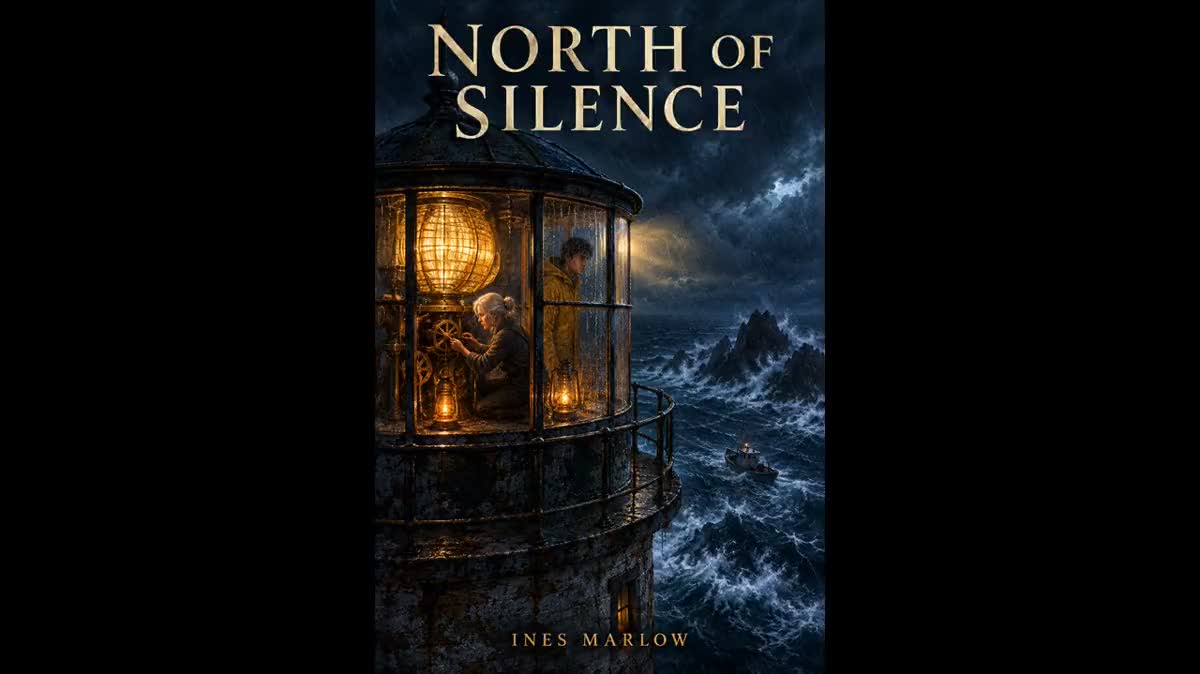
The Voice-over node reads that wired text with ElevenLabs v3, a narrator's voice picked from the list. The Music node composes sixty seconds of instrumental bed from a wired brief, looped in the Montage at low volume. The Image node draws the cover with the title on GPT Image 2.5 Flare, and the Montage keeps it whole, on black, for the length of the narration.
The demo reads the opening of "North of Silence", an original novel written for the example. Replace the PDF with your chapter, the voice in the node, the title in the cover prompt. A whole chapter is read in several Voice-over nodes of 3,000 characters, placed end to end in the Montage. The cover and the trailer complete the series.
These are the files of the workflow above, exactly as the models produced them, unretouched. The starting point is shown when there is one.
Render
Authors and publishers who want people to hear a first chapter without a studio or an actor, or to test a voice before a full audiobook.
A chapter in text PDF, not a scan: the Text node copies the prose as is and the voice reads it sentence for sentence.
Drop the chapter PDF
A Media node receives it. The Text node copies the opening, not a summary: it is your prose that is read, sentence for sentence, up to the end of a paragraph.
Pick the voice and read
The Voice-over node receives the text by cable. About twenty ElevenLabs v3 voices, or a cloned voice: the demo uses George, a composed narrator. A [pause] or [whispers] tag in the text guides the performance.
Compose the bed and draw the cover
The Music node composes sixty seconds from the wired brief, instrumental. The Image node writes the title inside the cover in 3:4, two credits. Both can be redone without touching the narration.
Cut and publish
The Montage places the whole cover on black in 16:9, the narration on one track, the looped bed at low volume on the other, with a final fade. Rendered in the browser, no credits, exported as mp4.
The same canvas, tuned for different needs: each variation is two or three lines of prompt away.
This is the demo: the opening copied word for word, a narrator's voice, a bed, the cover on screen. Replace the PDF and the title, keep the rest, and the video is remade for your book.
One Text node per 3,000-character slice, one Voice-over node each, all in the same Montage: a fifteen-minute chapter is read in about ten nodes, the bed looped underneath.
Clone your voice in a Voice-over node from one minute of recording, then pick it for the narration: the first chapter is read by you, without a studio.
Remove the Image node and the Montage: the narration and the bed export as mp3 from the nodes, for a podcast platform or the book's page.
Ask the Text node to translate the slice, set the Voice-over node's language, keep the cover: the same video exists in English, Spanish, German, with the same voice.
The instruction says to copy the prose exactly. If the model summarises, it read a scanned PDF without text: convert the manuscript to a text PDF, not page images.
The music is at 0.25 in the Montage to stay under the narration. A bed with a strong melody pulls the ear: ask the brief for a background without a theme, without percussion.
The Montage is set to contain the whole image on black. In cover mode, a 3:4 cover loses its title at the top and the bottom: keep contain for an excerpt.
Yes, in slices: one Voice-over node reads up to 3,000 characters. Ask the Text node for the next slice, duplicate the Voice-over node, and place the slices end to end in the Montage. The price follows the characters read.
About sixty credits for the demo: the 1,400-character narration (about twelve credits), the sixty-second bed (about fifty), the cover (two) and the PDF reading (two to three). The price is shown on every node before you click.
Yes: ElevenLabs v3 marks commas, full stops and paragraphs separated by a blank line. For a longer pause, the [pause] tag; for a whisper, [whispers]. The tags are not read aloud.
One and a half to two minutes, that is 1,400 to 1,800 characters: enough to set a voice and a scene, short enough to be heard through on a phone.
Yes, on the Voice-over node, without regenerating the text: pick another timbre and run the reading again, the Montage updates.
No, any image clip is enough for the Montage: a photo of the author, an illustration of the place. The cover with the title remains what shares best.
On the book's page, on social networks, as episode zero of a podcast: the mp4 comes out in 16:9, 1080p, with the sound mixed. A 9:16 Montage makes the vertical version.
Create the audio excerpt of a book with AI
Use this workflowFree account, no card required. The workflow opens pre-filled in your canvas.
 ElevenLabs v3
 Claude Sonnet 5.5
 GPT Image 2.5 Flare