Voyeur shot
Also calledspying shot, surveillance shot, hidden observer shot
A voyeur shot frames the subject through a physical obstruction such as a window, doorway, foliage or shutters, as if seen by a hidden watcher rather than an open camera. It puts the viewer in the uncomfortable position of a spy, turning ordinary observation into an act of secret watching.
What it tells
Directors reach for the voyeur shot when they want the audience to feel complicit rather than neutral. By hiding the camera behind a barrier, the shot implies someone unseen is watching, which builds suspicion, dread or forbidden intimacy before a single line of dialogue is spoken. It works especially well to foreshadow danger, expose a character's private moment, or suggest surveillance and power imbalance. The obstruction also creates distance, reminding viewers they are looking in on something not meant for them, which sharpens tension and curiosity about what happens next.
How it is shot
Place the camera behind a foreground element, a window frame, shutters, foliage, a doorway or furniture, so it partially blocks the lens. Use a longer lens, 85mm to 135mm, to compress the distance between watcher and watched and to soften the obstruction into shallow-depth-of-field blur while keeping the subject sharp. Position the camera off to the side or at an unusual height rather than dead-on eye level, to imply a hidden vantage point instead of a normal composition. Keep the framing mostly static or slightly unstable, as if held by a person trying not to be noticed. Underlight or desaturate the foreground compared to the subject, and let the shot feel like it should stay hidden.
When to use it
- When you want the audience to sense a hidden observer before revealing who is watching or why.
- To build dread before a stalking or surveillance scene, without showing the watcher's face yet.
- For an intimate or private moment the audience should feel they are not meant to see.
- To suggest social distance or spying between characters of unequal power, like a servant watching nobles.
Not to be confused with
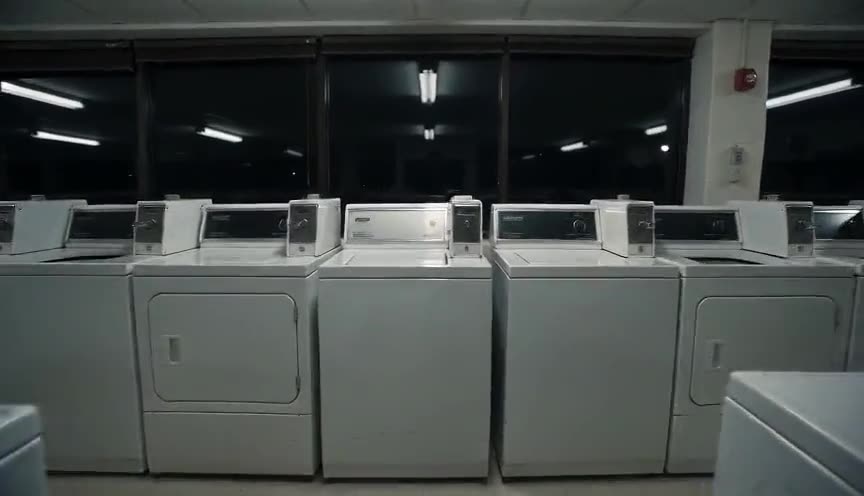
A POV shot puts the camera directly in a character's eyes with no obstruction, so the audience sees exactly what they see. A voyeur shot keeps distance and a barrier, implying someone hidden is watching rather than the character whose eyes we share.
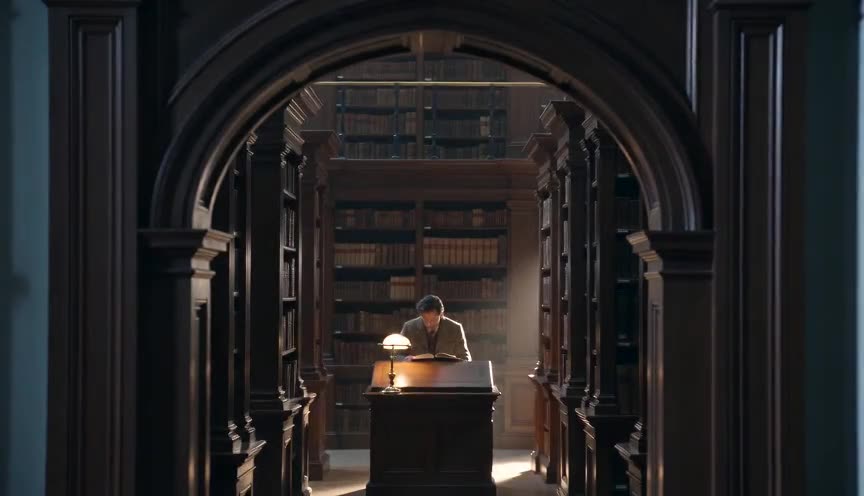
Frame within a frame uses an interior border for composition and depth, and does not always suggest spying. A voyeur shot borrows that same framing device but adds the specific implication of a hidden, often uninvited observer.
In film
Psycho (1960)
Norman Bates watches Marion through a peephole hidden behind a painting, turning the audience into an uneasy accomplice to his spying.
Rear Window (1954)
The entire film is built on voyeur shots as Jeff watches his neighbors through window frames and binoculars from his apartment.
Halloween (1978)
Michael Myers is repeatedly shown watching his victims from behind bushes, fences and windows, building dread before he acts.
The prompt
Describe the obstruction explicitly (shutters, foliage, a half-open door, a window frame) and keep it in the foreground, out of focus if possible. Specify a longer lens and shallow depth of field so the subject stays sharp while the barrier blurs. Avoid eye-level, dead-center framing, which reads as a normal shot, ask instead for an off-angle or elevated hidden vantage point. Keep the camera mostly still, since a shaky frame can shift the mood from watching to following.
The exact prompt that rendered the video on this page. Keep the description of the move, change the subject and the setting.
Voyeur shot: the camera holds still behind a weathered wooden shutter set in a thick stone window frame overlooking a narrow medieval village lane. The cracked shutter slats and rough stone sill fill the foreground, softly blurred, while a cloaked man crosses the cobblestones below to knock on a heavy wooden door, staying sharp and in focus. The frame does not move for the full four seconds, only the man's footsteps and hand advancing, as if someone inside the room is quietly watching him from the shadows. No text.
Common mistakes
No obstruction
Filming the subject with a clear, open frame removes the sense of hiding, and the shot reads as a normal medium or wide shot instead of surveillance.
Eye-level and centered
Placing the hidden camera dead-on at eye level with the subject kills the illusion of a spy; angle it slightly off-axis or from an elevated or lowered hidden position instead.
Too much camera movement
A wandering, handheld frame reads as someone actively following the subject rather than someone hiding and watching, which shifts the mood from voyeurism to pursuit.
Frequently asked questions
What is a voyeur shot?
A voyeur shot is a composition where the camera views the subject through a partial obstruction like a window, doorway or foliage, as if from a hidden vantage point. It makes the audience feel like a secret observer rather than a neutral witness.
How is a voyeur shot different from a POV shot?
A POV shot places the camera directly at a character's eye line with no barrier, so the audience sees exactly what that character sees. A voyeur shot keeps a physical obstruction and distance, implying an unseen third party is watching.
What lens and framing work best for a voyeur shot?
An 85mm to 135mm lens with shallow depth of field compresses distance and lets the foreground obstruction blur while the subject stays sharp. Off-center, off-eye-level framing sells the idea of a hidden vantage point better than a straight-on composition.
Can AI video tools generate a convincing voyeur shot?
Yes. Describing the obstruction, lens compression and a static hidden angle gives models like those on Imaginode enough physical detail to render a believable voyeur shot in a few seconds.