Speed ramp
Also calledTime ramp, Speed ramping, Variable speed shot
A speed ramp is a change in playback speed within a single continuous shot, sliding smoothly from slow motion into normal or fast speed, or the reverse. It stretches a moment for emphasis, then snaps time back to punch the action forward.
What it tells
Speed ramping lets a filmmaker control the viewer's sense of time inside one unbroken shot, slowing down a punch, a leap or a glance so the eye can savor it, then releasing that tension in a burst of real-time motion. It turns a plain action beat into a stylized one, gives weight to a hero moment, and builds rhythm without a single cut, which is why it shows up so often in action, sports and music-driven sequences.
How it is shot
The shot is captured at a high frame rate, typically 120 to 240 fps, so there is enough footage to slow down cleanly. In the edit, the clip is retimed with keyframes: a slow section (often 20 to 50 percent speed) around the key action, then a rapid ramp back to 100 percent or beyond. Editors adjust shutter angle and add optical-flow interpolation or motion blur to avoid stutter at the transition point. The ramp curve, how fast the speed change happens, is tuned by hand so it feels like a snap rather than a stumble, and sound design is time-stretched to match.
When to use it
- Punctuating a single decisive action, like a jump, a hit or a catch, inside one continuous shot
- Building rhythm in a music video or trailer where tempo shifts should feel physical, not just cut
- Turning a mundane movement, like standing up or turning a corner, into a stylized beat
- Ending a slow-motion hero shot with a sudden return to real time to release tension
Not to be confused with
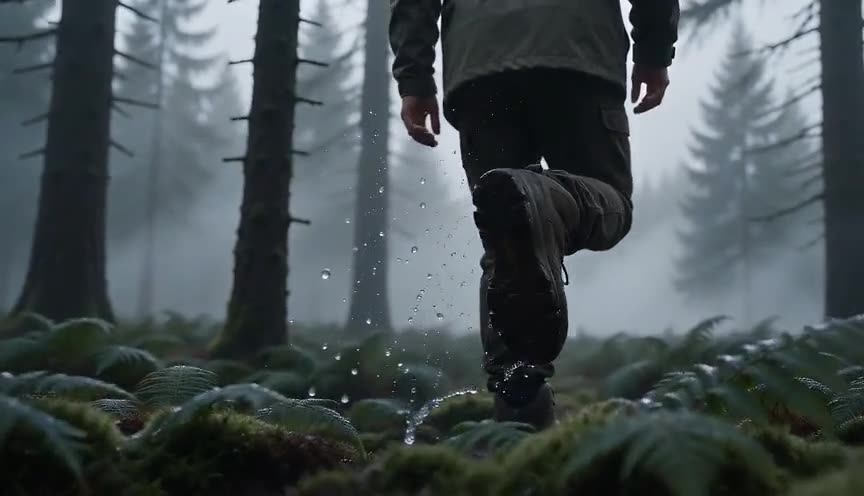
Slow motion holds one constant reduced speed for the whole shot. A speed ramp changes speed inside that same shot, usually moving between slow motion and normal or fast speed within seconds.

Bullet time freezes or nearly freezes time while the camera orbits the subject, using multiple cameras or CGI. A speed ramp keeps one camera and one continuous take, only the playback speed changes.
In film
300 (2007)
Battle sequences repeatedly ramp from slow motion into full speed and back, a signature of the film's stylized combat rhythm.
Snatch (2000)
Guy Ritchie uses rapid speed ramps on walking and running characters to give ordinary movement a comic, kinetic punch.
The prompt
State explicitly that the shot starts at one speed and changes to another partway through, since a model needs a physical cue like 'slow motion suddenly speeds up' rather than the term alone. Mention where in the four seconds the change happens (midpoint works well), describe the resulting motion blur, and keep the camera and subject path simple so the speed change reads clearly. Avoid asking for multiple cuts or angle changes, that breaks the single continuous take the technique depends on.
The exact prompt that rendered the video on this page. Keep the description of the move, change the subject and the setting.
Speed ramp: a lone motorcyclist crosses a vast white salt flat under a hard midday sun, camera on a low tracking dolly moving alongside at the rider's height. For the first two seconds the shot plays in slow motion, dust hangs suspended and the rider's jacket ripples gently in the still air. At the midpoint the motion snaps sharply into normal speed, the motorcycle surges forward, dust kicks up violently and the horizon smears with heavy motion blur. One continuous take, no cuts, the flat white ground and sky stay constant throughout. No text.
Common mistakes
Ramping too gradually
A slow, mushy transition between speeds looks like a frame rate error rather than a deliberate stylistic choice. The snap into or out of slow motion needs a defined, fast curve to read as intentional.
No motion blur match
Switching to fast speed without adding blur makes the footage look choppy or stuttered. Blur (or interpolation) at the fast section sells the acceleration as smooth motion.
Overusing it in a sequence
Ramping every single shot in a scene flattens its impact, since the technique works by contrast with surrounding real-time footage. Save it for the one or two beats that deserve emphasis.
Frequently asked questions
What is a speed ramp?
A speed ramp is a change in playback speed inside one continuous shot, moving smoothly between slow motion and normal or fast speed. It highlights a specific action by stretching then releasing time without cutting away.
Do you need a high frame rate camera for a speed ramp?
Yes, for the slow-motion portion to look smooth you generally need to shoot at 120 fps or higher, then retime the footage in editing software so the slow section plays back cleanly.
What software is used to create speed ramps?
Editors typically use keyframed speed curves in tools like Premiere Pro, DaVinci Resolve, or After Effects, often combined with optical-flow frame interpolation to smooth the transition between speeds.
Can AI video generators create a speed ramp?
Yes, tools on Imaginode can produce a convincing speed ramp within a short clip if the prompt clearly describes the speed change happening at a specific moment, along with the resulting motion blur.