Time-lapse
Also calledInterval shooting, Accelerated motion
Time-lapse is a technique that compresses a long stretch of real time into a few seconds of screen time by capturing frames at a slow interval and playing them back at normal speed. It turns slow, invisible processes (light shifting, clouds moving, crowds circulating) into fast, continuous motion the eye can read at once.
What it tells
Directors reach for time-lapse when they need the audience to feel duration without living through it: a season passing, a building rising, a city breathing while a character stays still or absent. It carries a documentary, almost cosmic weight, reminding the viewer that the world keeps moving with or without the story's people. Used sparingly, it punctuates a film with scale and inevitability rather than plot.
How it is shot
The camera is locked on a tripod and fires single frames at a fixed interval set by an intervalometer: roughly every 1 to 5 seconds for clouds and traffic, every few minutes for construction, or 20 to 30 second exposures for star trails. Exposure is either fixed or ramped manually across the shoot to handle changing light, and ND filters control daylight long exposures. Hundreds or thousands of frames are then played back at 24 to 30 frames per second, turning hours or days into seconds. Any camera movement must itself be motion-controlled and repeatable, or the frame will judder instead of holding steady.
When to use it
- Show a full day or season passing over one fixed location in a few seconds
- Reveal a slow transformation, such as construction, growth, decay, or weather change
- Compress crowd, traffic, or court activity into fast, flowing patterns of motion
- Open a scene by establishing time and place quickly before dialogue begins
Not to be confused with
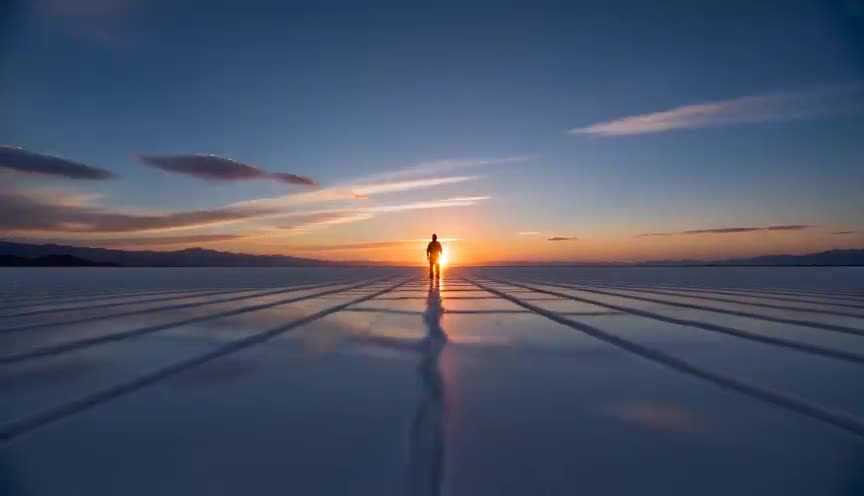
Hyperlapse also compresses time through interval frames, but the camera physically moves through space between shots, adding travel to the acceleration. Time-lapse keeps the camera locked in one position.
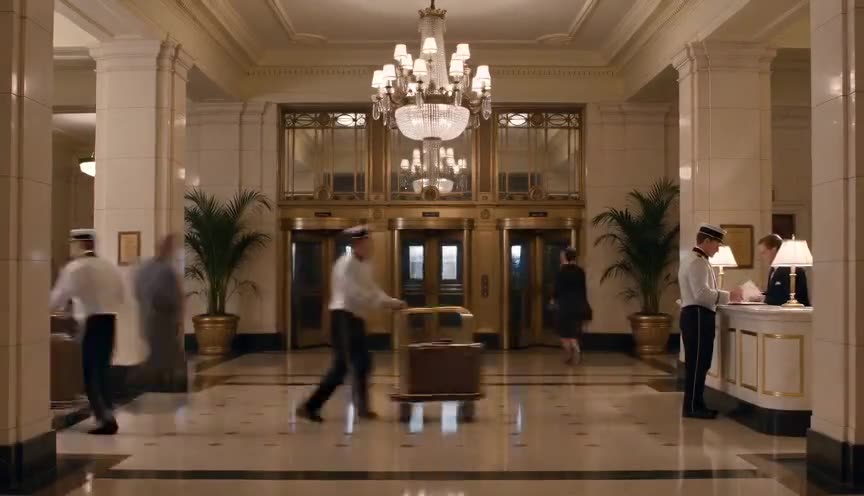
Fast motion speeds up continuously recorded footage in the edit or in camera, keeping every moment of action. Time-lapse instead samples isolated frames, discarding most of the action between them.
In film
Koyaanisqatsi (1982)
Builds much of its visual language on time-lapse cityscapes, traffic streams, and clouds, treating human civilization as a fast, cyclical organism.
Baraka (1992)
Uses time-lapse of clouds, stars, and crowds throughout to compress natural and human cycles into a single sweeping visual rhythm.
The prompt
Describe a locked, unmoving camera and name exactly which elements accelerate: sky, light, shadows, crowd, or traffic, while background architecture stays sharp and still. Mention the time range implied (sunset to night, day to day) so the model commits to a light change, and avoid asking for camera movement or it will read as a hyperlapse or pan instead. Keep the subject simple; too many moving layers at once looks chaotic rather than time-compressed.
The exact prompt that rendered the video on this page. Keep the description of the move, change the subject and the setting.
Time-lapse of a rooftop basketball court at sunset, camera locked on a tripod in one fixed wide shot, the hoop, backboard, and court lines staying perfectly still while clouds streak rapidly overhead and the sky shifts from gold to deep blue. Shadows of the backboard sweep across the concrete in fast arcs, a few players flicker through the frame in quick blurred bursts, and distant city lights and rooftop floodlights switch on as darkness falls. No text.
Common mistakes
Moving the camera
Any pan, tilt, or dolly during a time-lapse reads as jitter unless it is motion-controlled and repeatable, and it confuses the shot with a hyperlapse.
Inconsistent exposure
Letting exposure auto-adjust frame to frame across a long shoot causes visible flicker in playback; exposure should be locked or ramped deliberately.
Too short a real-time window
Compressing only a few minutes rarely shows meaningful change; the technique needs hours, a full sunset, or a multi-day process to earn its effect.
Frequently asked questions
What is time-lapse?
Time-lapse is a filming technique that captures frames at a slow, fixed interval and plays them back at normal speed, compressing long periods of real time, like a sunset or a construction project, into a few seconds of fast, continuous motion.
How is time-lapse different from fast motion?
Fast motion speeds up footage that was recorded continuously, keeping all the action. Time-lapse instead samples isolated frames spaced seconds, minutes, or hours apart, discarding everything in between, which is why it can compress days into seconds.
How long do you need to shoot for a good time-lapse?
It depends on the subject: clouds and traffic can work with 20 to 40 minutes of shooting, while a construction sequence or a full sunrise to sunset often needs several hours to a full day of locked-off capture.
Can AI video models generate a time-lapse look?
Yes. Tools like the ones available on Imaginode can simulate time-lapse by rendering fast sky, light, and crowd motion within a static frame, though true multi-day compression is approximated rather than assembled from real interval frames.