Hyperlapse
Also calledMotion time-lapse, Walking time-lapse
A hyperlapse is a time-lapse shot in which the camera itself travels through space while it captures frames at intervals, then plays them back at normal speed. It compresses both time and distance at once, giving the viewer the sensation of covering a long journey or watching a place transform in a few seconds.
What it tells
Directors reach for the hyperlapse to show scale, transformation, or the passage of a day without cutting away from the location. It turns a static time-lapse into a journey, so the viewer feels they are moving through the changing light rather than just watching it happen. It works well for city energy, environmental change, or bridging two story beats separated by hours or miles in a single unbroken sweep.
How it is shot
The camera moves along a planned path (on foot, on a vehicle, or on a motion-control rig) while frames are captured either as still images at set intervals (commonly every 1 to 5 seconds) or as continuous video later sped up 8x to 30x. The operator keeps the horizon level and the framing consistent shot to shot, often re-leveling the tripod head or gimbal at each position. Exposure and white balance are locked or ramped manually to avoid flicker as light changes. In post, optical-flow stabilization software smooths the small positional jumps between frames into one fluid glide. ND filters help control exposure during long daylight sequences.
When to use it
- Showing a journey across a large landscape or city in a few compressed seconds
- Depicting a day turning to night while the camera still advances toward a destination
- Opening or closing a film with a sense of scale and forward momentum through a place
- Bridging two scenes separated by distance and time without a hard cut
Not to be confused with
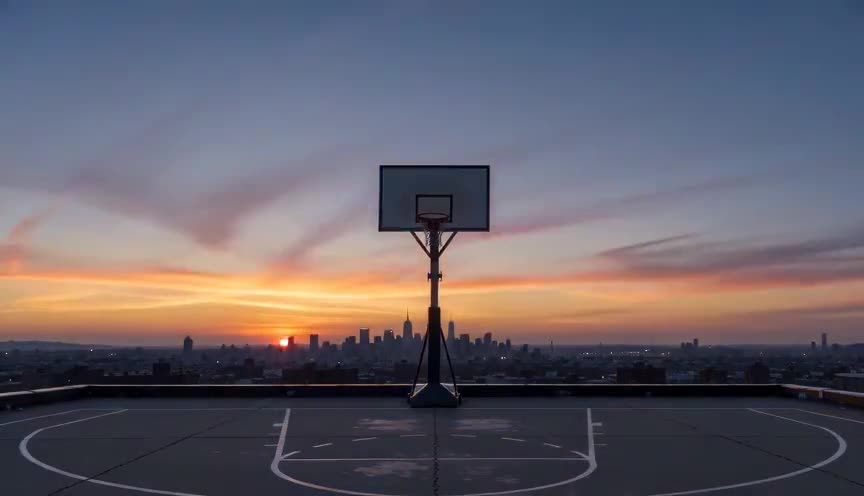
A time-lapse uses a fixed or slowly panning camera to compress time in one spot. A hyperlapse adds real physical travel through space, so the frame keeps changing position, not just the light.
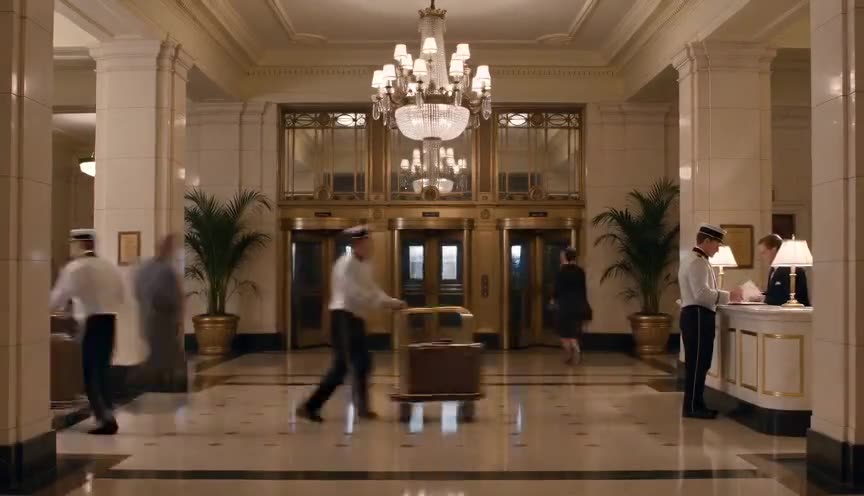
Fast motion simply speeds up continuous footage from a locked or handheld take. A hyperlapse is built from planned, spaced captures along a deliberate path, which is what lets it cover real distance smoothly.
In film
Baraka (1992)
Fricke uses motion-control time-lapse camera moves across landscapes and cities, compressing travel and time in a precursor to digital hyperlapse.
Samsara (2011)
Fricke's follow-up refines the same motion-control time-lapse technique to glide through temples, deserts, and factories.
The prompt
Name the path explicitly (straight line, curve, forward advance) and state what should streak or blur (clouds, sun, distant figures) versus what stays sharp (foreground ground or subject). Use words like time-lapse camera movement or hyperlapse dolly rather than just fast-motion, and describe the light changing across the shot. Avoid contradictory cues like slow motion or freeze, and keep the moving element (the camera track) distinct from the compressed element (sky, light).
The exact prompt that rendered the video on this page. Keep the description of the move, change the subject and the setting.
Hyperlapse across a vast white salt flat at dusk, camera advancing in a straight continuous line low to the ground, cracked salt texture sharp in the foreground while the horizon and a distant lone figure in work clothes stay small and steady ahead. The sky above streaks with fast-moving clouds and the sun arcs and drops toward the horizon, light shifting from warm orange to deep blue within the shot. The camera glide is smooth and unbroken, no cuts, ground detail crisp, sky and light compressed and racing. No text.
Common mistakes
Confusing it with a plain speed ramp
Speeding up regular footage without a deliberate spaced-capture path or motion-control rig produces jittery fast motion, not the smooth glide that defines a true hyperlapse.
Inconsistent exposure between frames
Letting auto-exposure or auto white balance drift between captured frames causes flicker and pulsing brightness once the sequence is played back at speed.
No stabilization plan
Skipping a level head, tripod pivot marks, or post-production optical-flow stabilization leaves visible jumps in framing that break the illusion of continuous travel.
Frequently asked questions
What is a hyperlapse?
A hyperlapse is a time-lapse shot combined with physical camera movement through space, so the viewer sees both time and distance compressed together into one smooth, sped-up journey.
How is a hyperlapse different from a time-lapse?
A time-lapse usually stays in one place or pans slightly. A hyperlapse involves the camera actually traveling a path (walking, driving, or on a rig) between captures, which adds a sense of movement through the location.
What gear do you need to shoot a hyperlapse?
A tripod or gimbal for stability, a way to lock exposure and white balance, and either a motion-control rig for precision or steady manual repositioning between captures. Stabilization software in post smooths the result.
Can AI video tools generate a hyperlapse look?
Yes, models like the ones available on Imaginode can render a hyperlapse if the prompt clearly separates the moving camera path from the compressed light and sky, since that contrast is what sells the effect in a short clip.