The local shop
A bakery, a café or a florist gets a character that returns on the window, the bags and social media, for ninety eight credits and no illustrator.
Your brief becomes the mascot's sheet from every angle, a presentation pose, then five animated seconds, the same mascot everywhere. Workflow visible here, no account needed.
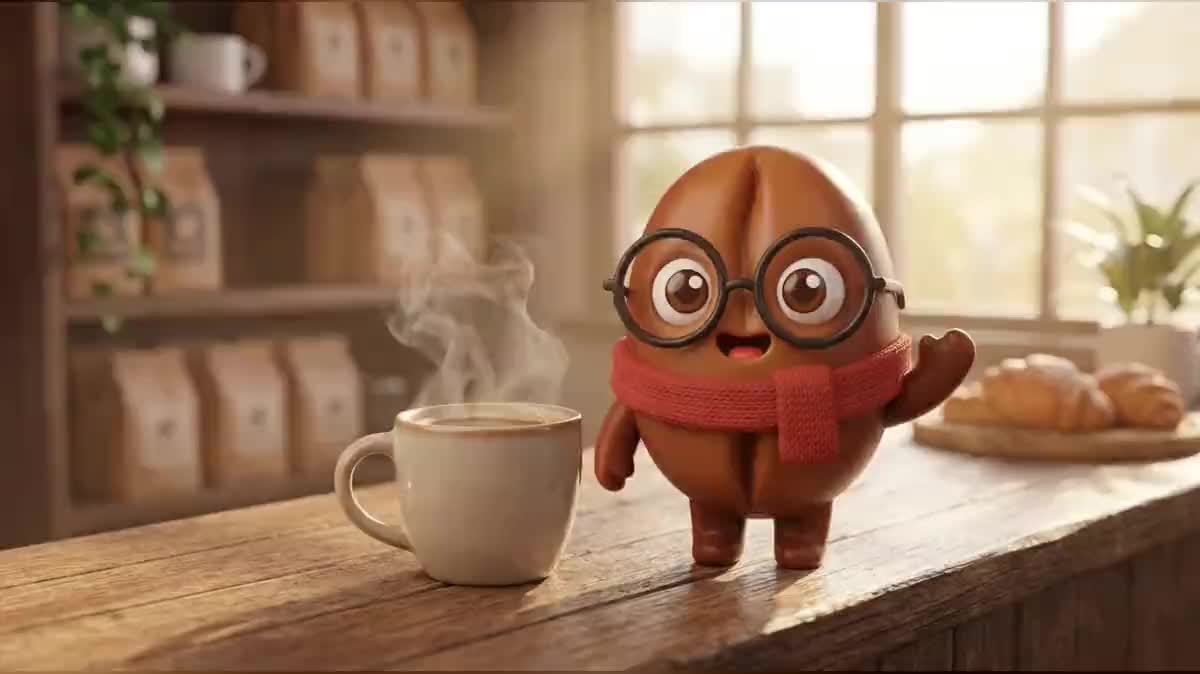
Real workflow: the mascot of an invented coffee roaster, a coffee bean with glasses and a red scarf. Its sheet in three views and three expressions, its pose on the counter, then five seconds of waving and winking.
At a glance
A mascot makes a brand recognisable before its logo does, on packaging, a website or a video. It still has to be the same everywhere, which usually takes an illustrator and a character sheet. This workflow starts from a brief and delivers the sheet, a presentation pose and a short video.
The hard part is consistency. Three images generated separately give three cousins. Here the sheet fixes the mascot from every angle, the pose starts from the sheet, and the video starts from the pose: each stage inherits from the previous one, and the mascot does not change from image to image.
The sheet is then used everywhere, for stickers or to animate the mascot next to the logo. The sheet, the pose and the video cost ninety eight credits.
These are the files of the workflow above, exactly as the models produced them, unretouched. The starting point is shown when there is one.
Render
Shopkeepers, brands, apps, clubs and creators who want a recognisable character without an illustrator.
The brand in one sentence and the mascot described by its shape, colour and two or three distinctive signs.
Describe the mascot with strong signs
A shape, a colour, two easy to spot accessories: here a coffee bean, round glasses, a red scarf. Those signs are what the model keeps everywhere.
Make the sheet first
Front, three quarter, back and three expressions on a single image: it is the reference for everything else. Rerun it while one view differs from the others.
Place the mascot in a setting
The pose starts from the sheet wired into its image port, in your brand's setting. Check glasses, colours and proportions before the video.
Animate one simple gesture
A wave, a hop, a wink: five seconds, from the pose as the first frame. The prompt forbids redrawing the character.
The same canvas, tuned for different needs: each variation is two or three lines of prompt away.
A bakery, a café or a florist gets a character that returns on the window, the bags and social media, for ninety eight credits and no illustrator.
The mascot greets at launch, congratulates when a goal is reached and comforts on an error page, with the expressions from the sheet.
A soft, recognisable character on packaging, booklets and videos, that children find again from one product to the next.
A sports club mascot on shirts, match posters and stories, giving a warmer identity than a plain crest.
A festival or a fair gets a mascot that changes outfit every year but keeps its shape and colours thanks to the sheet.
A character that opens every video, reacts in thumbnails and becomes stickers for the community.
Three generations with no reference give three neighbouring characters. The sheet, then the pose from the sheet, then the video from the pose.
Ten accessories are ten things that change from image to image. Two or three strong signs are enough and hold better.
Text warps in video and locks the mascot into one language. The brand name goes on in the edit, not in the drawing.
A dance or a somersault distorts the character. A wave, a hop, a wink: that is what the video holds.
Yes: wire your logo in a Media node into the sheet's image port, and ask for a mascot that takes on its colours and shape. The rest of the workflow does not change.
You can use it for your brand. For a trademark or design filing, have prior rights checked as for any visual, AI or not.
Yes: a voice-over and a lip-sync node on the video. Keep a simple gesture in the starting video so the mouth stays readable.
Ninety eight credits: nineteen for the sheet, nineteen for the pose on Nano Banana Pro, sixty for five seconds of Wan 3.0 at 720p.
Nano Banana Pro keeps a character from a reference image to the next; Wan 3.0 faithfully keeps its first frame, as measured on the animated logo and here on the mascot.
The one you describe: 3D vinyl here, but flat drawing, plush, clay or pixel art work too. Keep the same style in all three prompts.
Yes, one more Image node wired to the sheet per pose: nineteen credits each, the same mascot every time.
16:9 for the sheet, the pose and the video. For stories, set the pose and the video to 9:16.
Create your brand mascot with AI
Use this workflowFree account, no card required. The workflow opens pre-filled in your canvas.
 Nano Banana Pro
 Wan 3.0
 Kling V3
 Seedream 5 Pro