Slow zoom out
Also calledzoom out, reveal zoom, pull back zoom
A slow zoom out is a shot in which the camera stays fixed in place while the lens gradually widens its field of view, moving from a tight framing to a wider one over several seconds. It pulls the viewer's attention outward, replacing intimacy with context and often revealing scale, distance, or isolation the tighter frame concealed.
What it tells
Directors reach for a slow zoom out when a moment needs to breathe outward instead of forward. A private gesture, a solitary figure, a quiet confession, these gain weight when the frame slowly opens to show how small or exposed that moment really is within a larger space. Because the camera itself never moves, the effect feels less like observation and more like realization, a shift in understanding rather than in position. It is often the last thing an audience sees before a cut to black, letting distance do the emotional work dialogue no longer needs to.
How it is shot
The camera sits on a locked-off tripod or fixed mount; nothing about its position changes. A zoom lens, ideally parfocal so focus holds through the range, moves from a longer focal length such as 85mm down to something like 24mm over 8 to 15 seconds, controlled by a geared zoom ring or a motorized servo for a smooth, even curve rather than a hand-cranked wobble. Because zooming compresses or expands the image optically rather than through camera travel, there is no parallax shift; background and foreground scale together with no repositioning. The operator watches focus closely since some zooms drift slightly, and exposure is locked beforehand so the widening frame does not shift in brightness.
When to use it
- To reveal that an intimate close-up sits inside a much larger, emptier space, deepening a sense of isolation.
- As a closing shot that lets an audience settle back and see the full geometry of a scene.
- To expose danger, distance, or a crowd surrounding a character that the tight opening frame hid from view.
- For quiet, contemplative endings where widening the frame replaces the need for a final line of dialogue.
Not to be confused with
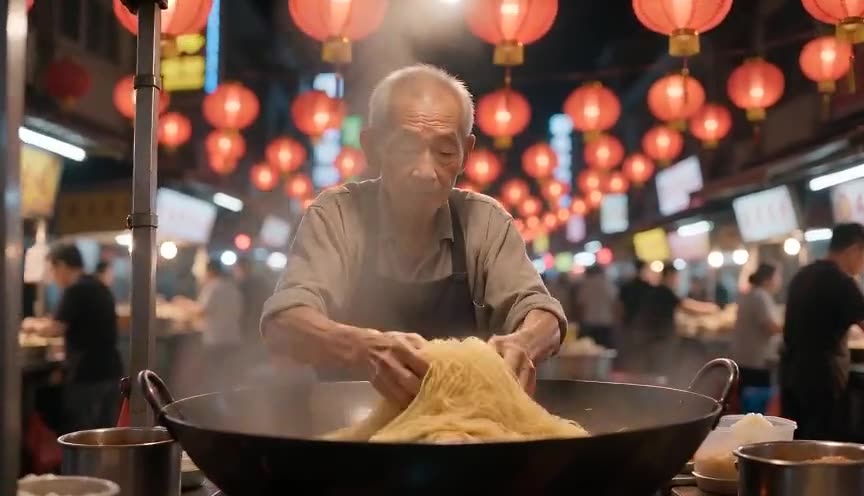
Slow zoom in narrows the frame toward a subject over time, building focus, tension, or dread. Slow zoom out moves the opposite way, widening the frame to release that tension and add surrounding context.
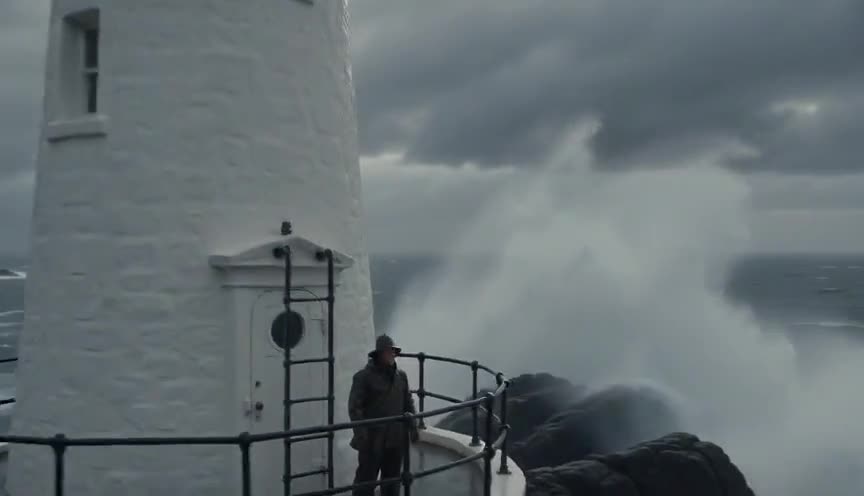
Dolly out physically moves the camera backward, changing perspective and parallax as foreground and background separate at different rates. Slow zoom out only changes focal length from a fixed position, so the image flattens rather than gains depth.
In film
Barry Lyndon (1975)
Kubrick and cinematographer John Alcott use slow zoom outs repeatedly, pulling back from a single figure to reveal a painterly, symmetrical tableau of the surrounding room or landscape.
A Clockwork Orange (1971)
The opening shot begins tight on Alex and slowly zooms out to reveal his droogs, the Korova Milk Bar, and the tableau's unsettling symmetry.
The prompt
Name the technique explicitly and describe the mechanism: a fixed or locked-off camera, a lens that widens over the shot's duration, and what becomes visible that was not visible before. State the starting and ending framing (for example, close-up to wide shot) so the model has a clear target, and specify that the camera does not move, only the zoom, to keep the model from defaulting to a dolly or trucking motion. Avoid vague words like 'reveal' alone; anchor it in concrete objects or space.
The exact prompt that rendered the video on this page. Keep the description of the move, change the subject and the setting.
Slow zoom out: a locked-off camera holds on a tight close-up of a middle-aged man's frost-reddened face as he stares out a cabin window, then over four seconds the lens gradually widens, the focal length dropping smoothly and continuously, revealing the wooden cabin interior, a crackling stove, and finally the snow-covered mountains framed through the window behind him. The camera itself never moves, no pan, no tilt, no dolly; only the optical zoom changes, keeping his face centered and in focus throughout. No text.
Common mistakes
Confusing it with a dolly out
If the camera shifts position instead of only changing focal length, the shot gains parallax and depth cues that break the flat, optical signature of a true zoom.
Zooming too fast
A quick widening reads as a crash zoom or a clumsy reframe rather than a slow release of tension; keep the change gradual and even across the full duration of the shot.
Losing focus during the zoom
Cheaper or non-parfocal zoom lenses drift out of focus as the focal length changes, so the subject can go soft partway through unless focus is checked or corrected as the lens moves.
Frequently asked questions
What is a slow zoom out?
It is a shot where the camera stays in one fixed position while the lens gradually widens, moving from a tight framing to a wider one over several seconds, so the surrounding space becomes visible without any camera movement.
How is a slow zoom out different from a dolly out?
A dolly out physically moves the camera backward, changing perspective and depth as objects separate at different rates. A slow zoom out only changes the lens's focal length from a fixed point, so the image widens without gaining parallax.
How long should a slow zoom out last?
Most run 8 to 20 seconds, long enough that the widening feels deliberate rather than noticed as a cut or a jolt. Shorter zooms read as edits or crash zooms, not as the slow release this technique is built for.
Can an AI video model generate a slow zoom out?
Yes. Tools like the ones available on Imaginode can render it if you describe the fixed camera, the lens widening over the shot, and the starting and ending framing clearly, since the model needs explicit mechanics rather than just the word zoom.