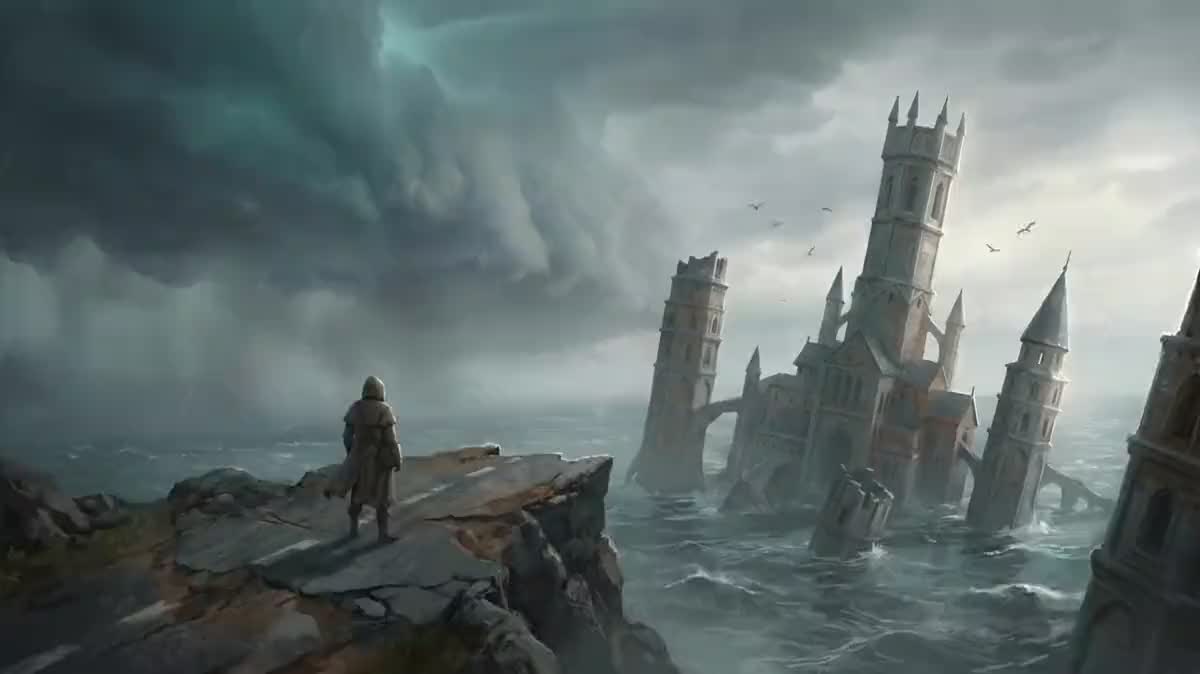
Announcing a game in preproduction
Showing a world before the engine runs: two animated key arts say the mood better than a long text, and it is often what makes a publisher read the rest of the pitch.
Your key arts go into two Wan 3.0 nodes that animate them, the title card is drawn by an image model, and the Montage cuts twelve seconds with the bed underneath. Workflow visible here, no account needed.
Real workflow: two key arts of an invented game, animated by Wan 3.0, a title card drawn by GPT Image 2.5 Sunburst and an ElevenLabs bed. The cut comes from the demo.
At a glance
An indie studio almost always has its visuals: key art, screenshots, a logo. What it lacks is the video, because a teaser takes an editor, a composer and two days. This workflow starts from your images and returns twelve seconds cut together.
The first rule is that ONE THING MOVES per shot. A slow push in and nothing else: the prompt forbids adding, removing or redrawing anything, otherwise the model repaints your world its own way and the teaser no longer shows your game.
The second is that the title card is an IMAGE. A video model writes letters that shift from frame to frame; an image model writes a clean title. A full run costs two hundred and thirteen credits, because your key arts are not billed: they already exist.
These are the files of the workflow above, exactly as the models produced them, unretouched. The starting point is shown when there is one.
Starting point
Render
Indie studios and solo developers who already have their visuals and must announce a game without an editor or a composer.
Two high resolution visuals with no interface, one world shot and one character shot: the shot begins exactly on your image.
Give your two best visuals
One world shot and one character shot, high resolution and free of interface. The shot begins exactly on your image: what you provide is what the player will see.
Write one move per shot
A slow push in, drifting mist, a blink. Two moves in the same shot give a lurching image and a warping set.
Forbid any change to the world
Add nothing, remove nothing, keep the painted look. That sentence is what stops the model reinventing your art direction.
Lay the title in as an image
The title card is drawn by an image model, with the game name between quotes and a ban on writing anything else. The Montage holds it for two seconds at the end.
The same canvas, tuned for different needs: each variation is two or three lines of prompt away.
Showing a world before the engine runs: two animated key arts say the mood better than a long text, and it is often what makes a publisher read the rest of the pitch.
A game page with no video loses visitors. Twelve well cut seconds beat a slideshow of screenshots, and they get redone at every update.
A project asking for money has to be seen. The teaser opens the campaign video, before the explanations and the tiers.
An expansion, a season, a new character: the same workflow with the update visuals, and the title card carries the version name.
Nothing forces a video game: a box illustration and a board shot animate the same way, and the book trailer does the same for a text.
If your visuals are pixel art, beware: a video model smooths the grid as it moves. Better to animate in engine, and keep this workflow for painted visuals, as photo to pixel art shows.
This is the mistake that makes the teaser useless: with no explicit ban the model adds a tower, changes a colour, warps a silhouette, and it is no longer your game being announced.
The letters shift from frame to frame and the game name becomes unreadable. The title card is an image, and that is the only way to get a clean word.
Health bars, minimap, buttons: the model warps them and the shot smells of amateur editing. An image with no interface, or a cleaned capture, changes everything.
A push in plus a pan plus a zoom give a lurching image. One move per shot, slow, is also the rule of a real teaser.
No. The demo starts from two key arts generated for the occasion, which is exactly the case of a game in preproduction. If your game exists, give your real visuals: the result will only be truer.
A capture works as a start image, but the model animates it like an illustration, not like a game: no moving interface, no character responding. For gameplay, record the game.
For a social announcement or the header of a store page, yes. For a full trailer, duplicate the nodes for as many visuals as you have, and the montage follows.
Two hundred and thirteen credits for the demo cut: sixty credits per animated shot, nine for the title card and eighty-four for thirty seconds of music. Your key arts cost nothing, you provide them, and neither does the montage.
Because it takes your image as a START IMAGE and keeps the painted look for five seconds. The shot therefore begins exactly on your key art, which is the only way to announce your game and not another one.
It is generated by ElevenLabs Music and is yours under the terms of the service, which avoids the stock bed every other teaser already uses.
Yes, and better than through the model: drop your logo file into the Montage over the last shot. A logo redrawn by an AI is never exactly yours.
The Montage exports in 9:16, but a shot composed for 16:9 loses half its set when cropped. For vertical networks, provide vertical key arts from the start.
Make a video game teaser with AI
Use this workflowFree account, no card required. The workflow opens pre-filled in your canvas.
 Wan 3.0
 Nano Banana Pro
 GPT Image 2.5 Sunburst
 ElevenLabs Music