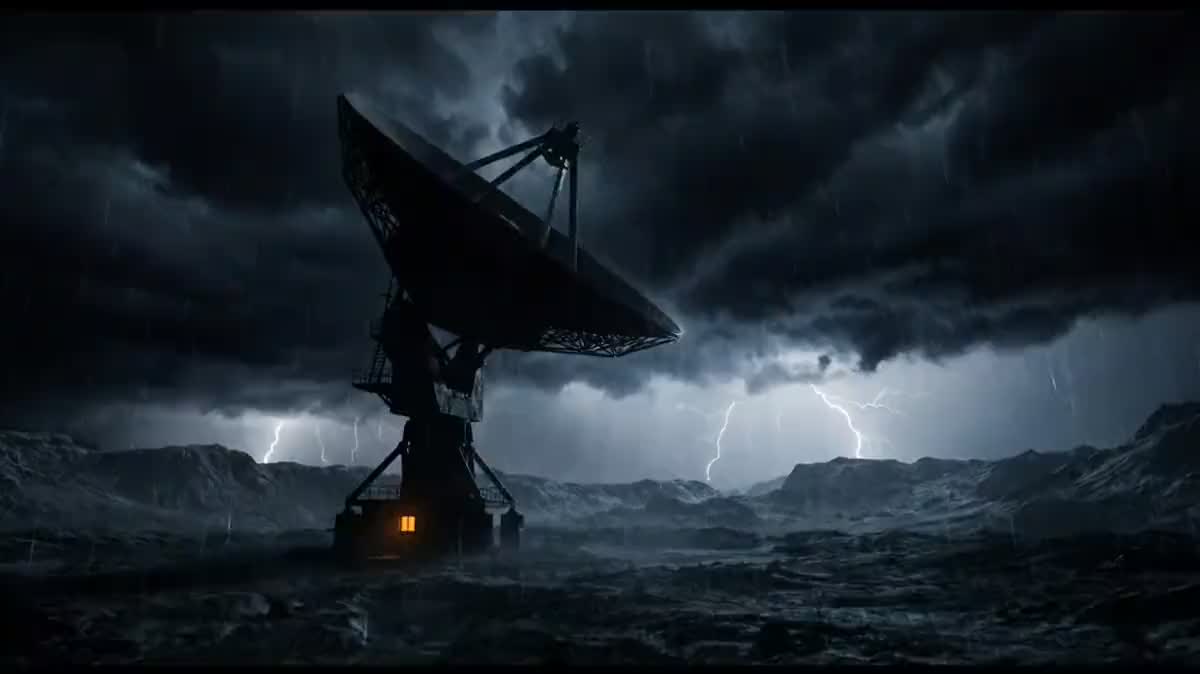
The teaser of a film being written
A screenplay looking for money defends itself better with twelve seconds than with a synopsis: the reader sees the light, the scale and the tone at once, and that is often what triggers the read.
Your pitch feeds two Text nodes that write the shots, Nano Banana Pro makes the images, Wan 3.0 animates them, and the Montage lays in the title card and the music. Workflow visible here, no account needed.
Real workflow: the pitch of an invented thriller, two shots written by Claude Sonnet 5, animated by Wan 3.0, a title card drawn by GPT Image 2.5 Sunburst and an ElevenLabs bed. The cut comes from the demo.
At a glance
A trailer is not a small film: it is two or three images that make people want more, a title, and a bed that rises. This workflow starts from the pitch, pulls two shots that belong to the same film out of it, and returns twelve seconds cut together.
The first hard part is COHERENCE. Two shots written separately give two different films: the pitch therefore carries a visual style line, lens, palette, grain, that both prompts copy word for word, and the character shot reuses the actor sheet.
The second is the title card. A video model writes badly and an image model writes well: the title is therefore an image laid into the montage, never text asked of the video. A full run costs two hundred and fifty-seven credits, and the montage itself is free.
These are the files of the workflow above, exactly as the models produced them, unretouched. The starting point is shown when there is one.
Render
Directors, producers and writers who have to show a film before it is shot, or announce a short that is already finished.
A three sentence pitch and one visual style line, plus a photo of your actor if a character appears.
Write the pitch and the style
Three sentences of story, then one visual style line: the lens, the palette, the grain, the kind of light. That line is what will hold the shots together.
Let the Text nodes write the shots
Each one reads the pitch and returns the prompt of ONE shot, reusing the style line. It is more reliable than writing two prompts yourself that end up drifting apart.
Go through a still before video
A still is fixed for nineteen credits, an animated shot costs sixty. Validate the frame and the light on the still, then animate.
Lay the title in as an image
The title card is a black image with one word on it, drawn by a model that can write. The Montage holds it for two seconds at the end and slides the bed underneath.
The same canvas, tuned for different needs: each variation is two or three lines of prompt away.
A screenplay looking for money defends itself better with twelve seconds than with a synopsis: the reader sees the light, the scale and the tone at once, and that is often what triggers the read.
A finished short needs a trailer nobody has the budget to cut. Two shots pulled from the film, a card, a bed, and the announcement exists the same day.
The same pitch gives as many shots as episodes you envisage: it is the best way to show a series holds together visually before a single scene has been shot.
For a novel rather than a screenplay, the book trailer does the same from the PDF of a chapter, with a voice-over and four shots.
A festival, an exhibition, a release: the pitch describes the event, the two shots give the mood, and the card carries the date.
Seeing your story in twelve seconds quickly says whether it is a thriller or a comedy. That is a decision better made before the first act.
This is the mistake that gives two films instead of one. The style line, lens, palette and grain, is written once in the pitch and copied as is into every prompt.
A video model writes approximate letters that shift from frame to frame. The title is an image, laid into the montage: it is the only way to get a clean word.
A still is redone for nineteen credits, an animated shot for sixty. Validating the frame on the still divides the cost of trial and error by three.
A trailer does not summarise, it makes people want. Two strong shots and a title beat six shots that explain everything and surprise nobody.
For a twelve second teaser, yes, and it is the format festivals and social networks take best. For a full trailer, duplicate the pair of nodes as many times as you need shots.
Yes: a Voice-over node written by a Text node, wired into the audio input of the Montage, exactly like the bed. The demo stops at the music to stay readable.
No. The Montage node encodes in your browser: joining the shots, laying the card and mixing the music cost nothing, however many attempts you make.
Two hundred and fifty-seven credits for the demo cut: three credits per written prompt, nineteen per still, sixty per animated shot, nine for the title card and eighty-four for thirty seconds of music.
Because it takes the still as a START IMAGE and keeps the frame and the character for five seconds. The shot therefore begins exactly on the image you validated.
Yes, with their consent: their photo goes into the Media node and serves as the reference for the shot they appear in. The demo uses the face of the founder of the site, with his consent.
Twelve seconds: two five second shots and a two second card. The Montage lets you lengthen, trim and reorder without another generation.
It is generated for you by ElevenLabs Music and is yours under the terms of the service. That is exactly what avoids the stock bed everybody recognises.
Create a film trailer with AI
Use this workflowFree account, no card required. The workflow opens pre-filled in your canvas.
 Wan 3.0
 Nano Banana Pro
 Claude Sonnet 5.5
 ElevenLabs Music