The YouTube meditation channel
One guided meditation a week, each with its landscape, voice and bed, published without a shoot or a recording studio.
A calm landscape in a loop, a guided meditation read in a calm voice and an ambient bed, edited into a video ready to publish. The workflow is shown here, no account needed.
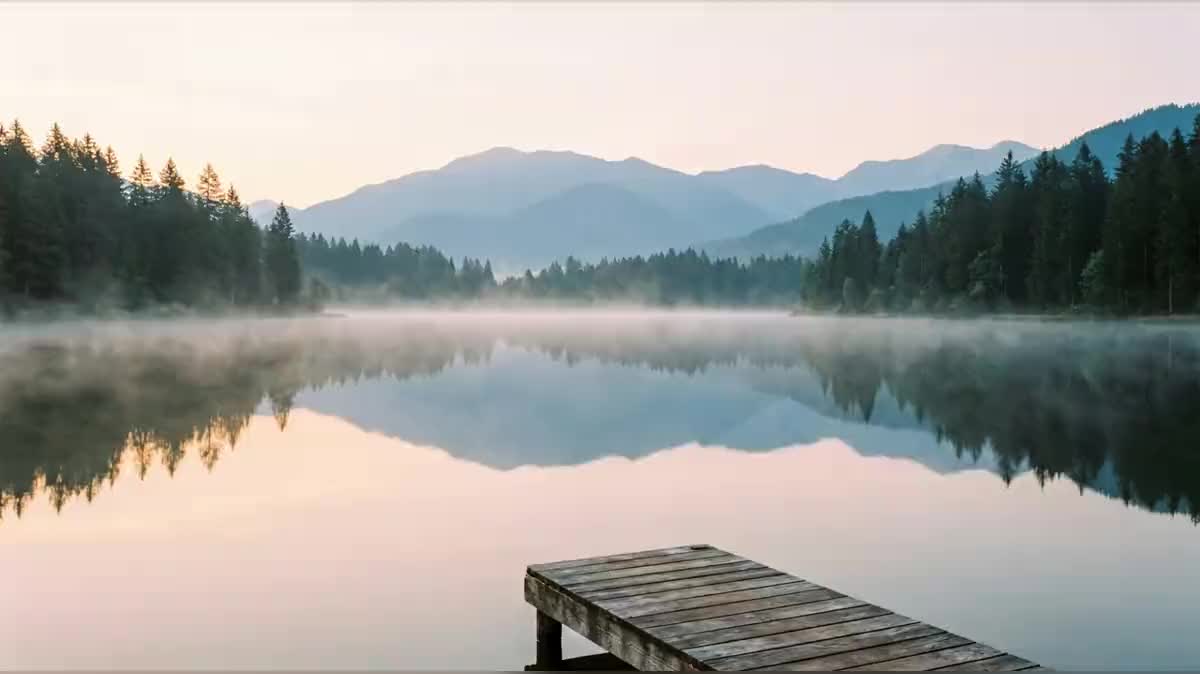
Real workflow: a mountain lake at dawn animated in a loop, a thirty-second guided meditation read by ElevenLabs v3, an ElevenLabs Music bed, and the Montage that assembles the three.
At a glance
Meditation and relaxation channels publish hours of video: a landscape that barely moves, a voice that guides, soft music. This workflow makes the three pieces and edits them together: the landscape in a loop, the meditation read, the bed underneath.
The hard part is calm. A freely generated video moves too much, a rushed voice relaxes nobody, music that is too present covers the voice. The landscape loops seamlessly thanks to the same image as start and end; the voice breathes thanks to pauses written into the text; the bed stays at thirty percent.
For a moving landscape without a voice, see the cinemagraph; for a voice alone, the voice-over. The demo costs two hundred and thirty credits.
These are the files of the workflow above, exactly as the models produced them, unretouched. The starting point is shown when there is one.
Render
Meditation channels, yoga teachers, therapists, wellness apps and relaxation video creators.
A description of a calm landscape and the meditation text, with its pauses.
Pick a landscape that breathes
Calm water, mist, forest, beach at dawn: a setting where almost nothing moves. No people, no animals.
Make the video loop
The same image as start and end of the Video node: the loop repeats in the Montage without a jump.
Write the pauses into the text
Ellipses, short sentences, a sigh in brackets: the voice slows down where the text breathes.
Keep the music under the voice
A bed without percussion or catchy melody, at thirty percent. The voice guides, the music carries.
The same canvas, tuned for different needs: each variation is two or three lines of prompt away.
One guided meditation a week, each with its landscape, voice and bed, published without a shoot or a recording studio.
An end-of-class relaxation recorded as a video for students who practise at home, with a soothing landscape.
Short breathing or sleep sessions for a wellness app, each on a different setting and with a different voice.
A breathing exercise to send to clients between two sessions, read in a calm voice over a slow landscape, to do again at home.
Without a voice, the loop and the bed make a background video for working or studying, an hour or more, published as is on YouTube.
A three-minute break offered to employees, at the start of a team meeting or on the intranet, to breathe between two appointments.
Strong waves, birds, passers-by: the eye gets caught, relaxation stops.
Without an end frame identical to the start, every repetition jumps and breaks the calm.
A continuous paragraph gives a rushed reading. Short sentences and ellipses slow the voice down.
A bed at the same volume as the voice covers it. Thirty percent is enough.
Yes: lengthen the text, take a three-minute bed on loop, and add copies of the loop in the Montage. The image costs nothing more.
Yes: remove the voice track from the Montage. You get a relaxation or focus video.
Yes, among the ElevenLabs v3 voices, or your own cloned voice. Pick a deep, slow voice.
Two hundred and thirty credits: nineteen for the landscape on Nano Banana Pro, one hundred and twenty for ten seconds of Wan 3.0 in 720p, seven for the voice on ElevenLabs v3 and eighty-four for the one-minute bed on ElevenLabs Music. The Montage costs nothing.
It accepts a start frame AND an end frame, which closes the loop, and it holds a still camera.
Its voice follows pauses and bracketed cues, like a sigh, which a simpler synthetic voice does not.
Yes: switch the landscape, the video and the Montage to 9:16 for short sessions on social media.
Yes: add a Text node with a language model that writes the script, then wire it to the Voice-over node.
Create a meditation video with AI
Use this workflowFree account, no card required. The workflow opens pre-filled in your canvas.
 Wan 3.0
 Nano Banana Pro
 ElevenLabs v3