The music video
A slow motion shot on the chorus, drops or powder hanging in the air, the strongest moment of the video without renting a high-speed camera.
Your selfie becomes a cinema shot in the rain, then an extreme slow motion where every drop hangs in the light. The workflow is shown here, no account needed.
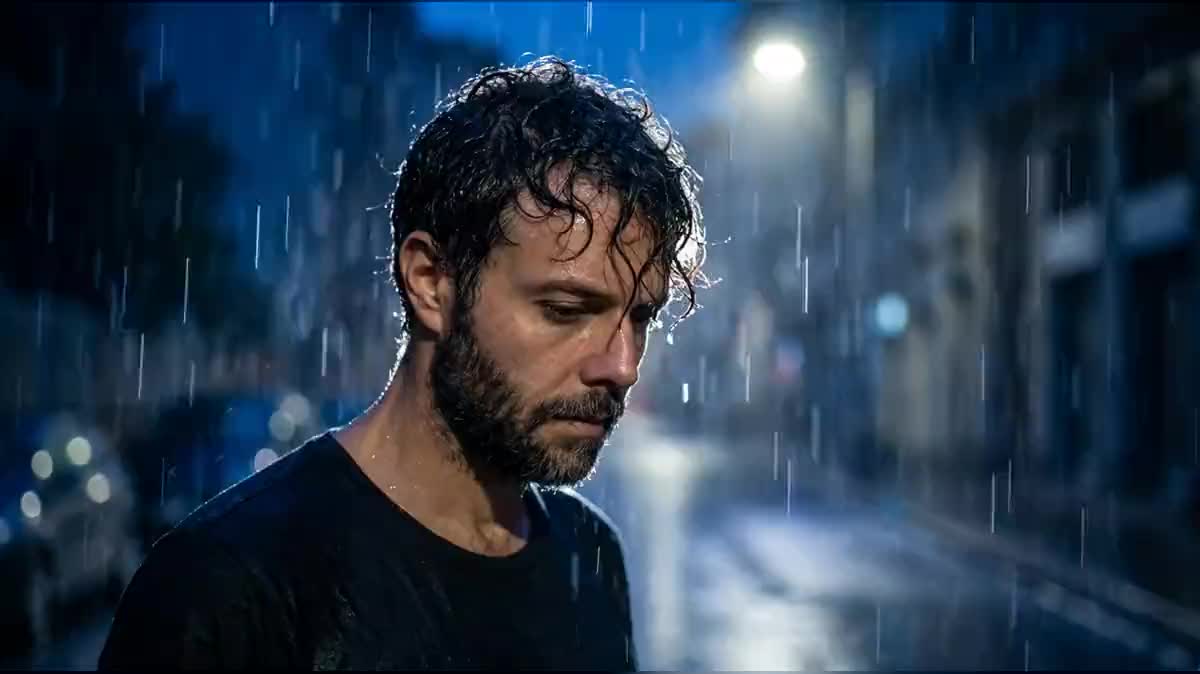
Real workflow: Frank's selfie, Frank in the night rain backlit by a street lamp, then five seconds of slow motion where he shakes his head and the droplets hang in the air.
At a glance
Extreme slow motion, the kind in sports ads and music videos, is shot with thousand-frames-per-second cameras that cost the price of a car. This workflow starts from a selfie, turns it into a cinema shot in the rain, then a slow motion where every drop hangs in the light.
The hard part is making the slow motion visible. A face moving slowly just looks like a slow video; drops floating in the air do not. The start image therefore prepares the rain and the backlight, and the video prompt gives the speed and describes what the gesture throws off.
To stop time completely, see the frozen time effect; for other effects, video special effects. The shot and the slow motion cost seventy-nine credits.
These are the files of the workflow above, exactly as the models produced them, unretouched. The starting point is shown when there is one.
Starting point
Render
Music video makers, content creators, sports and drink brands who want a cinema slow motion without a high-speed camera.
A sharp selfie, and what should float in the image: rain, powder, hair.
Give a sharp selfie
Whole face, front or three quarter. The cinema shot reuses it as is.
Prepare what will float
Rain, splashes, coloured powder, confetti, hair: that is what makes slow motion visible. Put it in the start image.
Light from behind
A light behind the subject makes every drop glow. Lit from the front, they disappear.
One gesture, one speed
"1000 frames per second", a simple movement: lift the head, shake the hair, throw a handful of powder.
The same canvas, tuned for different needs: each variation is two or three lines of prompt away.
A slow motion shot on the chorus, drops or powder hanging in the air, the strongest moment of the video without renting a high-speed camera.
A runner, a boxer or a player whose sweat flies off in slow motion, the signature shot of sports advertising, without a high-speed camera.
A drink splashing, ice cubes falling, bubbles rising, in extreme slow motion for a product ad made from a single photo.
A portrait of yourself as a film shot, in rain or snow, for an animated profile picture or a showreel.
The slow motion shot that opens or closes a film or video game trailer, the moment when the action seems to almost stop.
A five-second slow motion on a simple gesture, the shot that makes people replay the video on TikTok, Reels or Shorts.
A face alone in slow motion looks like a slow video. You need drops, powder or hair.
Drops lit from the front disappear. Backlight makes them glow.
In extreme slow motion, half a second of movement fills five seconds. Two gestures have no time to exist.
Without "1000 frames per second", the model makes a normal movement, barely slowed down.
This workflow starts from an image. For an existing video, a Video node in edit mode can reinterpret it in slow motion, with less control.
Yes: a splashing can, a fruit dropping into water, spurting coffee. Describe the liquid and the light.
Yes, up to thirty seconds on Wan 3.0, priced by duration. In extreme slow motion, five seconds are often enough.
Seventy-nine credits: nineteen for the shot on Nano Banana Pro, sixty for five seconds of Wan 3.0 in 720p.
It follows a speed and movement prompt from a first frame, and accepts a real person as first frame.
In the demo, yes, from the start to the end of the slow motion.
Yes: turn sound on and describe muffled rain or a deep whoosh, the typical sound of slow motion. The price does not change.
Switch the image and the video to 9:16 for a Reel or a TikTok.
Make an extreme slow motion video with AI
Use this workflowFree account, no card required. The workflow opens pre-filled in your canvas.
 Nano Banana Pro
 Wan 3.0
 Kling V3
 Seedance 2.5