The product in 3D for the shop
A product photo on a white background becomes an object the customer rotates on the page. Tripo 2.5 in HD texture, a light GLB, ready for a web viewer or an augmented reality product sheet.
An object image goes in, a textured 3D file comes out: Tripo 2.5 and Trellis 2 side by side on the same photo. The GLB rotates in the node, downloads, and its turntable video renders for free. The whole workflow is visible without an account.
The real workflow: an image in a Media node, wired to two 3D Object nodes, one on Tripo 2.5, the other on Trellis 2. Both objects are those of the demo, rotate them with the mouse.
At a glance
A photo shows one side of an object. The 3D model rebuilds all the rest: the back, the sides, the underside, with a texture laid on top. What comes out is a GLB, the standard 3D format on the web, readable by Blender, Unity, Unreal, browser viewers and, after conversion, 3D printers.
The 3D Object node wires an image and offers two models: Tripo 2.5, light and clean, the right choice for production, and Trellis 2, more detailed in shape, heavier. The demo shows them side by side on the same image, so you can choose knowingly. The price is per object, by detail level, shown before you click.
The object rotates in the node, with the mouse or a finger, and two renders are then made in your browser, at no cost: a five-second turntable and a still view. The turntable wires as a reference into a Video node, Wan 3.0 or Seedance 2.5, which stages the object without distorting it: the image, object, video chain, on a phone.
These are the files of the workflow above, exactly as the models produced them, unretouched. The starting point is shown when there is one.
Starting point
An image of a single, complete object on a plain background, ideally from three quarters: the model guesses the hidden faces from what it sees.
Start from an image of a whole object
Framed wide, on a plain or simple background, without hard shadows. A product photo, a figurine, an accessory set on a table. If you start from a render, ask the Image node for a plain background and a three-quarter view.
Pick the model and the detail level
Tripo 2.5 in standard or HD texture, Trellis 2 at 512, 1024 or 1536. The price of each tier shows on the node. For an object seen from afar, the first tier is enough.
Generate and rotate the object
One to two minutes later, the GLB displays in the node. Drag to rotate, scroll or pinch to zoom, and download the file.
Render the turntable and wire it
One click renders five seconds of rotation, at no cost. Wire that video as a reference into a Video node and describe the scene: the object keeps its shape and comes alive in a setting.
The same canvas, tuned for different needs: each variation is two or three lines of prompt away.
A product photo on a white background becomes an object the customer rotates on the page. Tripo 2.5 in HD texture, a light GLB, ready for a web viewer or an augmented reality product sheet.
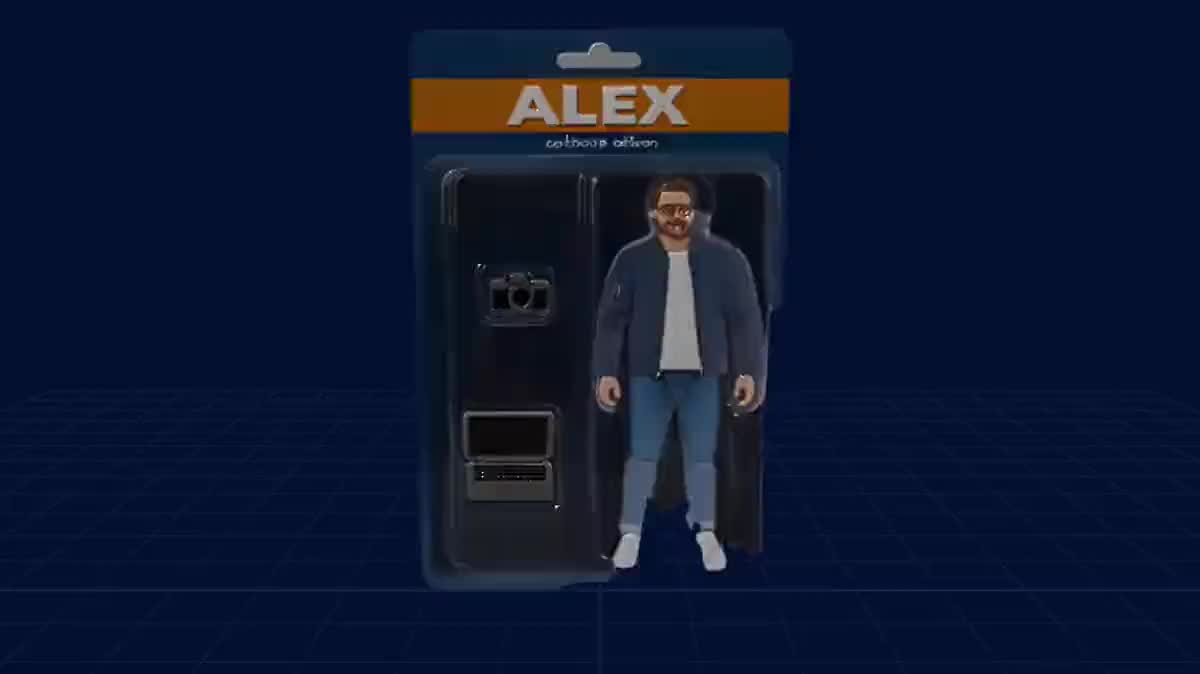
That is the demo: the collectible figurine becomes a 3D object, its turntable wires into a Video node, and the video model stages it while keeping exactly its shape.
A sword, a helmet, a potion drawn in an Image node go to 3D for a game prototype. Trellis 2 for the detail of engravings, Tripo for a clean mesh to animate.
A flat logo on a plain background comes out as an extruded, textured object, to rotate in a video intro or to print. Keep the render on a plain background for a clean volume.
The GLB converts to STL in any slicing software. A figurine, a holder, a decorative piece: from the photo to the printer in two steps.
Generate each element separately, one object per node, then assemble them in Blender or a game engine. A whole scene in one image does not rebuild well; the objects one by one do.
A whole living room or a street gives a flat, muddled volume. The model rebuilds an OBJECT: isolate it, or generate it alone on a plain background.
What the photo does not show, the model invents, and what it cuts, it invents badly. Frame wide, the whole object with margin.
A strong cast shadow reads as part of the object, a busy background blends into the edges. Soft light, plain background.
The maximum detail level of Trellis 2 weighs tens of megabytes and is barely visible on an object seen from afar. Choose the tier for the use, not for the number.
Tripo for an object to reuse in 3D, light and well textured; Trellis for maximum shape detail on an object to look at. The demo shows both on the same image.
Yes: it is a GLB with textures, imported as is by Blender, Unity, Unreal, Godot and web viewers. Download it from the node.
No. The turntable and the still view are computed in your browser, for free. Only the generation of the object is billed, per unit.
A whole object, on a plain background, without a strong cast shadow, framed wide. A whole scene, a subject cut by the frame or a transparent object give a poor volume.
A price per object, by detail or texture level, shown on the button before you click. The video and image renders that follow cost nothing, and a technical failure is refunded.
Yes: wire the output of an Image node into the 3D Object node. Ask for a plain background and a three-quarter view in the image prompt, it is the view that informs the volume best.
The GLB is a static textured mesh. It animates in Blender, Unity or Unreal like any imported object, and its turntable video wires directly into the video models of the canvas.
One object per node, as many nodes as you want on the same canvas, with “Generate all” to launch them together. The total price shows before you confirm.
Turn an image into a 3D object with AI
Use this workflowFree account, no card required. The workflow opens pre-filled in your canvas.
 Tripo 2.5
 Trellis 2
 Wan 3.0
 Seedream 5 Pro