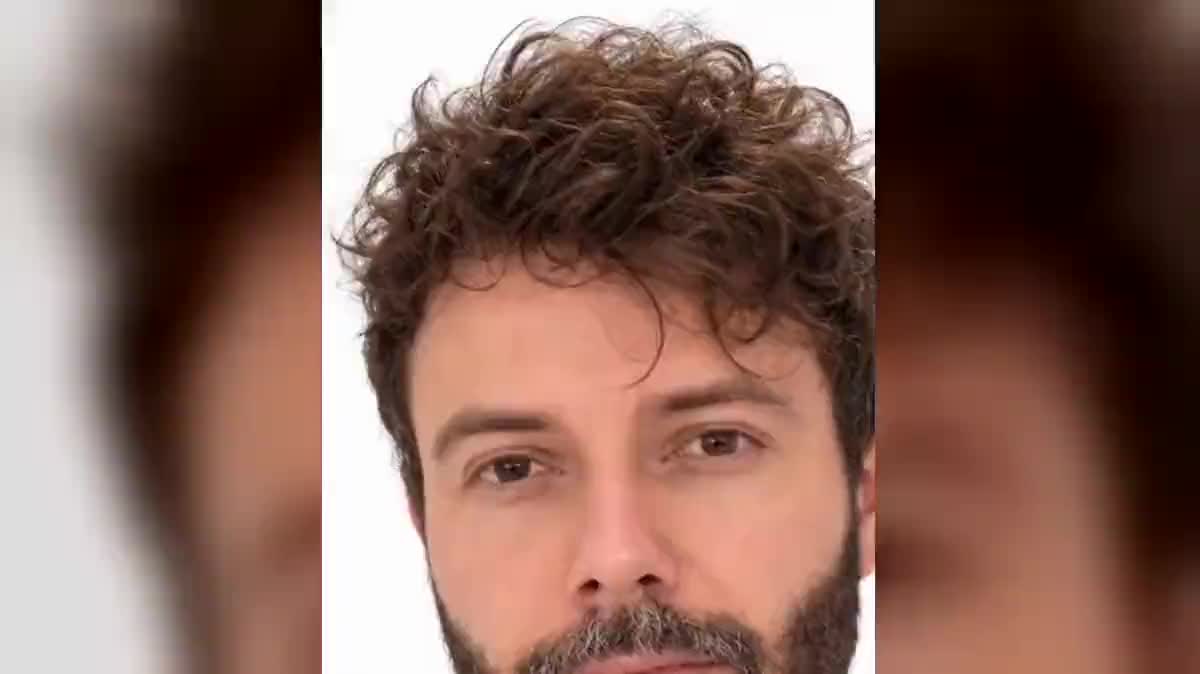
The birthday message
The photo of the person being celebrated, a twenty-word text read by a warm voice: that is the second example of the demo. The video is sent as is by message, and nobody had to film themselves.
A face photo and a text read by a catalog voice: InfiniTalk makes the person speak, lips, blinks and head movements included. The video lasts as long as the voice. The whole workflow is visible without an account.
The real workflow: a photo in a Media node, two texts each read by a Voice-over node, and two Video nodes set to InfiniTalk that receive the photo through the image port and the voice through the voice port.
At a glance
A single photo is enough. No video to shoot, no avatar to configure: the face in the photo starts talking, with the lips timed to every syllable, the blinks, the small head movements that go with a sentence. The result watches like a to-camera take, and it comes from a phone portrait.
The text is read in a Voice-over node, with one of the catalog voices (ElevenLabs v3 first) or a cloned voice. The Video node set to InfiniTalk receives the photo and the voice, and renders a video that lasts exactly as long as the audio, up to twenty-eight seconds. The price follows that duration, measured on the file, and shows before you click.
It is the gesture of the talking avatar, but from YOUR face, or that of a generated character, a drawn mascot, an old portrait. A birthday message, a product presentation, an announcement on social networks: the demo shows two messages on the same photo.
These are the files of the workflow above, exactly as the models produced them, unretouched. The starting point is shown when there is one.
Starting point
Render
A front-facing photo, sharp and well lit, mouth closed. The text to say, kept short: the video lasts as long as the voice.
Pick a photo facing the camera
Sharp face, mouth closed and visible, front light, plain background. A phone portrait works very well. Glasses and beards pass, a hand in front of the mouth or a profile does not.
Write the text and pick the voice
The Voice-over node reads what you write with the chosen voice, in your language. A twenty-word sentence makes seven to eight seconds. Generate the voice first: it sets the duration and the price of the video.
Generate the video
The InfiniTalk node shows the measured duration of the voice and the exact price. Click: the face talks, at 480p for social networks or 720p for a render to project.
Chain if the text is long
Beyond twenty-eight seconds of voice, split the text into two takes and edit them back to back in a Montage node, for free, as in the other video workflows.
The same canvas, tuned for different needs: each variation is two or three lines of prompt away.
The photo of the person being celebrated, a twenty-word text read by a warm voice: that is the second example of the demo. The video is sent as is by message, and nobody had to film themselves.
A generated portrait becomes a presenter: the launch text in the Voice-over node, the photo in the Media node, and the video comes out at 720p, ready for a product page or a UGC ad.
A scanned family photo, a text written in the first person: the face comes alive and speaks. Run the photo through an Enhance node first if it is small or damaged, then through InfiniTalk.
A drawn character with a readable mouth works: the model animates the lips of a drawing like those of a photo. Ideal for a brand announcement on social networks, with a cheerful catalog voice.
One photo, three Voice-over nodes in three languages, three InfiniTalk nodes: the same person speaks English, Spanish and French, with accurate lips every time. To start from a video already shot, see dubbing.
Take the produced video and run it through make a photo dance or into a Video node as a reference: speech first, body next.
The model needs to see the whole mouth. Frontal or in a slight three-quarter, the sync is clean; in profile, the lips distort.
A smile with visible teeth, a hand on the chin, a microphone in front: so many obstacles. Mouth closed, face clear, and the result is sharp.
The InfiniTalk node's prompt describes the attitude, not the text. What the person says is the wired voice: the text goes in the Voice-over node.
Beyond twenty-eight seconds, the node refuses before generating, with no charge. Split into two takes and chain them in the Montage node.
From two to twenty-eight seconds per generation, about seventy words at a normal pace. The video lasts exactly as long as the wired voice: nothing to set.
Yes. Upload a recording into a Media node and wire it to the voice port, or clone your voice in the Voice-over node and have it read any text.
Both. A portrait generated by an Image node, a drawn mascot or an old photo talk as well as a selfie, as long as the face is frontal and the mouth visible.
No. The price is reserved at launch and returned automatically on a technical failure. The exact amount shows on the button before you click.
The talking avatar generates an invented presenter with their voice, in one go, on Veo. Here, YOUR photo talks, with the voice of your choice, and the text changes without regenerating the character.
Yes, in the Voice-over node: the ElevenLabs voices read fourteen languages. The lip sync follows the sounds, whatever the language.
InfiniTalk renders a frame close to the photo, at 480p or 720p. For a precise format, reframe afterwards in the Montage node, which accepts 9:16, 1:1 and 16:9.
One person per node. For a dialogue, have two photos talk each on its voice, then alternate the shots in a Montage node.
Make a photo talk with AI
Use this workflowFree account, no card required. The workflow opens pre-filled in your canvas.
 InfiniTalk
 HeyGen Video 1
 ElevenLabs v3
 Sync Lipsync 3
 Veo 3.1 Fast