One message per child
Leo and Ines each get their own: duplicate the message and its video, change the name and the personal detail. The same Santa talks to both of them, in the same workshop.
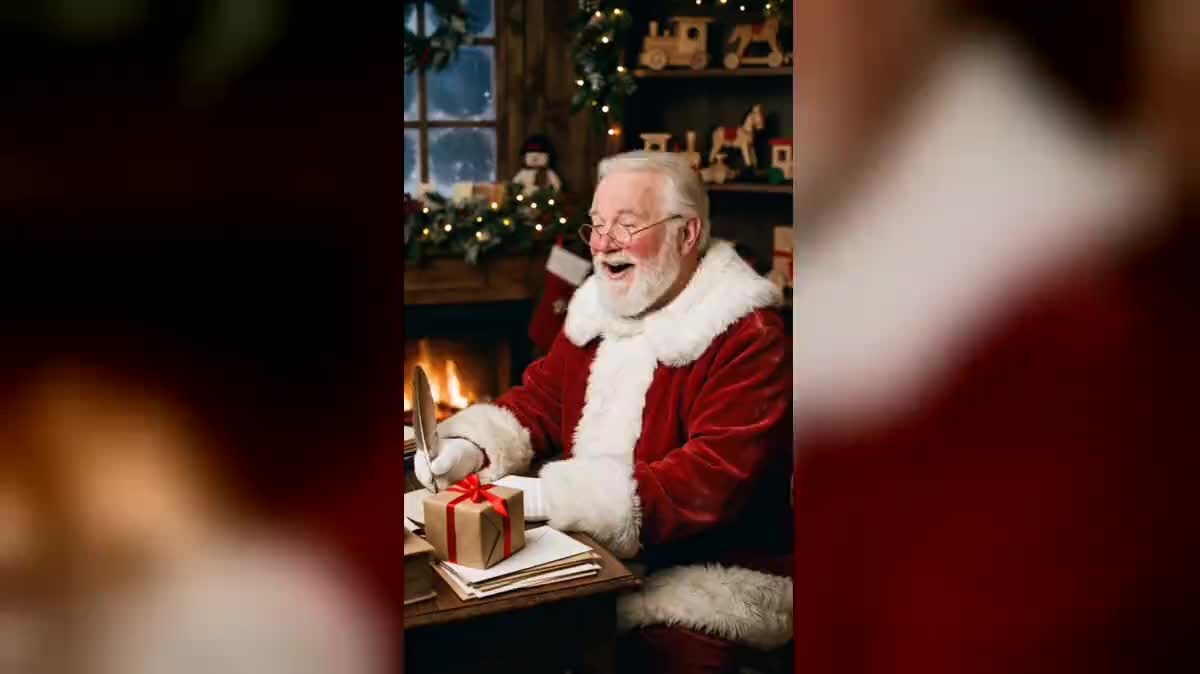
Santa, in his workshop, talks to your child, calls them by name and mentions their letter. Lips in sync with the voice, thirteen seconds. The whole workflow is visible without an account.
The real workflow: an invented Santa in his workshop, two messages read by an ElevenLabs voice, one for Leo and one for Ines, and two HeyGen videos where he says them, lips in sync.
At a glance
A message from Santa that calls your child by name, talks about their letter and the drawing tucked inside: this workflow prepares it in a few minutes. An image of Santa in his workshop, a short text read by a voice, then a video where he says it to camera. It goes out on WhatsApp or gets shown at bedtime, if you want it to.
Two things took some testing. A long beard hides the mouth and leaves nothing to animate: this Santa has a short beard and a moustache that clears his lips. And out of four voices tried on the same sentence, Roger was the one that said "Bonjour Léo, c'est le Père Noël" best in the French demo. The voice is wired to the HeyGen node, which keeps its words exactly as they are.
To make a photo of yourself talk, see make a photo talk; for another celebration, the birthday video. The two videos of the demo cost ninety-five credits, image and voices included.
These are the files of the workflow above, exactly as the models produced them, unretouched. The starting point is shown when there is one.
Render
Parents, grandparents, nurseries and schools who want a Christmas message using a child's name, and shopkeepers preparing their holiday window.
Keep Santa or change him
The image is generated once and serves for every message. If you change it, keep the short beard, the moustache above the lips and the ban on screens and text.
Write a short message
The name, one true detail (the letter, a drawing, something kind they did) and a warm ending. Thirteen seconds is plenty: the video lasts as long as the voice, fifteen seconds at most.
Generate the voice and listen to the name
ElevenLabs v3 reads the text with the Roger voice. The [laughs] and [whispers] tags make him laugh or whisper. Check that the name sounds right before you launch the video.
Launch the video and send it
The HeyGen node receives the image and the voice: Santa says the message, lips in sync, vertical at 480p. Ready for a messaging app or a tablet propped up by the tree.
The same canvas, tuned for different needs: each variation is two or three lines of prompt away.
Leo and Ines each get their own: duplicate the message and its video, change the name and the personal detail. The same Santa talks to both of them, in the same workshop.
A parent travelling over the holidays prepares the video ahead of time and sends it on Christmas Eve, with a few words of their own in the same WhatsApp message.
The grandparents write the text with what they know of the child's year, school, sport, a first bike, then send it to the parents, who pick the right moment.
A teacher prepares one video for the whole class: Santa greets the children, mentions the end-of-term show and the tree they decorated together. One message for everyone, no names.
A toy shop or a bakery loops the video on a screen in the window: Santa wishes the neighbourhood a merry Christmas, with no names and no promise of presents.
Casually ask the child what kind thing they did this year, and slip it into the message: Santa will mention it in his own words, on top of their name.
A storybook beard covers the lips, and the video has nothing left to sync. Short beard, a moustache that clears the mouth.
On the first image, those words drew a phone status bar and an alarm clock. The prompt now rules out any screen, interface, clock and text.
The video lasts as long as the voice, fifteen seconds at most. Keep the name, one detail and an ending, and cut the rest.
If Santa announces a bike and the bike never comes, the video turns into a bad memory. Talk about the letter, the reindeer, the sleigh, not about what will be under the tree.
It is a generated video, like a letter written in Santa's name. Whether you show it, and how, is your call, depending on your child's age.
Listen to the voice before the video. If an unusual name comes out wrong, spell it the way it sounds and regenerate the voice alone, for four credits.
As long as the voice, fifteen seconds at most. The two messages of the demo last thirteen seconds each, about forty words.
Ninety-five credits for the whole demo: nineteen for the image of Santa, four per voice, thirty-four per thirteen-second video. One more message, on the same image, costs thirty-eight credits.
Both make the image talk on the voice. For thirteen seconds, InfiniTalk costs three hundred and twelve credits and HeyGen thirty-four, for the same job.
Four voices read the same French text: Bill, George, Brian and Roger. Roger pronounced "Bonjour Léo, c'est le Père Noël" best. Feel free to try another, listening closely to the name.
Yes: both videos start from the same image, with the same glasses, the same beard and the same coat. A single image serves for every message.
Yes: write the text in the language you want and change the language of the voice. The video keeps the words of the voice exactly as they are.
Make a personalised video from Santa with AI
Use this workflowFree account, no card required. The workflow opens pre-filled in your canvas.
 HeyGen Video 1
 ElevenLabs v3
 Nano Banana Pro
 InfiniTalk