The ten second ad
The problem, the product, the gesture, the result: four panels, ten seconds, exactly the format of a short social media ad.
Four written beats become a grid of four film stills, then ten seconds of video playing the four shots in order. Workflow visible here, no account needed.
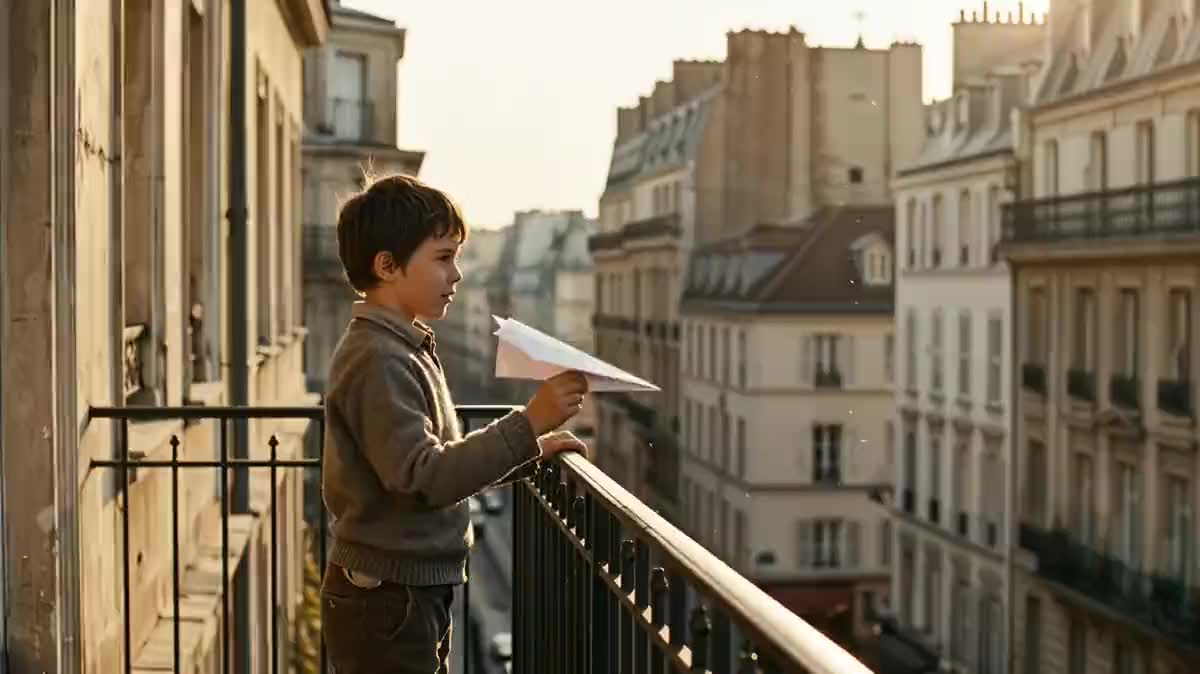
Real workflow: a paper airplane thrown from a balcony, flying over the city, landing in an old man's hand and flying off again. Four stills in a 2x2 grid, then ten seconds of film in order.
At a glance
A story in four beats fits in a 2x2 grid: a start, a journey, a meeting, a payoff. This workflow writes it in a Text node, draws it as four film stills on a single image, then Wan 3.0 turns it into ten seconds of video playing the four shots in order.
The secret is the single image. Four images generated one by one give four lights and often four faces. Drawn together, the four stills share everything, and so does the film that comes out of them. The grid goes in as a reference, not a start image, otherwise the film would open on it.
Four beats is the safest format: two and a half seconds per shot, enough for each action to exist. For more shots, see the six shot grid or the 3x3 storyboard. The grid and the film cost a hundred and thirty nine credits.
These are the files of the workflow above, exactly as the models produced them, unretouched. The starting point is shown when there is one.
Render
Reel creators, advertisers, authors and video makers who want a short four beat story without a shoot.
Four beats of a story in a few words each, and one shared light for all four.
Write four beats
A start, a movement, a meeting, a payoff. One action per panel, clearly different from its neighbour, otherwise two shots merge into one.
Set the light for all four
A time of day, a mood, a grade, written once for the whole grid: that is what makes a film rather than four images.
Check the grid
Four 16:9 panels, in reading order, with no text or numbers. If a character changes from panel to panel, rerun the grid before the video.
Wire the grid in as a reference
The Video node's reference port receives the grid. Ten seconds for four panels: each shot has time to play.
The same canvas, tuned for different needs: each variation is two or three lines of prompt away.
The problem, the product, the gesture, the result: four panels, ten seconds, exactly the format of a short social media ad.
A mini story in four beats, with a payoff, gets watched to the end and shared, far more than a single looping shot.
Four highlights of a book, a game or an event, and ten seconds that make people want more, to edit afterwards with the opening title sequence.
Two panels before, two after, the same light: the transformation shows, and the film tells the passage from one to the other.
Four moments of a day, from leaving to coming back, with the same people: a keepsake film that fits in a single starting image.
Before writing a whole scene, four panels tell you whether the idea works on screen: ten seconds to know if it is worth going further.
Four generations give four lights and often four faces. One grid is one film.
The film then opens on the grid itself. The grid goes into the reference port.
Two nearly identical shots merge into one in the film. Four clearly different actions, one per panel.
Titles, numbers, speech bubbles: the video model copies them. Text goes on afterwards, in the Montage or the title sequence.
Yes: replace the Image node with a Media node holding your grid of four photos, wired to the reference port. Real photos from the same series work.
Measured on the 3x3: a drawn grid comes out half drawn. 3x3 storyboard to video shows the step that first converts it into film stills.
Yes: four 9:16 panels in the grid, and the Video node set to 9:16. The rest of the workflow does not change.
A hundred and thirty nine credits: nineteen for the grid on Nano Banana Pro, a hundred and twenty for ten seconds of Wan 3.0 at 720p.
Because it plays a reference grid in reading order, as measured on grids of four, six and nine panels. Seedance 2.5 refuses a grid of realistic photos.
On the demo, yes: the balcony, the flyover, the hand, the throw back, in order, with the same light. The model adds the movement between the images.
No, the demo is silent. Add a Music node and a Montage for a soundtrack.
Ten seconds for four panels is the measured balance. Shorter and the shots crowd each other; longer and the model invents shots between the panels.
Turn a 2x2 grid into a video with AI
Use this workflowFree account, no card required. The workflow opens pre-filled in your canvas.
 Wan 3.0
 Nano Banana Pro
 Seedance 2.5
 Kling V3