The short film scene
A complete scene in six shots, with its close up at the right moment, serves as a test before the shoot or as a final sequence for a generated film.
Six written beats become a grid of six film stills, then twelve seconds of video playing the six shots in order. Workflow visible here, no account needed.
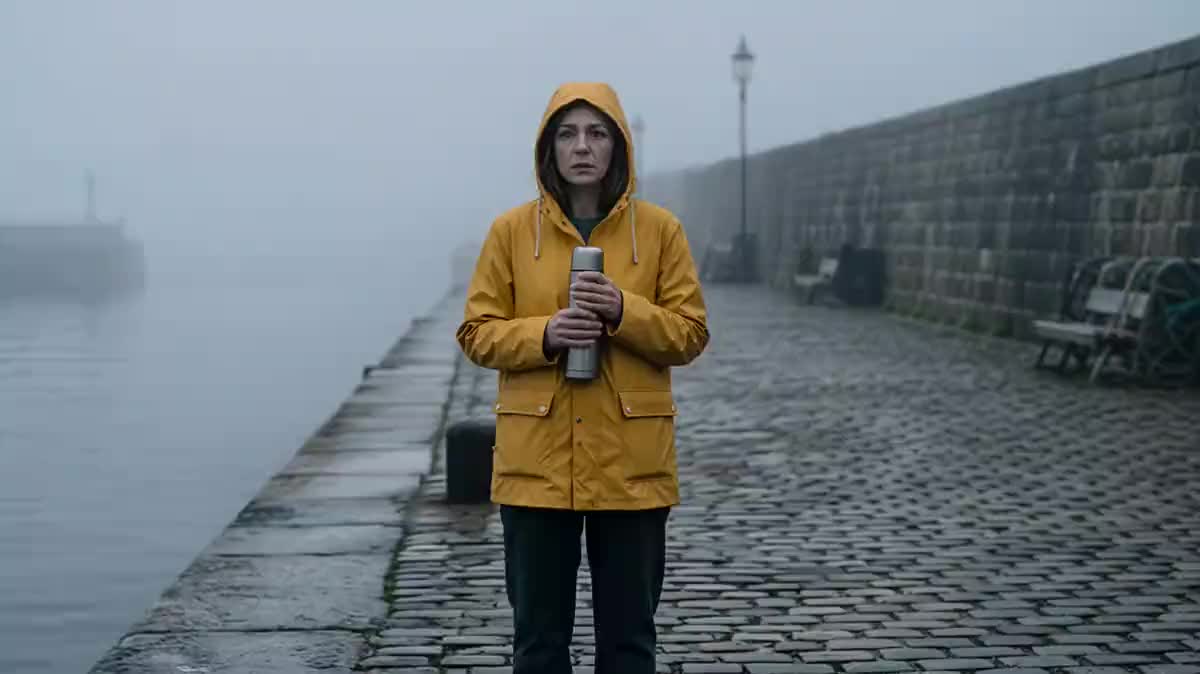
Real workflow: a woman in a yellow raincoat waits on a foggy quay, a boat appears, she recognises it, runs, and finds the fisherman. Six stills, three columns by two rows, then twelve seconds of film in order.
At a glance
Six shots make a complete scene: a wait, an appearance, a look, a run, an arrival, a reunion. This workflow writes it in a Text node, draws it as six film stills on a single image, three columns by two rows, then Wan 3.0 turns it into twelve seconds of video playing the six shots in order.
Everything rests on the single image: the six stills drawn together keep the same person, the same set and the same grade, and so does the film. The grid goes in as a reference and not as a start image, otherwise the film would open on the grid.
Six shots allow the rhythm of a real scene, with a close up between two wide shots. For a shorter story, see the 2x2 grid; for nine hand drawn shots, the 3x3 storyboard. The grid and the film cost a hundred and sixty three credits.
These are the files of the workflow above, exactly as the models produced them, unretouched. The starting point is shown when there is one.
Render
Directors, advertisers, music video and story creators who want a complete six shot scene without a shoot.
Six beats of a scene in a few words each, a recognisable character and one shared light.
Write six beats
A scene that moves forward: set up, reveal, react, act, arrive, conclude. Six distinct actions, one per panel.
Vary the shot sizes
A wide shot, a medium shot, a close up: that is what gives the film rhythm. Six wide shots in a row make a moving slideshow.
Keep one readable character
A coloured garment, visible in every panel where they appear: the yellow raincoat of the demo. The model uses it to keep the same person.
Wire the grid in as a reference
The Video node's reference port receives the grid. Twelve seconds for six panels, two seconds per shot.
The same canvas, tuned for different needs: each variation is two or three lines of prompt away.
A complete scene in six shots, with its close up at the right moment, serves as a test before the shoot or as a final sequence for a generated film.
Six beats telling a small story around a product, and twelve seconds that hold attention from the first shot to the last.
Six highlights in plot order, then the title card of the opening title sequence at the end: a complete trailer.
Six stages of a trip, from departure to arrival, with the same person and the same light: a keepsake film shared in one go.
Six images on a verse, then another grid for the chorus: the video is built grid by grid, keeping the same characters.
Six shots showing a place, a team, a gesture, a result: an opening video for a fundraise or a launch.
Six wide shots give a flat film. Alternate wide, medium and close up, as in a real shot breakdown.
Beyond six panels for twelve seconds, neighbouring shots merge. Lengthen the duration or split the scene into two grids.
A daylight panel among night panels breaks the film. The light is written once for the whole grid.
A character with no distinctive sign changes face from shot to shot. A garment colour, visible at every appearance.
It is the layout that keeps 16:9 panels large enough inside a 16:9 image. Two columns by three rows work too, for a vertical film.
Yes: assemble six photos into a grid, drop it into a Media node and wire it to the reference port. Photos from one series give the most consistent film.
Wan 3.0 goes up to thirty seconds, but on six panels the model then invents shots between them. For a longer scene, edit two grids together.
A hundred and sixty three credits: nineteen for the grid on Nano Banana Pro, a hundred and forty four for twelve seconds of Wan 3.0 at 720p.
Because it plays a reference grid in reading order, as measured on four, six and nine panels, with the same character. Seedance 2.5 refuses a grid of realistic photos.
On the demo, yes, in order: the quay, the boat, the look, the run, the jump, the hug, with the same woman in the yellow raincoat.
No, the demo is silent. Add a Music or Voice-over node and a Montage.
16:9 at 720p. For a vertical film, draw 9:16 panels in two columns and three rows, and set the video to 9:16.
Turn a grid of six images into a video with AI
Use this workflowFree account, no card required. The workflow opens pre-filled in your canvas.
 Wan 3.0
 Nano Banana Pro
 Seedance 2.5
 Kling V3