The short film before the shoot
The animatic of the key scene shows the crew the real length of each shot, and reveals the missing shot before the shoot rather than in the edit suite.
Your storyboard panels on a timeline, two key panels animated in pencil and a scratch voice-over: the film in draft, with its rhythm. Workflow visible here, no account needed.
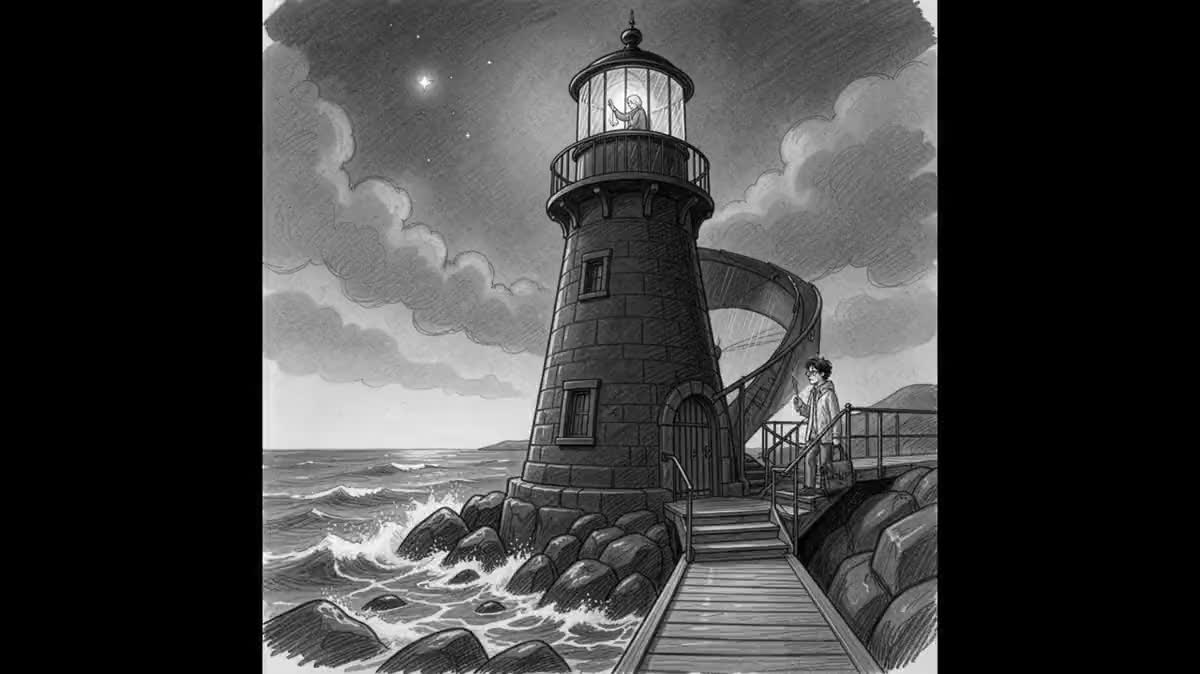
Real workflow: the six panels of the lighthouse storyboard on the timeline, the first and fifth animated in pencil by Wan 3.0, a scratch voice-over, twenty two seconds edited in the browser.
At a glance
Between storyboard and shoot, studios go through the animatic: the panels edited end to end, each for as long as it will last on screen, with a voice and a few moves. That is where you feel whether a scene drags or a shot is missing, long before paying for a single final image. This workflow builds one from your panels.
The canvas Montage takes the panels as they are, as stills, each with a duration. Two key panels are animated by Wan 3.0, and that is the hard part: a video model given a sketch colours it or makes it photoreal. The prompts require the pencil, the wash and the colour accents as they are, and a simple move.
The demo panels are those of storyboard from a chapter, reused without regenerating anything. The scratch voice-over goes through OpenAI TTS. The two animated panels and the voice cost a hundred and twenty three credits, the edit costs nothing.
These are the files of the workflow above, exactly as the models produced them, unretouched. The starting point is shown when there is one.
Starting point
Render
Directors, storyboard artists, agencies and students who want to judge a scene's rhythm before filming or generating it.
Your storyboard panels, one image per panel, and a few sentences of scratch voice-over.
Lay out your panels in order
One panel per Media node, in story order. They come from a storyboard made in the canvas, a scan of hand drawings or another piece of software.
Pick two panels to animate
The ones where movement tells something: an arrival, a gesture, a light coming on. The others stay still, that is the animatic convention and it is free.
Write a scratch voice
A few sentences telling the scene, read by OpenAI TTS for a few credits. It is not the film's voice, it is a metronome to set the durations.
Set the rhythm on the timeline
Each panel holds three seconds by default. Lengthen the ones carrying the voice, shorten the ones that drag: that is the whole point of an animatic.
The same canvas, tuned for different needs: each variation is two or three lines of prompt away.
The animatic of the key scene shows the crew the real length of each shot, and reveals the missing shot before the shoot rather than in the edit suite.
An agency presents the client with a thirty second animatic cut to the spot's voice-over: the client approves a rhythm and shots, not an idea on paper.
Panels timed to the track, one per bar, show whether the video carries the song before booking a set or generating a single final shot.
The episode animatic becomes the reference for the whole team, and the scratch voice is later replaced by the real actors, on the same timeline.
A minute of animatic in a grant application shows the staging far better than panels on a page, and gets watched to the end.
A teacher has students cut the animatic of a scene: they discover that rhythm is decided in the edit, not only in the drawing.
Without a prompt, the animated panel becomes a coloured illustration or a realistic image, and clashes with the still panels. Pencil must stay pencil.
A hundred and twenty more credits per pair, and an animatic that looks like a failed film. Stills are the rule, movement is the exception that matters.
An animatic voice is a timing guide. Having an actor record it before the rhythm is known means paying twice.
The same duration for every panel gives a slideshow, not an animatic. Rhythm is set panel by panel, on the voice and the action.
No: scanned drawings, photographed sketches or panels from other software all work. Each panel goes into a Media node, like a photo.
Yes, one Video node per panel, sixty credits each. An animatic does not need it: two or three well chosen moves are enough to judge the rhythm.
Yes, a Music node wired into the Montage audio track. The demo has none: a scratch voice is enough to set the durations, and music comes later.
A hundred and twenty three credits on the demo: sixty per animated panel on Wan 3.0, and three credits for the OpenAI TTS voice-over. The Montage, in the browser, costs nothing.
Because Wan 3.0 follows the format of the start image, and the demo panels are square. The Montage places them in 16:9 with bars, like a real panel animatic.
On the demo, yes: grey pencil, wash and yellow accents remain. The camera on the first panel pushes all the way to the lamp room, a stronger move than asked for.
The Montage takes twenty four clips and four minutes: enough to cut a whole scene, or a short film split into sequences.
Yes, the Montage renders a video file in the browser, to download and send to the crew, without going through editing software.
Make a storyboard animatic with AI
Use this workflowFree account, no card required. The workflow opens pre-filled in your canvas.
 Wan 3.0
 Kling V3
 OpenAI TTS HD
 Seedance 2.5