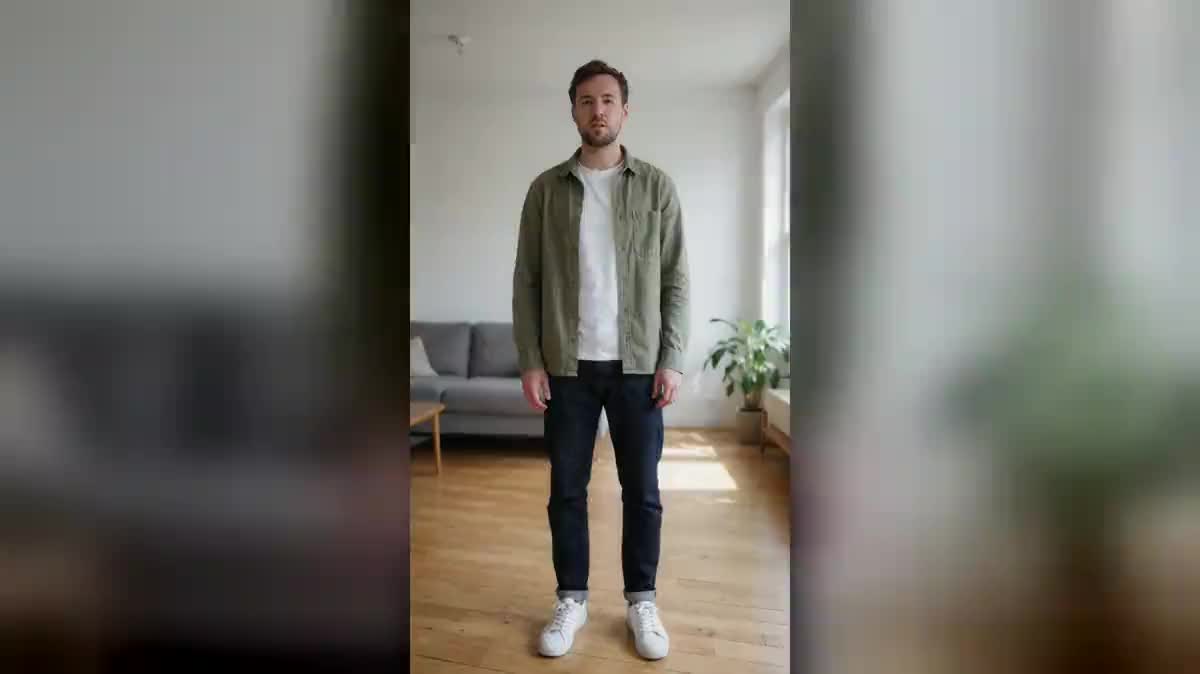
The clothes that fall
The most readable disappearance: the body goes, the clothes collapse on the floor in a heap. It is the one that reads without explanation, even cut down to three seconds.
Your phone clip goes to three Wan 3.0 nodes that make you disappear three ways: the clothes collapse on the floor, the body turns to dust, you reappear one step away.
The real workflow: the starting clip wired as a reference to three Wan 3.0 Video nodes, one disappearance per node. The three videos are the demo's own, the same person and the same room.
At a glance
It is the cheapest hook there is: one shot, three seconds, and the viewer has already stopped scrolling. You are standing still, and your body vanishes into thin air. The empty clothes fall to the floor in a heap.
The three disappearances in the demo are nothing alike: the clothes collapsing all at once while keeping their colour and their fabric, the body dissolving from the feet up into particles carried off by a draught, and the dry vanishing followed by a reappearance one large step away.
Two conditions in your starting clip do everything: the camera does not move at all, and nothing else moves in the frame. The three prompts repeat it, because a moving background gives a dissolve instead of a disappearance. Wan 3.0 takes your clip as a reference and keeps your face right up to the instant you go. The three videos cost one hundred and eighty credits.
These are the files of the workflow above, exactly as the models produced them, unretouched. The starting point is shown when there is one.
Starting point
Render
Wedge the camera
On a table, against a wall, or on a tripod. A handheld shot gives a soft dissolve: a fixed camera is what makes the disappearance sharp.
Stand in a wide shot
Standing, still, with floor visible under your feet. That is where the clothes are going to fall, and if there is no floor in the frame they fall out of shot.
Empty the background
No television on, no curtain moving, nobody walking past. Whatever moves behind you stops the model from understanding what is meant to disappear.
Generate all three, keep the hook
"Generate all" outputs the three disappearances. The clothes one reads best in three seconds, the dust one is the prettiest, the return one is the funniest.
The same canvas, tuned for different needs: each variation is two or three lines of prompt away.
The most readable disappearance: the body goes, the clothes collapse on the floor in a heap. It is the one that reads without explanation, even cut down to three seconds.
The body comes apart from the feet up into glowing particles carried off by a draught, the face going last. It is the most beautiful of the three, and the slowest.
You vanish, the frame stays empty for half a second, and you reappear one large step away looking at the spot you have just left. It is the comic version.
Three seconds of disappearance open a video better than a sentence. Put them at the top, then run on into your content with the Edit node, which assembles in the browser.
Disappear at the end of one shot and reappear at the start of the next, in another place or another outfit. The cut becomes an effect instead of something endured.
The principle does not assume a person: a car, a piece of furniture, a full plate. To erase an object from a photo rather than a video, remove an object is the sheet for that.
The slightest frame movement during the disappearance turns the effect into a dissolve, and the heap of clothes lands crooked. Put the phone down, it is the only real constraint.
In a chest shot there is no floor in the picture, so nothing to receive the clothes. Step back until you can see your feet and a little space around you.
A screen on, a fan, someone crossing: the model no longer knows what is meant to go and renders a mushy picture. A perfectly still background doubles the quality of the result.
The stiller you are, the sharper the disappearance. A small slow gesture, like spreading your arms, works very well; walking or turning around does not.
No, and that is the whole point: an ordinary living room is enough, and that is what the demo shows. The model does not cut your silhouette out, it replays the scene from your clip.
On the demo render, yes: they lose their shape at once and collapse in a heap, keeping their colours and their fabric. It is the variant we probed first, precisely because it is the hardest.
Yes, provided nothing moves behind you, which is harder outdoors. A courtyard, a car park, a path with no traffic suit better than a busy street.
One hundred and eighty credits for the three versions, sixty per five second video in 720p with sound. Rerunning only the one you keep costs sixty credits.
Yes, describe the new place in the prompt of the third version. The more the new place resembles the old one, the cleaner the reappearance.
Yes, the node outputs the video with its audio. On a disappearance the small displacement of air does a good part of the effect, and you can replace it in the edit.
Between one and fifteen seconds. Five are enough, and a shorter clip leaves the model fewer chances to make you move before the disappearance.
Yes, and making one person out of two disappear gives a stronger result than a disappearance on its own. Name clearly who goes and who stays in the prompt.
Disappear in a video with AI
Use this workflowFree account, no card required. The workflow opens pre-filled in your canvas.
 Wan 3.0
 Seedance 2.0
 Kling V3