A game trailer hook
A studio showing its flagship creature behind a real player gets an opening the game engine cannot produce, and one that travels beyond the original audience.
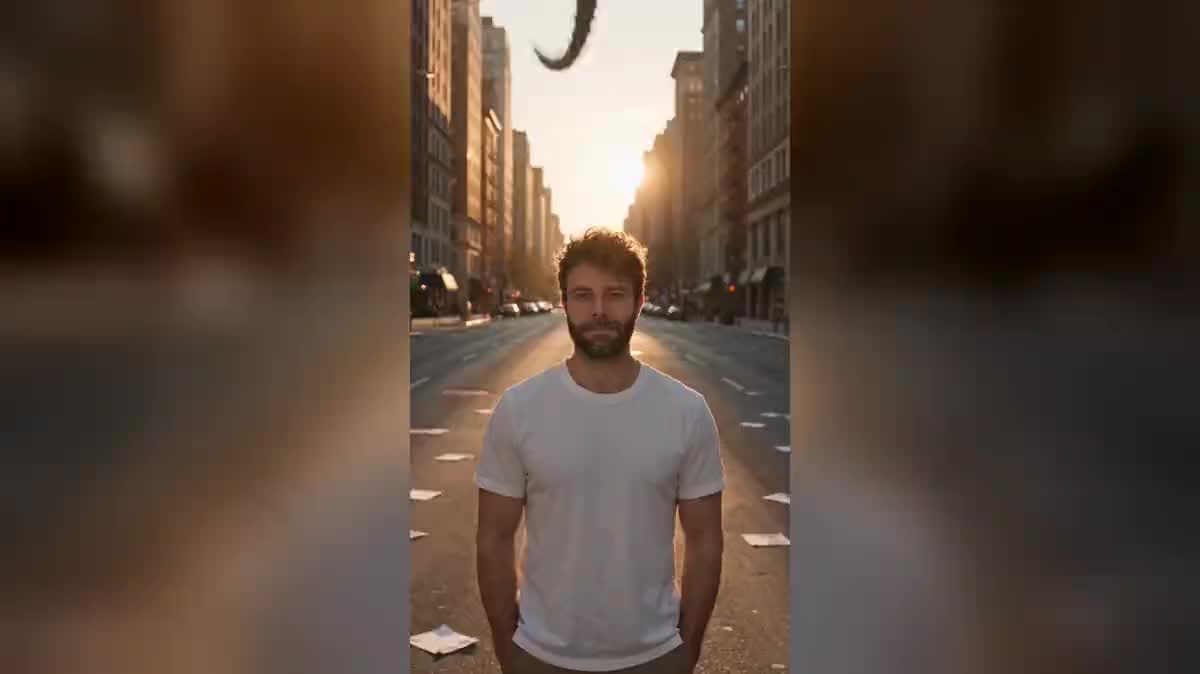
One selfie and two Seedance 2.5 nodes: you face the camera, a colossal creature reveals itself behind you, a dragon in the city or a beast in the mist. The real workflow, with both renders, is visible here without an account.
The real workflow: the selfie wired as a reference into two Seedance 2.5 nodes, one creature per node. Both videos are the demo's own, the same person turning round.
At a glance
You face the lens, and behind you something enormous arrives: a dragon dropping into the street, a forest creature rising between the trunks. It is the most shared effect of the gaming and fantasy audience.
The hard part is not the beast, it is the MATCH. A creature lit by a different source than you is spotted instantly, and the shot becomes a collage. Both prompts therefore demand the same light, from the same direction, and a shadow cast on the same ground.
The second hard part is your reaction: a person who never turns kills the effect, because nothing on screen says they noticed anything. Seedance 2.5 holds your face while the scene comes alive behind you. Both shots cost two hundred and forty credits.
These are the files of the workflow above, exactly as the models produced them, unretouched. The starting point is shown when there is one.
Starting point
Render
Give one sharp selfie
Framed from the waist up, facing the camera, in daylight. Your face has to hold while the attention moves behind you.
Describe the light before the beast
Orange dusk, cold morning mist, neon. The creature must inherit that light: it is what places it in the shot instead of pasting it on top.
Keep the creature far away
Twenty metres behind you, not pressed against your back. Close up it runs out of frame and its size stops reading, far away the scale lands in one glance.
Turn your head
A head pivoting over the shoulder at the moment of arrival. Without that gesture the viewer sees two unrelated things instead of one scene.
The same canvas, tuned for different needs: each variation is two or three lines of prompt away.
A studio showing its flagship creature behind a real player gets an opening the game engine cannot produce, and one that travels beyond the original audience.
A creator talking about dragons who puts one behind their own back wins the three seconds of attention that separate a scroll from a full watch.
A convention, a festival, a film release: the creature behind the organiser says the theme faster than the poster and makes people want to come and see.
A monster arriving behind a relative while they talk calmly gets an instant laugh, and it is the most frequent use of this effect by far.
A curious rather than threatening creature, tilting its head instead of roaring, gives a shot children ask for on loop without having nightmares.
If the human scale is what should change rather than an animal arriving, become a giant does the opposite: you tower over the street.
This is the flaw that gives everything away. A creature lit by a different source than you looks laid on top of the image, and the eye sees it before it understands why.
Too close, it runs out of frame and its size becomes unreadable. Scale needs distance: it is seeing it whole behind you that tells you what it is.
With no reaction, the viewer sees two unrelated things in the same shot. The head pivoting at the moment of arrival is what joins the two halves of the image.
The lock goes through the photograph, not through words. Describing features makes the model rebuild a face, and you stop recognising yourself in your own shot.
Because its light does not come from where yours comes from. It is the single flaw that gives the effect away, and it is fixed in the prompt: same source, same direction, and a shadow on the same ground as yours.
Yes, the mechanic works for anything colossal: a ship landing, a wave, a statue coming alive. What matters is the gap in scale between you and what arrives.
Both, in that order: you look at the lens, you feel something, you turn. It is the sequence of the gaze that tells the story, not the beast on its own.
Two hundred and forty credits, one hundred and twenty per five second video in 720p with sound. Rerunning one shot after changing the beast only costs one hundred and twenty.
On both demo shots it is the same face before and after the turn. It holds better when the camera does not move: here it is the scene that comes alive, not the frame.
The Video node accepts several reference images: yours for the face, another for the beast. Expect to write a precise description as well, a reference alone does not fix a silhouette.
Vertical 9:16 in 720p, the native format of social feeds. The format and resolution guide gives the expected sizes network by network.
Yes, as for any publication: the workflow changes nothing about image rights. The demo uses the face of the site's founder, with his consent.
Create a video with a giant creature behind you, with AI
Use this workflowFree account, no card required. The workflow opens pre-filled in your canvas.
 Wan 3.0
 Seedance 2.0
 Kling V3