A change of mood
Tilting the room at the exact moment the point changes gives an edit a visual punctuation a hard cut cannot provide, and one that reads without explanation.
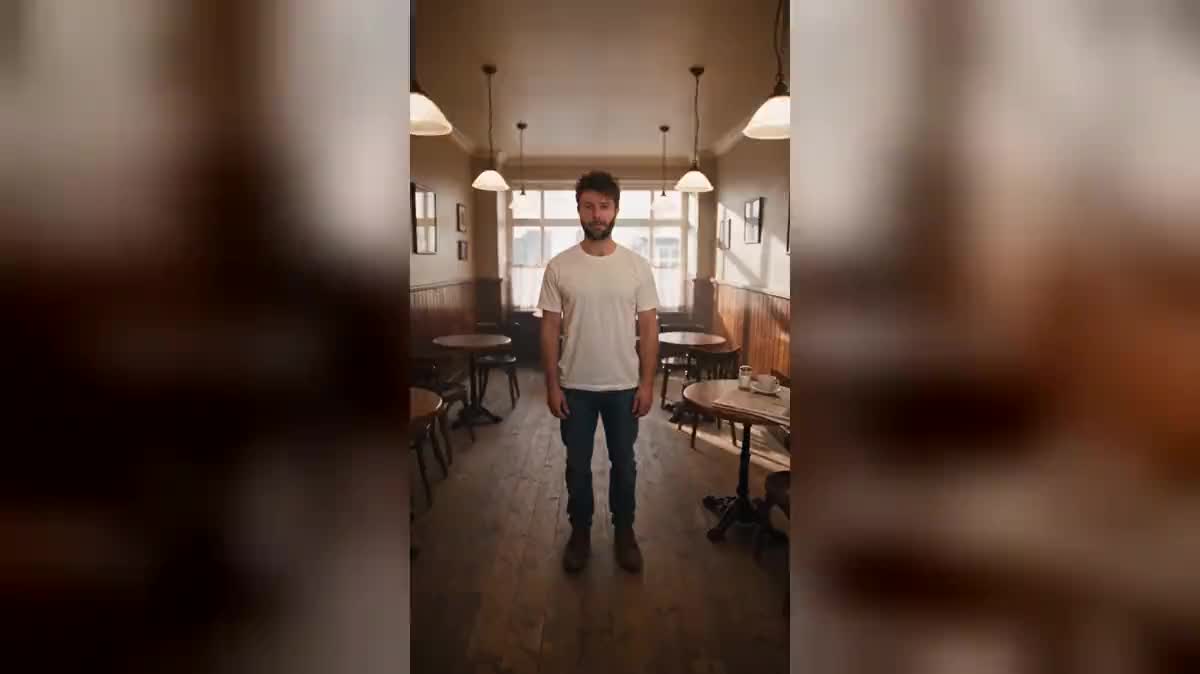
One selfie and two Seedance 2.5 nodes: you stand in the middle of a café or a bedroom, and the whole room turns around you while you stay upright. The real workflow, with both renders, is visible here without an account.
The real workflow: the selfie wired as a reference into two Seedance 2.5 nodes, one room per node. Both videos are the demo's own, the same person left vertical.
At a glance
A room rolls over around you, objects slide, you stay upright in the middle. It is the simplest of the family's ten effects and the most readable in vertical: the whole thing lands in one second.
The hard part fits in one sentence: it is the WORLD that turns, not the camera. Ask only for the set to tilt and you get a slanted shot, which any phone can do and which impresses nobody. Both prompts therefore state that the camera stays level and that you stay vertical.
This is also the workflow that decided the model for the whole batch: measured on 13 September 2026, Seedance 2.0 fails this brief, it tilts the camera; Seedance 2.5 holds it. Both shots cost two hundred and forty credits.
These are the files of the workflow above, exactly as the models produced them, unretouched. The starting point is shown when there is one.
Starting point
Render
Give one sharp selfie
Framed from the waist up, facing the camera, in daylight. You are the only fixed point of the shot, so the only thing the viewer really looks at.
Write that the camera stays level
The camera stays level with him and never tilts, it is the room that rotates. That is the sentence that separates the effect from a rotated picture.
Describe what slides
Cups falling, a newspaper skating away, a lamp tipping over. A room that rotates with nothing moving inside it looks like a photograph someone turned.
Stay still
Feet planted, hands at your sides. Your stillness is what makes the rest absurd: if you move too, the eye loses its reference.
The same canvas, tuned for different needs: each variation is two or three lines of prompt away.
Tilting the room at the exact moment the point changes gives an edit a visual punctuation a hard cut cannot provide, and one that reads without explanation.
Three seconds of a rolling room right at the start stop the thumb, and the rest of the video can then be perfectly plain.
A move, a reorganisation, bad news: the world tilting while you stay upright says the thing without anyone having to write it down.
An object that stays put while the room turns tells its stability or its fixing better than a spec sheet, and gets watched to the end.
A room rolling behind a motionless singer is a classic music video shot, and here it costs two hundred and forty credits instead of a stage and a crane.
If it is scale rather than gravity that should change, the zoom from space gives the same vertigo with a camera move instead of a rotation.
This is the mistake that reduces the effect to nothing. A camera that leans gives exactly what turning a phone gives, and the shot loses everything that made it strange.
With no sliding objects, the rotation reads as a rotated image. It is the cups, the books and the lamps that prove gravity changed direction.
You are the fixed point. If you move as well, the eye loses its reference and the scene becomes unreadable instead of unsettling.
A bare studio gives nothing to slide. A cafe, a bedroom, a kitchen: the more loose objects there are, the more the tilt shows.
Because nothing moves in the room. The motion of the objects is what proves gravity changed direction: with no cup falling and no lamp swinging, the eye reads a simple image rotation.
Forty five degrees reads very well and stays believable, ninety degrees is more radical but needs more objects in motion to stay readable. The demo shows both.
An empty room is easier to hold but far less spectacular: it is the furniture and the objects that tell the tilt. A cafe or a furnished bedroom gives a better shot than a bare studio.
Two hundred and forty credits, one hundred and twenty per five second video in 720p with sound. Rerunning one tilt after changing the room only costs one hundred and twenty.
Because this is the very effect where the difference was measured on 13 September 2026: Seedance 2.0, half the price, tilts the camera instead of rotating the room. The brief collapses, and the shot is worth nothing.
Nothing in the prompt forbids it, but the bigger the rotation, the more objects in motion it needs to stay readable in five seconds. Forty five degrees is the best effect-to-risk ratio.
Vertical 9:16 in 720p, the native format of social feeds. The format and resolution guide gives the expected sizes network by network.
Yes, as for any publication: the workflow changes nothing about image rights. The demo uses the face of the site's founder, with his consent.
Create the tilting room effect around you, with AI
Use this workflowFree account, no card required. The workflow opens pre-filled in your canvas.
 Wan 3.0
 Seedance 2.0
 Kling V3