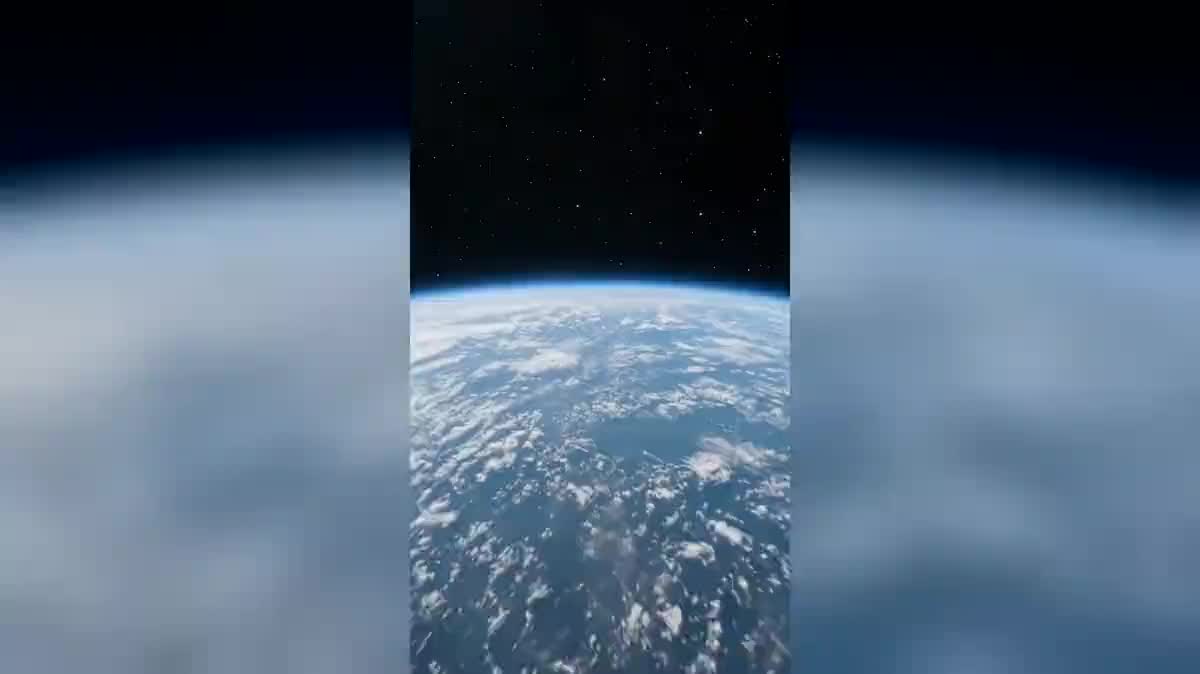
The opening of a travel video
Arriving from the sky onto the city you just landed in replaces the airport shot everyone has already seen. Three seconds of descent, and the viewer knows where they are.
One selfie is enough: two Seedance 2.5 nodes generate the continuous descent from Earth orbit down to you, in the street or on a rooftop. The real workflow, with both renders, is visible here without an account.
The real workflow: the selfie wired as a reference into two Wan 3.0 nodes, one descent per node. Both videos are the demo's own, the same person at the landing point.
At a glance
This is the opening shot shops, weddings and home tour videos started using everywhere: the camera leaves orbit and falls, with no cut, down to a person looking up. The whole effect lives in those three words, no cut.
That is where the trap is. Ask for a zoom from space and the model hands you three shots glued together: orbit, city, person. The vertigo is gone, because the vertigo IS the continuity. Both prompts in this workflow therefore ban the cut, the dissolve and the pause in writing, and demand a single take where the scale never stops changing.
The other difficulty is that you only appear in the last second. So you need a model that holds a face in reference on a shot where that face does not exist yet: Wan 3.0 does, and that is what was measured before this page was written. Both descents cost one hundred and twenty credits.
These are the files of the workflow above, exactly as the models produced them, unretouched. The starting point is shown when there is one.
Starting point
Render
Give one sharp selfie
Framed from the waist up, facing the camera, in daylight. It is the only thing we ask of you, and it serves the last third of the shot, the part where you are recognised.
Write the journey, not your face
The prompt describes orbit, clouds, the city, the street, then the landing point. The moment you describe a face, the model rebuilds it instead of using yours.
Ban the cut in writing
One single continuous shot, no cut, no dissolve, filmed as one unbroken take. Without that sentence the model delivers a slideshow, and it is the mistake that comes back most often on this effect.
Generate both, then change the landing
Generate all returns both descents. Then swap the street for your shopfront or your terrace in the prompt and rerun that node alone: the other one keeps its render.
The same canvas, tuned for different needs: each variation is two or three lines of prompt away.
Arriving from the sky onto the city you just landed in replaces the airport shot everyone has already seen. Three seconds of descent, and the viewer knows where they are.
Falling from orbit down to your own shop gives a neighbourhood business an opening nobody associates with a neighbourhood business. It is the first paying use of this effect.
Descending to the venue, then finding the couple looking up, tells the address and the invitation in the same shot, without a single line of text.
One descent per office, and each team member appears on landing in front of their building. Cutting the shots together gives a living world map in thirty seconds.
Coming from space down to the childhood house, the farm or the street you grew up in gives a personal story a scale that an archive photograph never has.
The same play on scale happens at ground level in become a giant, where the person towers over the street instead of the camera falling onto it.
This is the mistake that kills the effect. Without an explicit ban, the model edits three shots together and all that remains is a plain sequence of orbit, city and person.
Writing eye colour or nose shape makes the model rebuild a face instead of using yours. The photograph talks about you, the prompt talks about the journey.
The model composes a believable place, it does not read a map. Asking for a precise street in a precise city returns a lookalike, never your own street to the metre.
Spending three of the five seconds in space leaves no room for the landing. The descent has to accelerate: the sky is an opening, not the subject.
Because the prompt does not ban the cut. A video model is happy to tell a descent as three shots edited together, which is easier than holding a scale that changes continuously. The sentence one single continuous shot, no cut, no dissolve is what changes the result.
Yes, that is the principle: the shot runs five seconds and you own the last one. That is where the effect pays off, because the viewer just crossed the atmosphere to find you.
You describe the landing place, not its coordinates: a narrow street, a terrace, a shopfront. The model composes a believable place, it does not look up a real address on a map.
One hundred and twenty credits, sixty per five second video in 720p with sound. Rerunning a single descent after changing the prompt only costs sixty credits.
Because there is nothing to animate: the scene does not exist yet. An image reference gives the model your face for the end of the shot while it composes the whole descent around it.
Yes, and it is even the right length: the effect rests on speed. A longer shot slows the fall and loses the vertigo. If you want to breathe on arrival, add a second shot at ground level.
Vertical 9:16 in 720p, the native format of social feeds. The format and resolution guide gives the expected sizes network by network.
Yes, as for any publication: the workflow changes nothing about image rights. The demo uses the face of the site's founder, with his consent.
Create an Earth zoom from space down to you with AI
Use this workflowFree account, no card required. The workflow opens pre-filled in your canvas.
 Wan 3.0
 Seedance 2.0
 Kling V3