A season's wardrobe
Showing four silhouettes from one collection in five seconds replaces four photographs nobody scrolls to the end of. It is the use that pays best for this effect.
One selfie and two Seedance 2.5 nodes: you walk toward the camera and your outfit changes with every step, through the seasons or across countries. The real workflow, with both renders, is visible here without an account.
The real workflow: the selfie wired as a reference into two Wan 3.0 nodes, one walk per node. Both videos are the demo's own, the same face under all eight outfits.
At a glance
You walk toward the lens, and at every stride the outfit changes on you without the shot cutting. It is the most commercial effect of the family: fashion and travel pay for it, because it shows a whole wardrobe in five seconds.
The difficulty is the exact opposite of your future job. There, the face had to be locked without locking the outfit. Here the outfit must change, and the shot must still hold as a single take. Both prompts therefore describe each outfit as a step of the shot, and demand the single take in plain words.
The lock covers the face, the hair and the beard, never the clothes, since the clothes are the thing on parade. Wan 3.0 holds that lock from one outfit to the next, and that is what makes the effect readable. Both walks cost one hundred and twenty credits.
These are the files of the workflow above, exactly as the models produced them, unretouched. The starting point is shown when there is one.
Starting point
Render
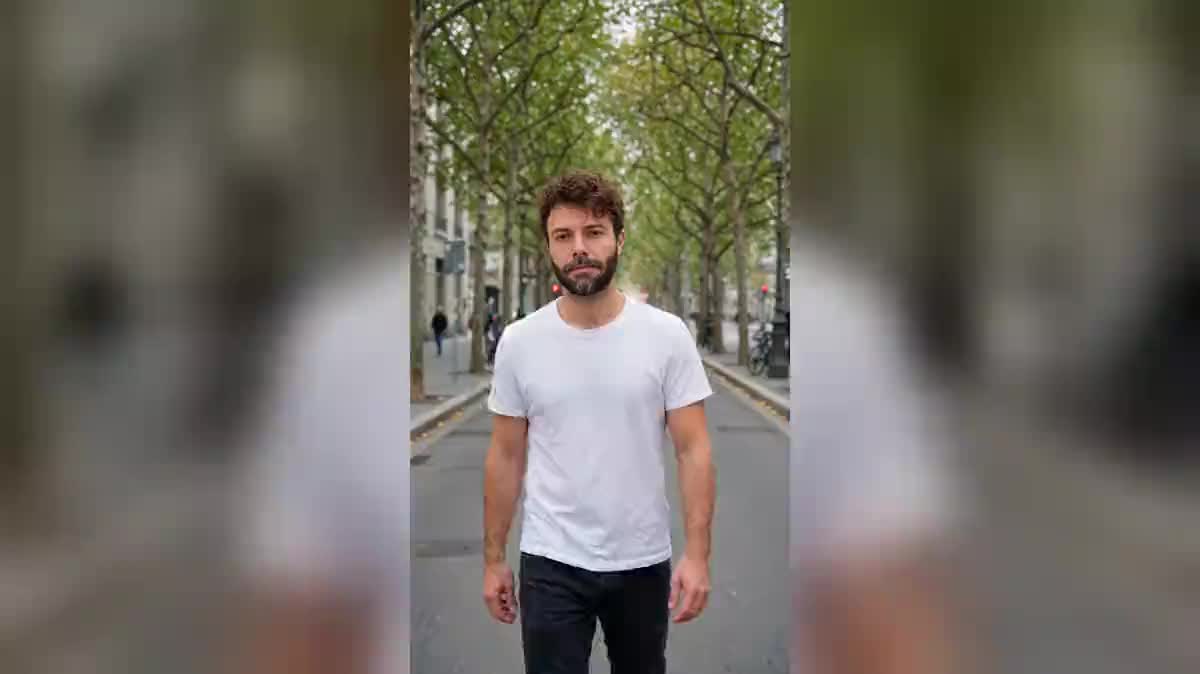
Give one sharp selfie
Framed from the waist up, facing the camera, in daylight. The model takes the face, the hair and the beard from it, and nothing else: what you wear in the photo does not matter here.
Write the outfits in order
One outfit per stride, described by its fabric and its colour. Four outfits over five seconds is the right count: at six, each change goes by too fast to be seen.
Demand the single take
One single continuous shot, no cut, no dissolve, the outfit swaps from one stride to the next while he keeps walking. Without that sentence the model returns four edited shots and the effect collapses.
Walk at the lens, not across it
The change reads on the torso. Walking across the frame hides it behind the background, walking straight at the camera puts it exactly where the eye is already looking.
The same canvas, tuned for different needs: each variation is two or three lines of prompt away.
Showing four silhouettes from one collection in five seconds replaces four photographs nobody scrolls to the end of. It is the use that pays best for this effect.
Four cities, four outfits, one single walk. The route tells itself without a map or a caption, and the viewer gets the journey before the shot ends.
First job, wedding, career change: three outfits following one another on the same face tell a path better than a line of text on a profile ever will.
An image consultant shows the road rather than two photographs side by side. The continuous walk gives the change a direction, which a diptych cannot do.
The same person in site gear, then in a lab coat, then in a suit says what a services company does without listing its business lines in a bullet list.
If the job has to change and not only the outfit, your future job composes the whole setting around you instead of a parade of clothes.
Without the sentence that imposes one continuous shot, the model delivers four shots edited together. The instant swap is the whole point, and it dies on the first dissolve.
On five seconds each outfit holds for less than a second and the viewer sees none of them. Four is the right count, and two shots beat one overloaded shot.
The change reads on the torso. Walking sideways hides it behind the background, and the effect is lost at the exact moment it should land.
The lock goes through the photograph, not through words. Describing features makes the model rebuild a face, and the likeness drifts from one outfit to the next.
Four on a five second shot is comfortable. Beyond that each outfit stays on screen for less than a second and the viewer does not see it. To show eight, make two shots and join them with the Montage node.
The two variants answer differently: the first keeps the same street and changes the season, the second changes city with every outfit. Changing the setting strengthens the effect, keeping it puts the outfit forward.
To show silhouettes, yes. To show a specific piece you are selling, no: the model invents the clothes from your description, it does not reproduce an existing garment. Virtual try-on is the right workflow for that.
One hundred and twenty credits, sixty per five second video in 720p with sound. Rerunning a single walk after changing the outfits only costs sixty credits.
On both demo shots it is the same face, the same beard and the same hair from the t-shirt to the suit. It holds better in a wide shot than in a very tight close-up, as always with a reference.
Yes, and that is exactly the first variant: the street does not change, only the season moves around you. Keeping the setting puts the outfit forward, changing city puts the journey forward.
Yes, the Montage node assembles them in the browser, with no software and no extra credit. Ten seconds of eight outfits make a video that stands on its own.
For silhouettes and a mood, often yes. To sell a specific piece with its real cut and its real fabric, no: the model invents the clothes, it does not photograph yours.
Create a video where your outfit changes with every step, with AI
Use this workflowFree account, no card required. The workflow opens pre-filled in your canvas.
 Wan 3.0
 Seedance 2.0
 Kling V3