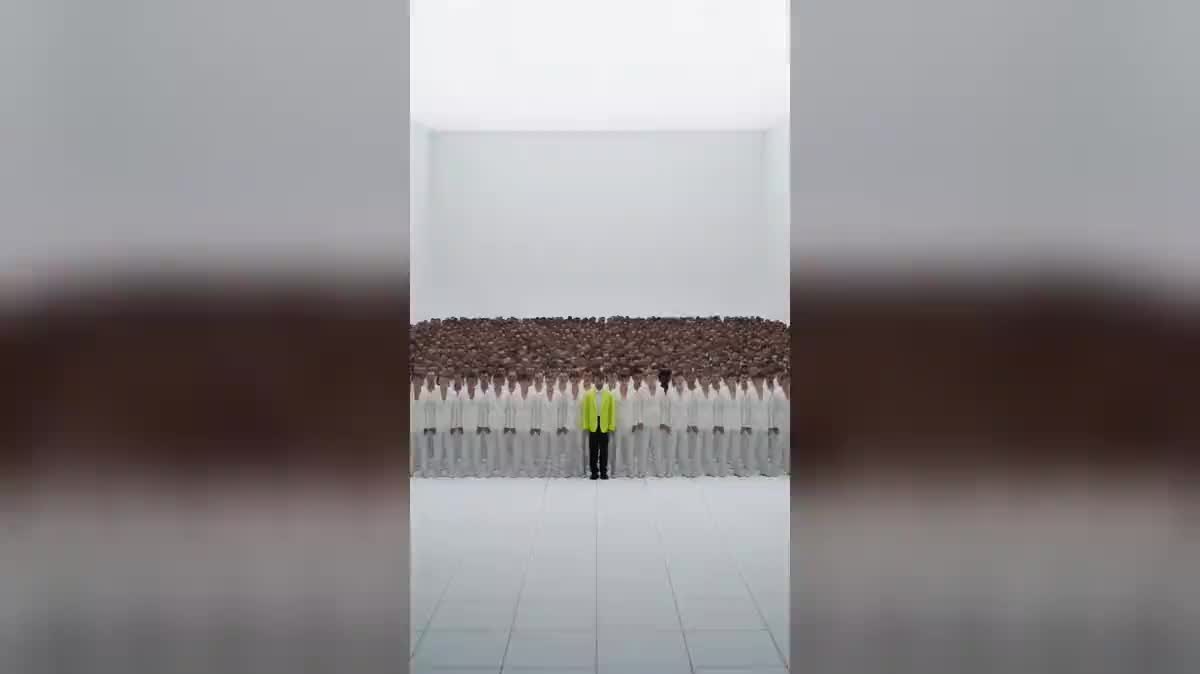
The trending clip, with you in it
This is the use that made the format spread: a clip everyone recognises, redone with you as the lead. Two hundred and forty credits, and the movement is the original's.
A reference clip gives the movement, the camera and the cuts; your photo gives the lead. Two Seedance 2.5 nodes render the clip with you in the middle of a crowd you describe. The real workflow is visible here without an account.
The real workflow: a reference clip wired to the Video input of two Seedance 2.5 nodes, the photo wired to Reference images, one prompt per node. Both videos are the ones from the demo.
At a glance
You have seen the clip: a lead standing still in the centre, a uniform crowd moving in time behind, a camera pushing in. And you have seen it redone with someone else as the lead, in another place, with another crowd. It is not an edit: it is a reference clip whose movement is kept, and whose everything else is rewritten.
What makes the effect hold is not the prompt, it is the clip. It goes into the Video input of Seedance 2.5, which takes the movement, the camera, the pacing and the cut points from it, and which imposes its format and duration. Your photo goes into Reference images, and that is what holds the face from start to finish.
The prompt reads in four blocks. The movement, which you never rewrite. The lead, the crowd and the place, which you rewrite as you like. The two shots cost two hundred and forty credits.
These are the files of the workflow above, exactly as the models produced them, unretouched. The starting point is shown when there is one.
Starting point
Render
Give a reference clip
One single take between two and thirty seconds, a lead who stays still while the crowd moves: that contrast is what makes the clip. The format and duration of your video will be those of this clip.
Give a sharp photo
Front facing, mid bust, in daylight. That is what holds the face. Describe the lead's outfit in the prompt, never the face.
Rewrite three blocks out of four
The movement block stays word for word. You change the lead, the outfit, the crowd around and the place. Each node carries its own version.
Look at the crowd before publishing
The model builds the crowd from the description. If it comes out too uniform or too sparse, specify the variety of faces and builds, or the number, and rerun that single node.
The same canvas, tuned for different needs: each variation is two or three lines of prompt away.
This is the use that made the format spread: a clip everyone recognises, redone with you as the lead. Two hundred and forty credits, and the movement is the original's.
Keep the clip and the photo, change the crowd block: white suits, then black raincoats. Two nodes, two moods, one reference shoot.
A musician with no budget for extras films five seconds alone in front of a wall, and describes the crowd they wished they had. The reference clip is their own.
A club, an agency, a class: the lead in the centre, the crowd behind in the team colours. The place described in the block is enough, no stadium needed.
A uniform crowd moving in time behind a still face says something is coming better than a poster does. The five second clip makes a story.
If recognition is what matters and not the clip, the crowd chanting your name puts you on the giant screen rather than in the middle of the crowd.
It is the only block kept word for word. As soon as you touch it, the model stops following the clip and composes its own scene, and the format has nothing left of the original.
The face comes from the photo. A written description competes with it, and the model redraws someone else. Describe the outfit, the posture, the place in the frame, never the features.
The movement is kept as is: a reference lead who dances imposes that dance and that body. A lead standing still is the one that takes your face best.
The duration and format of the video are those of the reference clip, not the ones set in the node. A thirty second 16:9 clip gives thirty seconds in 16:9, and the price follows the duration.
Technically the node accepts any video between two and thirty seconds. The law does not change though: a third party clip is a work, and what comes out reuses its movement. For a published video, start from a clip you filmed or generated, like the one in the demo.
Because the model keeps the movement of the clip: if the reference lead dances, yours will dance with that body. A lead standing still is the one that takes your face and your outfit best.
Yes, that is the point of the blocks: each block is rewritten on its own. A crowd in white in the same warehouse, then the same crowd under the rain, that is two nodes and two prompts.
Two hundred and forty credits for two five second clips in 720p with sound, one hundred and twenty each. The price follows the duration of the reference clip: a longer clip costs more, in proportion.
Seedance 2.5 accepts a video as input and treats it as an edit: it keeps what the prompt tells it to keep and replaces the rest. It is the model wired in both nodes of the demo.
Yes, provided the photo is sharp and front facing, and the prompt does not describe the face. On both shots of the demo, the lead is the site's founder, from a single selfie.
This workflow is built for a single lead, which is what makes the contrast with the crowd. Several photos as references fall outside what was verified on this effect.
Become the lead of a music video with AI: one reference clip, your photo
Use this workflowFree account, no card required. The workflow opens pre-filled in your canvas.
 Seedance 2.5
 Wan 3.0
 Kling V3